Note: The severity value displayed here is set in the Alarm Editor.
Action
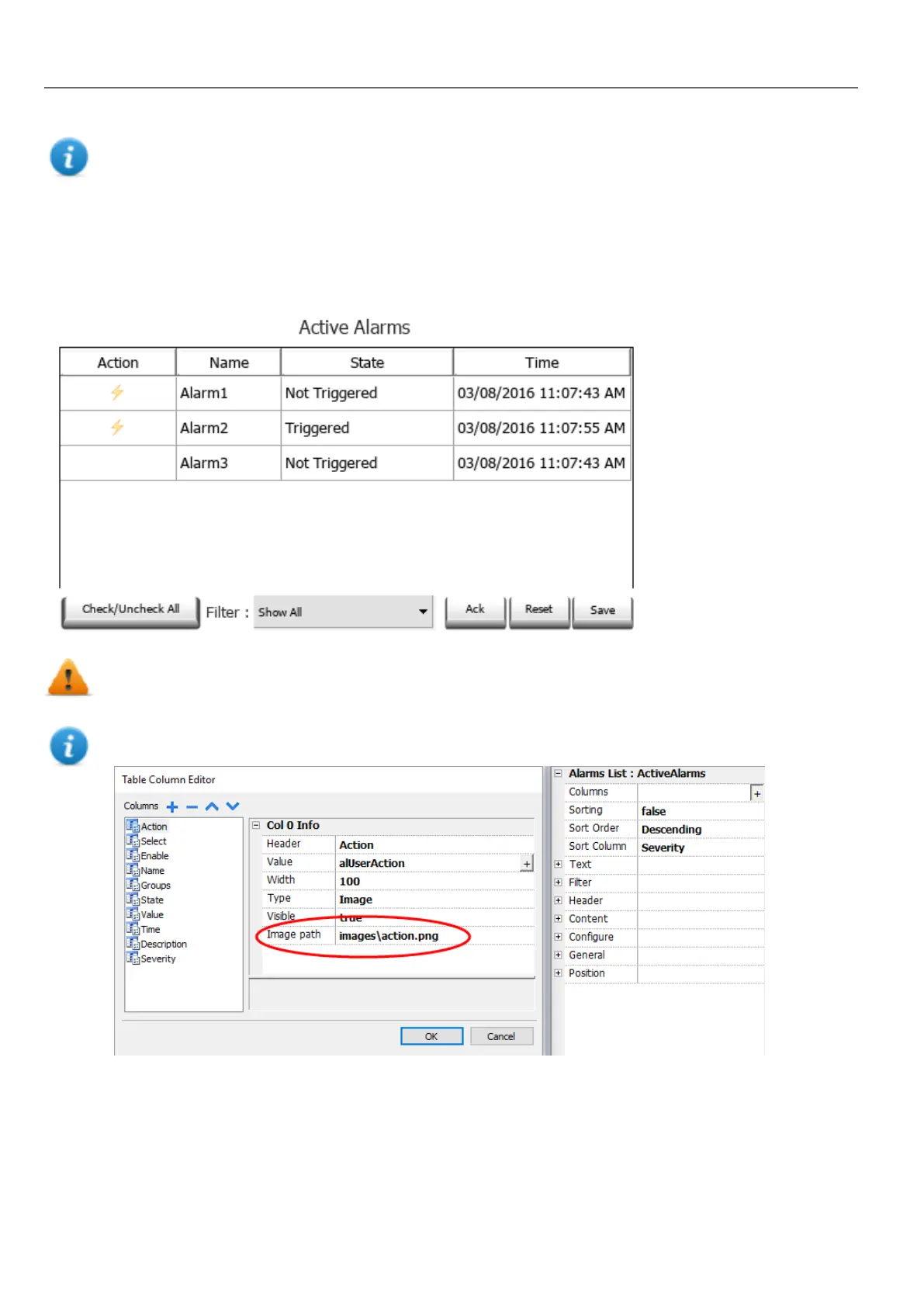
When the "User Action" associate with the alarm (see “"Alarms Editor" on page166 for details) contains valid actions, the
Action icon is showed. Pressing the icon, the configured actions will be executed.
WARNING: If you are using an older converted project, you have to substitute the old Active Alarms
Widget with the new one from the Widgets gallery
Note: The image can be modified from the Colums property of the Active Alarms widget
Alarms History widget
Logs and display an alarm list if Buffer property in Alarms Configuration Editor is set.
176
HMWIN Studio |User Manual|v206 (2017-06-30) |EN|© 2014-2017 Panasonic Electric Works Europe AG
Alarms History widget



 To Next Page