Data logging
Data can be logged and stored to HMI memory. Data logging allows you to store the values of a group of tags all at the
same time to a buffer. Data logging can be triggered by a timer or by a dedicated tag. Logged data can be exported to a .csv
file or displayed using the historical trend widget. Logged data can be saved locally on a USBdevice or SDcard, or on any
available custom network folder.
WARNING: The operation with removable memory devices (USB Flash drives, SD memory cards)
containing a very large number of files may result in a decrease of system performance.
WARNING: The max number of files inside a SD memory card depends on the type of formatting (e.g.
FAT32 max 65536 files; FAT max 513 files).
WARNING: Flash cards support a limited number of write operations. We suggest to use only good
quality memory cards; in the case your application use intensively the memory card consider a regular
substitution of the memory card.
WARNING: If the data/time is moved back, the samples with invalid date/time are removed from the
trend buffer. When system detects that data/time is invalid (e.g. battery low), a popup is shown to
advise the user and the date/time of the last sample is used to avoid losing data.
Storage is based on trend buffers. Trend buffers are organized as a FIFO queue: when the buffer is full, the oldest values
are discarded unless you configure your trend to create a backup copy of the buffer.
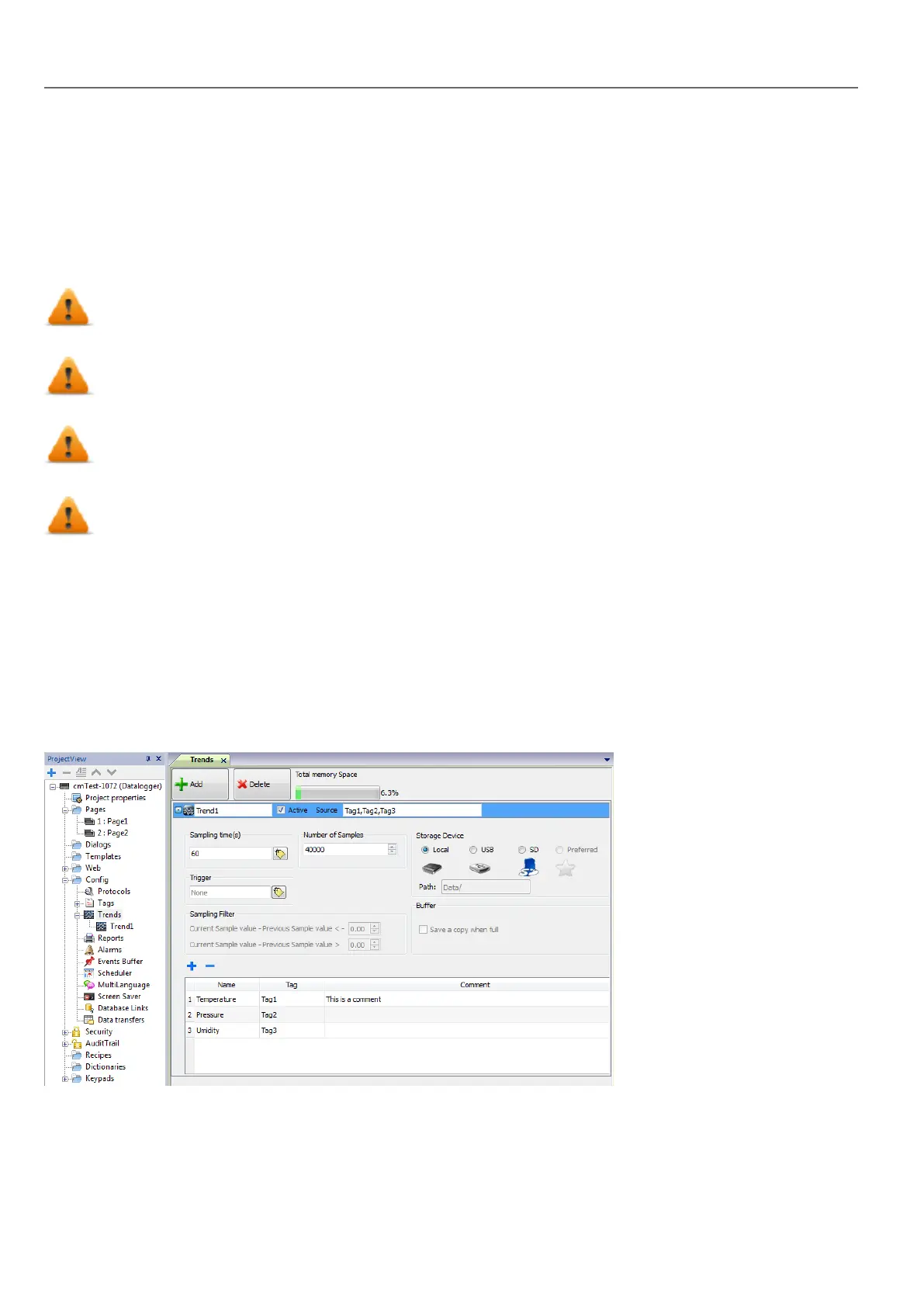
Adding a trend buffer
Path: ProjectView> Config > double-click Trends
1. Click Add to add a new buffer.
2. Click + next to each trend buffer to display all configuration parameters.
190
HMWIN Studio |User Manual|v206 (2017-06-30) |EN|© 2014-2017 Panasonic Electric Works Europe AG
Data logging



 To Next Page