Autofill table elements
Element Description
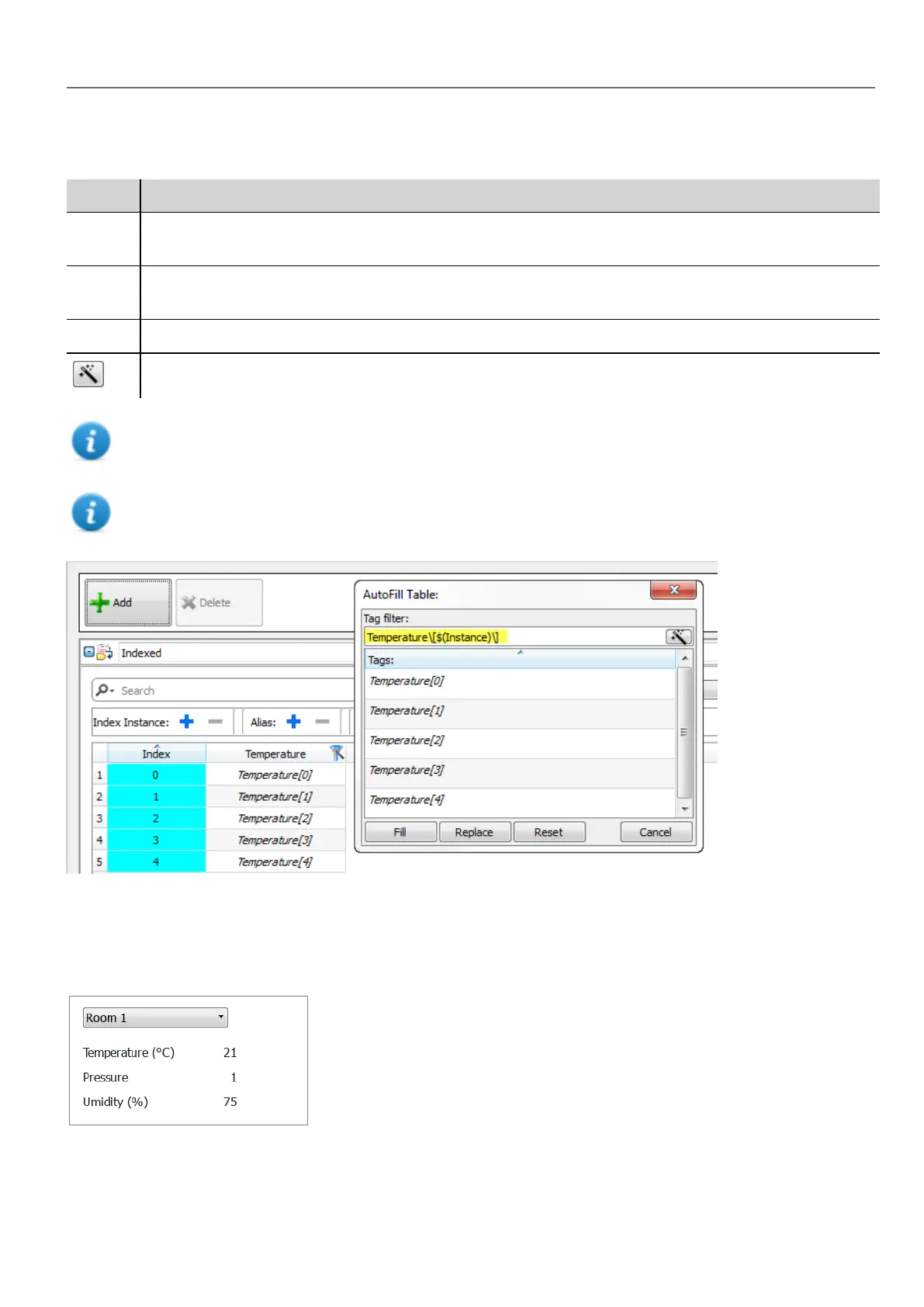
Fill Fills in missing entries in the tag table using the set filter (if any). For example, when new instances or new
aliases are added you can use this option to fill in the new entries.
Replace Replace all table entries with those provided by the Autofill table.
Reset Resets the tag filter to empty, no automatic fill is done.
Suggests a valid filter expression for your project.
Note: Filters are saved as project preferences and can be set for the entire table or for a column. Once a filter is
set for a column, the table filter is ignored. You can therefore selectively change the filter for handling a particular
alias only.
Note: To reference the elements of an array use the \ character to disable the regular expression interpretation of
the square brackets (array tags are differentiated by Italic).
Using indexed tag set in pages
Once an indexed tag set has been created, you can use it to create a page for the HMIdevice as in this example.
To create this page:
HMWIN Studio |User Manual| v206 (2017-06-30) | EN| © 2014-2017 Panasonic Electric Works Europe AG
277
30 Indexed addressing



 To Next Page