Starting VNC server on WinCE devices
VNC server is a plug-in. It can be enabled and downloaded as part of the Runtime. "Software plug-in modules" on page55.
Installing VNC server
Path: ProjectView > Project properties
1. In the Properties pane set VNC Server to true to enable the plug-in.
2. Install or update the runtime to add the VNC server.
Starting/stopping the VNC server
The VNC server is located in the folder \Flash\qthmi\VNC and is activated using the action launchVNC. If enabled from the
project properties, it can also be activated from the runtime context menu Developer tools> Launch VNC.
To enable the runtime contextual menu see "Project properties" on page49
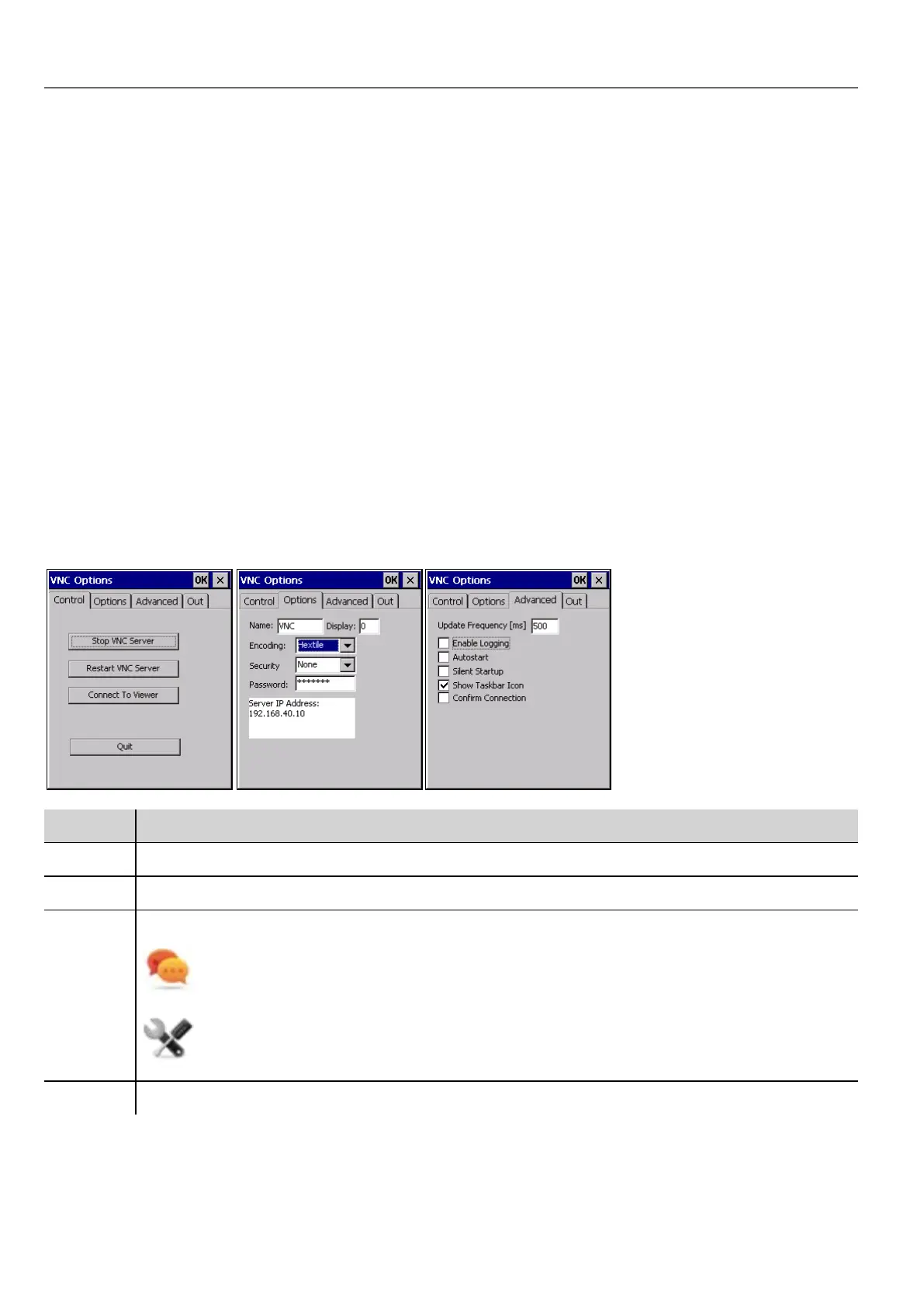
VNCOptions dialog
From the VNC Options dialog you can perform several tasks.
Tab Functions
Control Star/stop the VNCserver and connect to viewer
Options Define security information for server access using a VNC viewer
Advanced Enable automatic activation of VNC server at HMI device startup.
Select Silent Startup to keep the VNC Options dialog in the background when Autostart is
enabled.
Enable Show Taskbar Icon when debugging out of KIOSK mode.
Out Contains the configuration settings for an outgoing connection to a listening VNC viewer software.
160
HMWIN Studio |User Manual|v206 (2017-06-30) |EN|© 2014-2017 Panasonic Electric Works Europe AG
Starting VNC server on WinCE devices



 To Next Page