Configuring users
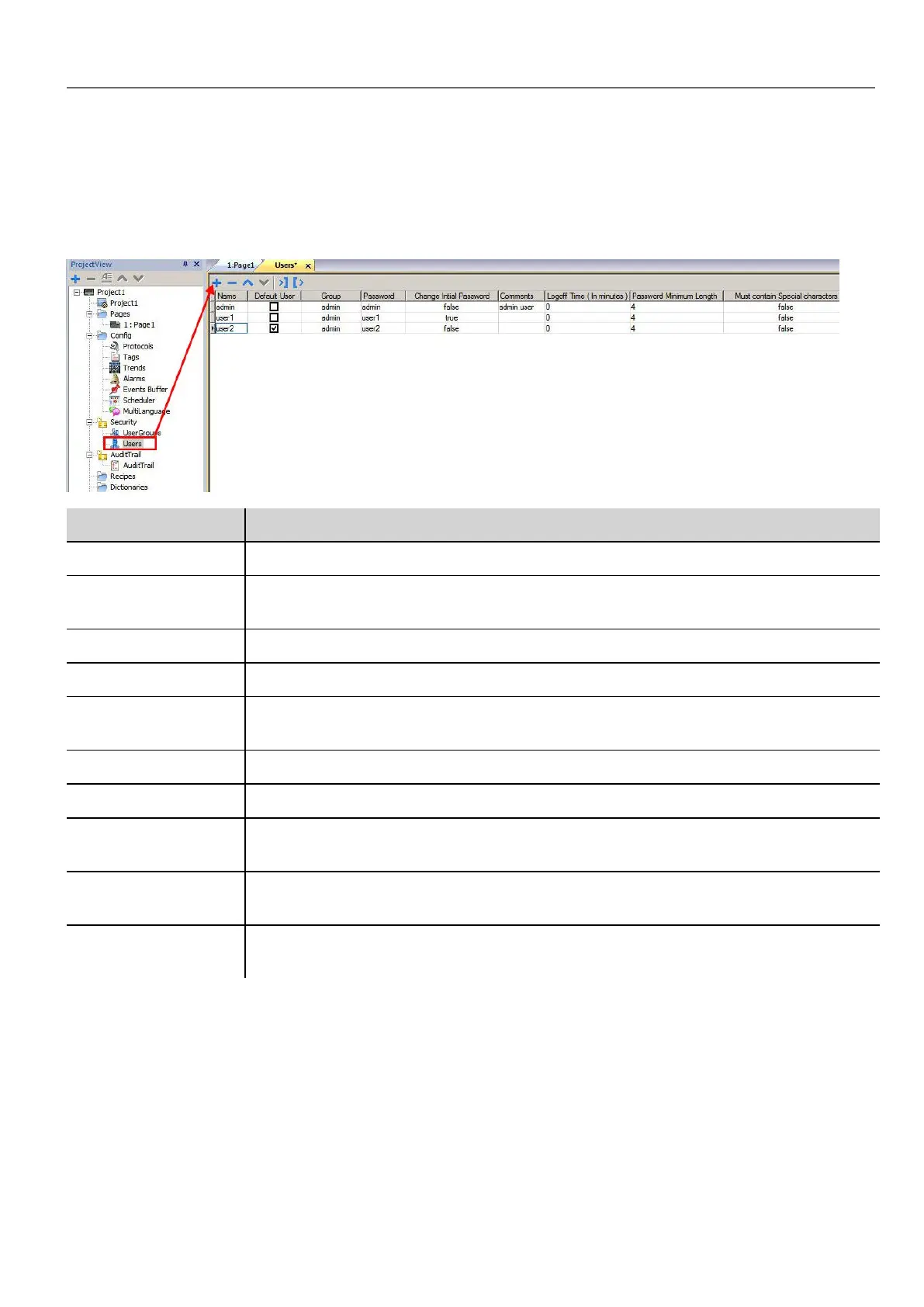
Path: ProjectView> Security> double-click Users
In the Users editor, click + to add a user: one row is added to the table.
Parameter Description
Name User name
Default User This user is automatically logged in when the system is started or after another user has
logged off. Only one Default user can be set.
Group User group
Password User password
Change Initial
Password
This user is forced to change his password at first log in.
Comments Further user description
Logoff time Minutes of inactivity after which the user is logged off. Set to 0 to disable.
Password Minimum
Length
Minimum length of password
Must Contain Special
Characters
Password must contain at least one special character.
Must Contain
Numbers
Password must contain at least one numeric digit.
Default user
You can define only one default user in a project. This is the user automatically logged in at system start up and when the
currently logged user logs out or is logged out after time-out.
To log into HMI Runtime with a different user, use one of the actions:
HMWIN Studio |User Manual| v206 (2017-06-30) | EN| © 2014-2017 Panasonic Electric Works Europe AG
237
22 User management and passwords



 To Next Page