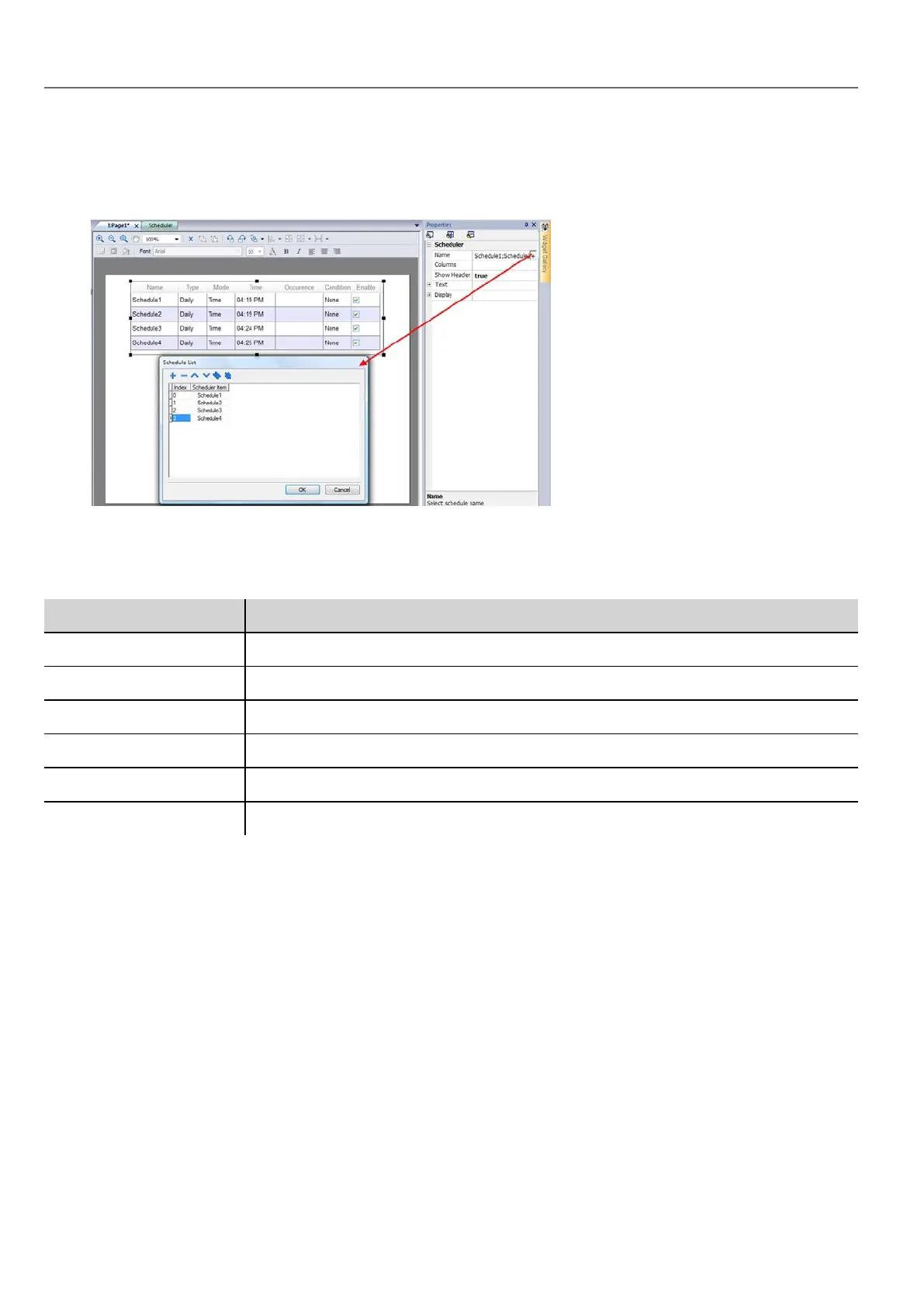
1. Drag and drop a Scheduler widget from the widget gallery into the page.
2. In the Properties pane, click + for the Name parameter: the Schedule List dialog is displayed.
3. Add all the schedules you want to display in the page.
4. In the Properties pane, customize all settings.
Scheduler settings
Parameter Description
Name Schedule to be displayed
Columns Columns to be displayed and their characteristics
Show Header Shows/hides column headers
Time Spec Time to be displayed at run time
Text Font used for text
Display Table styles
Scheduling events at run time
At run time you can modify the following scheduling parameters.
226
HMWIN Studio |User Manual|v206 (2017-06-30) |EN|© 2014-2017 Panasonic Electric Works Europe AG
Scheduling events at run time



 To Next Page