l
: communication error
l
: data not yet available (slow communication protocol)
Dialog pages
Path: ProjectView> Web > Dialogs
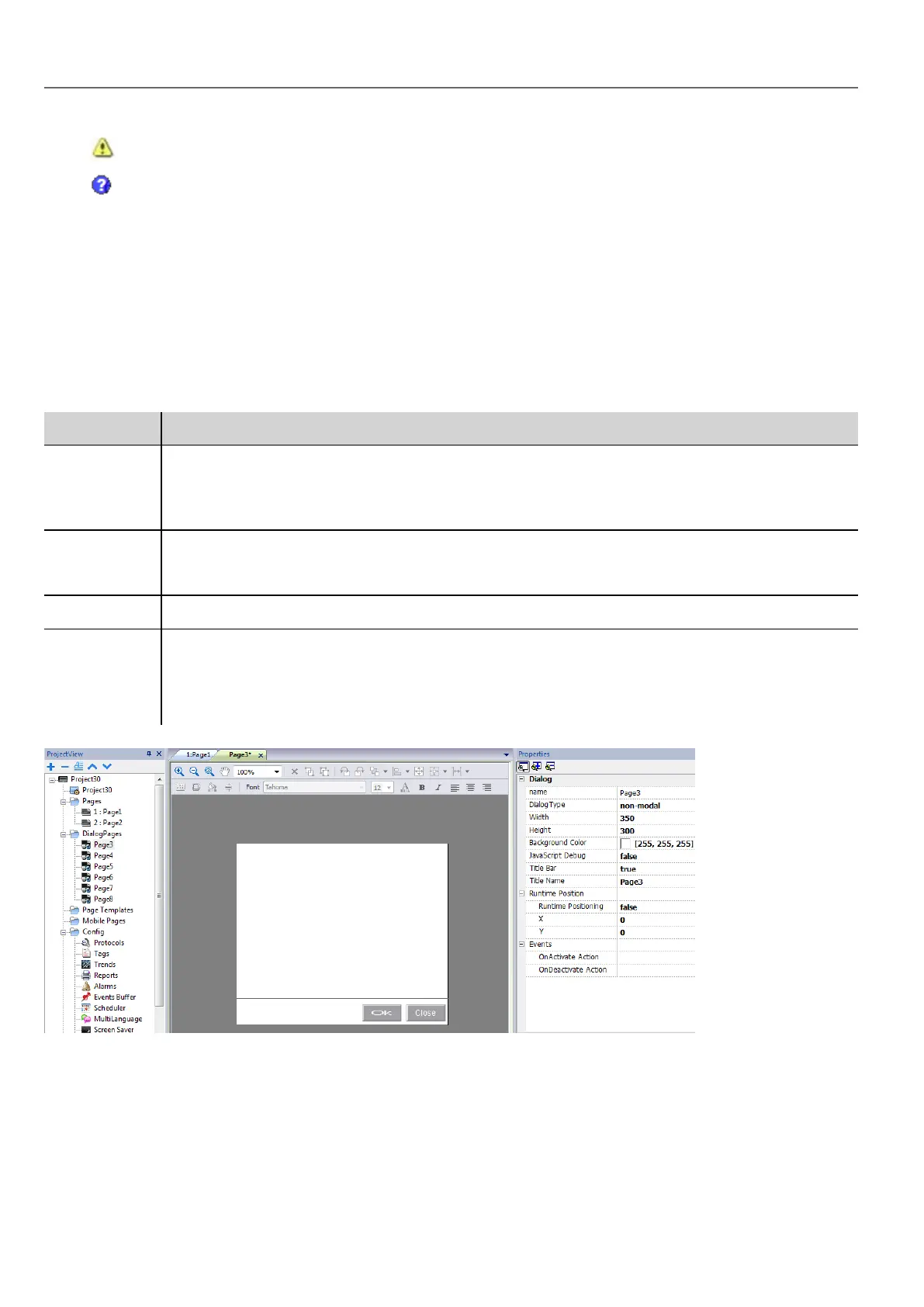
Dialog pages are opened at run time on top of the current page on project request. They are used to notify alarms, errors or
to require user action.
Main dialog properties
Property Description
Dialog Type modal = user cannot return to main project window/page until dialog is closed.
non-modal = user can continue to use main project window (or other non- modal dialogs ) while a
dialog is shown on top of it.
Title Bar true = dialog title displayed
false = no dialog title displayed
Title Name Dialog title. Only if Title Bar=true.
Runtime
Position
Dialog fixed position
false = Dialog will be placed centered on the screen
true = Dialog will be placed with upper-left corner at position X and Y
Maximum number of dialogs
Maximum number of open dialogs is defined in "Functional specifications and compatibility" on page433.
When the maximum number of open dialogs is reached, the oldest dialog is closed to open the new one.
28
HMWIN Studio |User Manual|v206 (2017-06-30) |EN|© 2014-2017 Panasonic Electric Works Europe AG
Dialog pages



 To Next Page