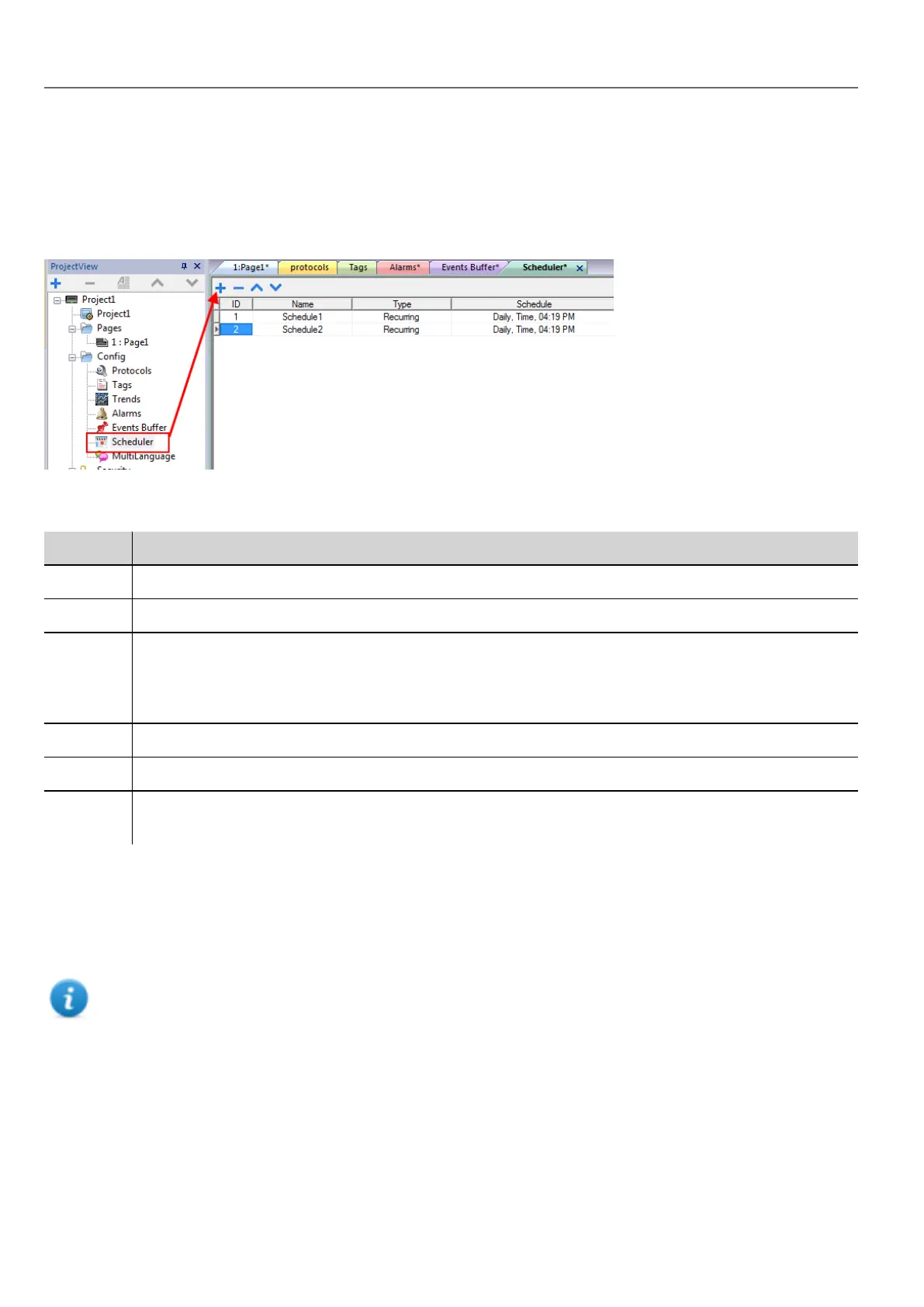
Creating a schedule
Path: ProjectView> Config> double-click Scheduler
l Click + to add a schedule.
Schedule parameters
Parameter Description
ID Unique code assigned automatically to the schedule
Name Name of schedule
Type Type of schedule:
l Recurring, see "Recurring schedule" below for details.
l HighResolution, see "HighResolution schedule" below for details
Schedule Scheduler settings and options. See "Recurring schedule" below for details.
Action Actions to be executed at the scheduled time
Priority Priority level for the event. If two schedules occur at the same time, the event with the higher priority will be
executed first.
HighResolution schedule
The HighResolution schedule is used to perform actions that need to be repeated at specified intervals. The interval
between executions is set in milliseconds in the Schedule column.
Note: You cannot change at run time the settings of this type of schedule. If you need to change the action time
settings at run time, choose Recurring schedule and set Type to Every. See "Recurring schedule" below for
details.
Recurring schedule
The Recurring schedule is used to perform actions at specified points in time. Settings can be modified at run time.
222
HMWIN Studio |User Manual|v206 (2017-06-30) |EN|© 2014-2017 Panasonic Electric Works Europe AG
Creating a schedule



 To Next Page