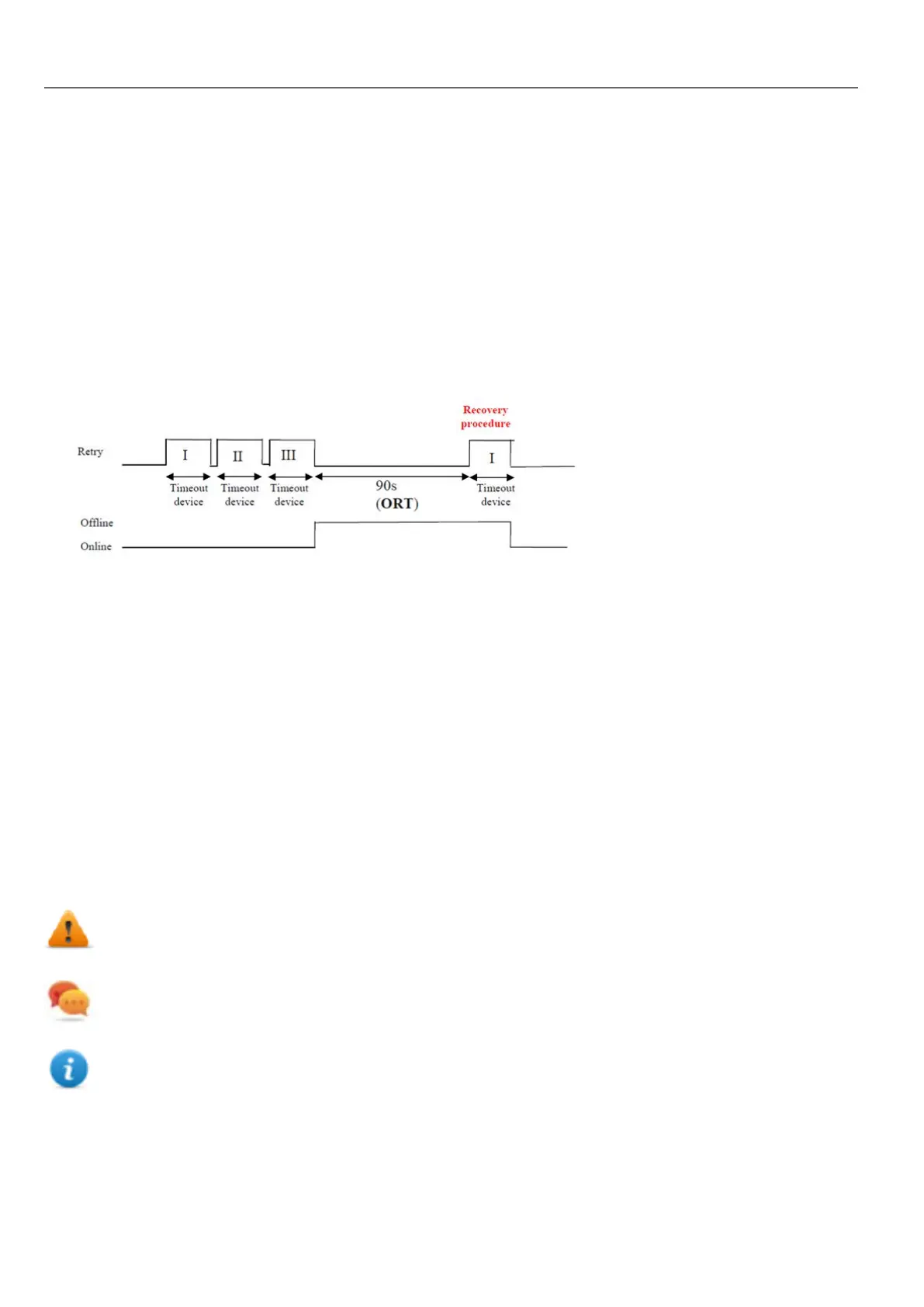
Offline node management process
Steps of the process are:
l The system communicates normally with a certain device. When the device is not responding to a communication
request, the system will repeat the request twice before declaring the device offline.
l When a device is offline, the system sends communication requests to the device with a longer interval, called
Offline Retry Timeout. If the device answers to one of these requests, the system declares it online and restarts
normal communication.
The diagram shows the three communication attempts and the recovery procedure that starts when the Offline Retry
Timeout is elapsed.
Manual offline node management process
Offline node management can be done manually. When a specific device is online and it is communicating normally you
can:
l use an action to declare the device offline: the system stops communication with the device.
l use an action to declare the device online: the system restarts normal communication with the device.
Manual offline configuration
When you know that some devices in communication with the HMI device are going to remain offline for a certain period of
time, you can exclude them from communication using the EnableNode action.
WARNING: All disabled device nodes will remain disabled if the same project is downloaded on the
device, on the other hand, if a different project is downloaded, all disabled devices will be re-enabled.
The same happens with a package update.
Tip: To make this feature more dynamic, you may decide not to indicate a specific NodeID but attach it to the
value of a tag or to an internal variable created to identify different devices that might be installed in your network.
Note: When using the action EnableNode to force a device node back online, communication will start
immediately.
208
HMWIN Studio |User Manual|v206 (2017-06-30) |EN|© 2014-2017 Panasonic Electric Works Europe AG
Offline node management process



 To Next Page