Important: Settings in the Advanced tab are reserved to expert users and should be modified when the
VNC server is used in conjunction with a VNC repeater to overcome firewall problems or optimize
VNC performances according to the network configuration.
Connecting to viewer
Many modern VNC viewers offer the possibility to start the software in listening mode. The reason is that mobile devices
most of the time do not have a public IP address to refer to. So it is practical to have a public IP address on an Office
Computer which runs a listening VNC viewer. A user can then easily call for support by pressing the Connect to viewer
button on the Control tab.
VNC default settings
TCP port 5900
Password null
Important: The VNC server allows only a single client.
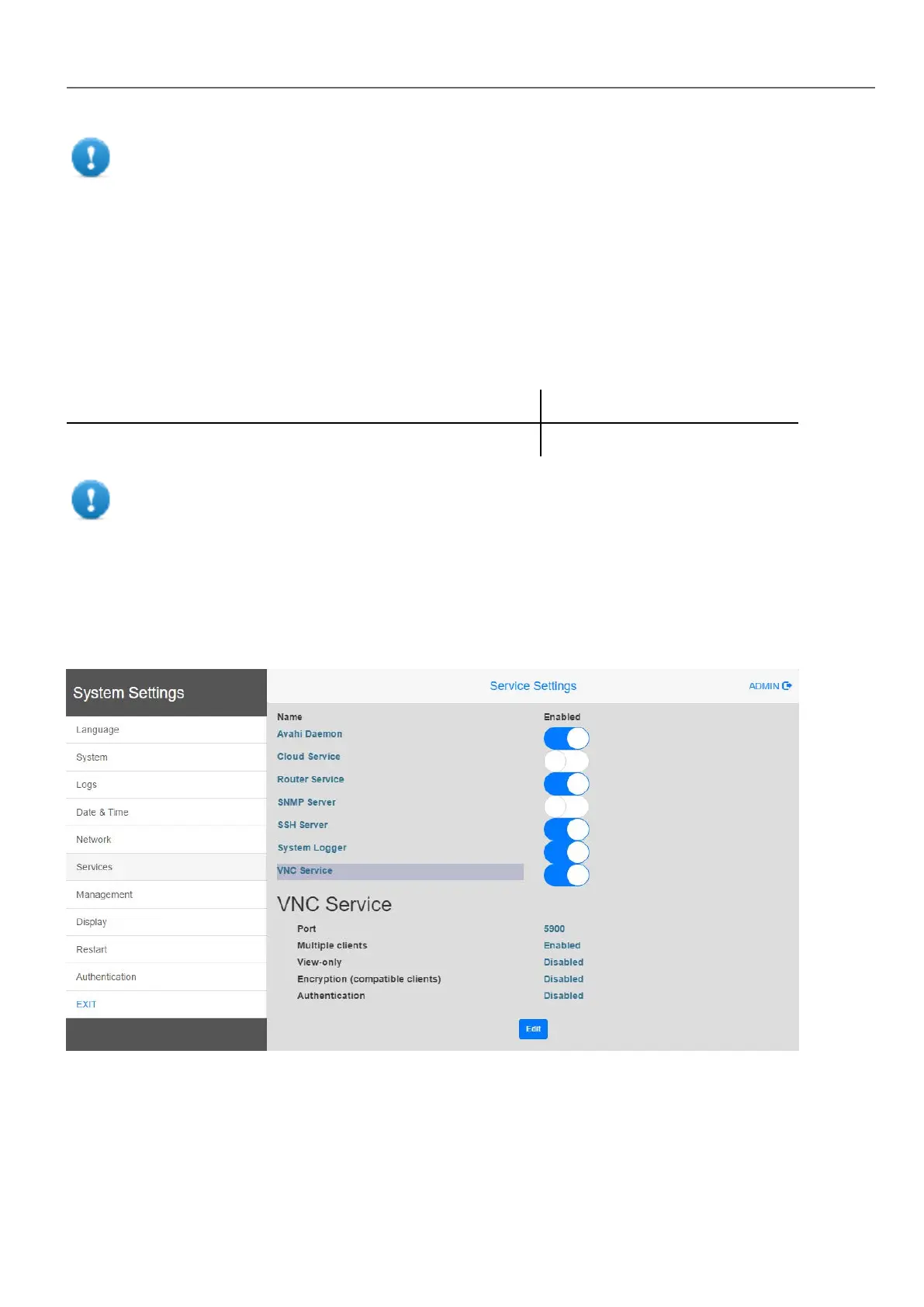
Starting VNC server on Linux devices
VNC server is a service embedded inside the BSP that can be activated from the Services tab of the device System
Settings. See "System Settings" on page390 for details.
Starting VNC viewer
No VNC viewer is provided as part of HMWIN Studio.
Many compatible VNC viewers are available for free download (for example, TightVNC).
HMWIN Studio |User Manual| v206 (2017-06-30) | EN| © 2014-2017 Panasonic Electric Works Europe AG
161
13 Using VNC for remote access



 To Next Page