22 User management and passwords
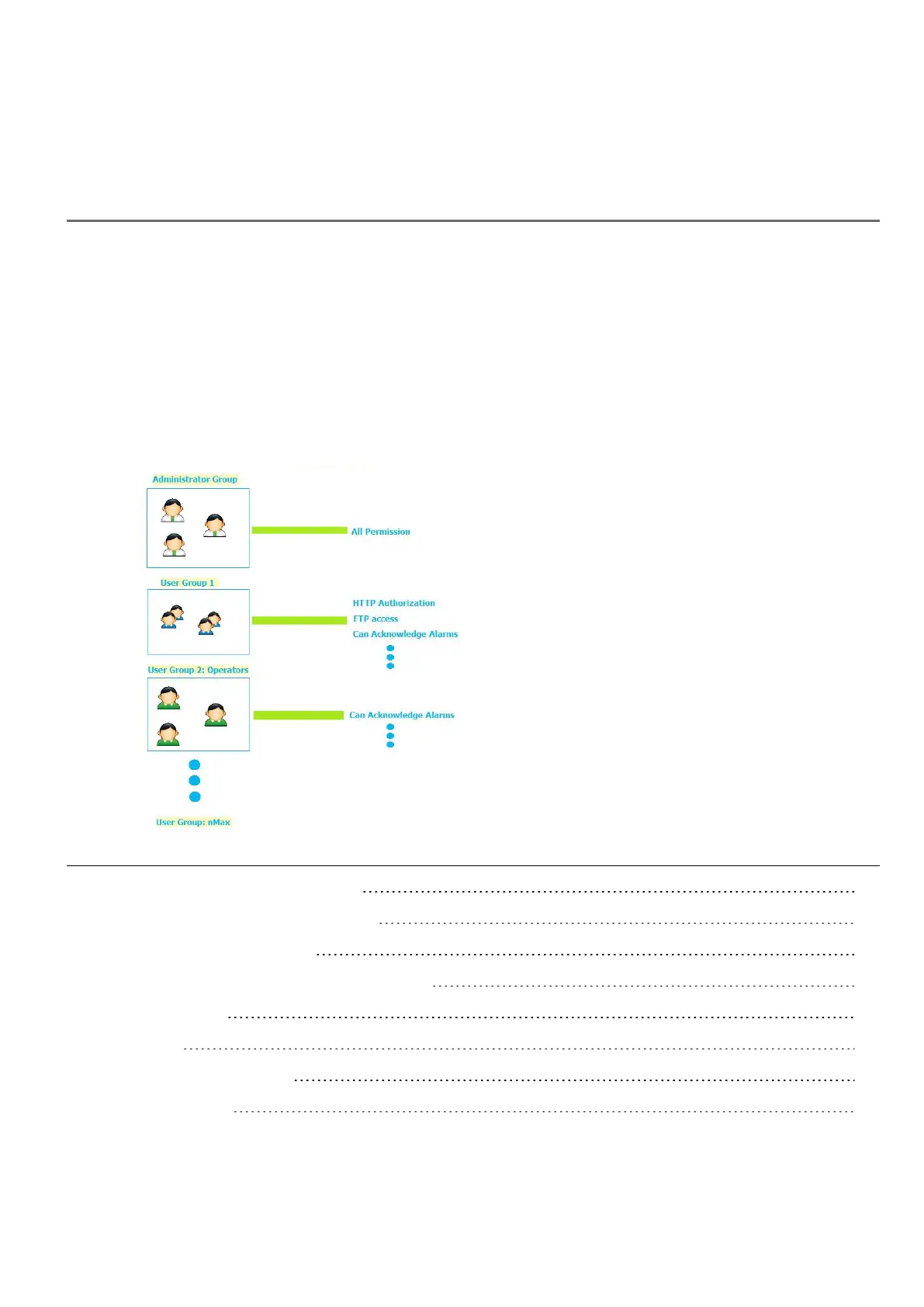
You can restrict access to various widgets and operations by configuring users, users groups and assigning specific
authorizations to each group.
Each user must be member of one and only one group. Each group has specific authorizations and permissions.
Authorizations and permissions are divided in two categories:
l Widget permissions: hide, read only, full access
l Action permissions: allowed or not allowed.
By organizing permissions and groups you can define the security options of a project.
Enable/disable security management 230
Configuring groups and authorizations 230
Modifying access permissions 231
Assigning widget permissions from page view 236
Configuring users 237
Default user 237
Managing users at run time 238
Force remote login 238
HMWIN Studio |User Manual| v206 (2017-06-30) | EN| © 2014-2017 Panasonic Electric Works Europe AG
229



 To Next Page