Important: Font files configured to be stored on removable memory must be provided to the final user
to complete font installation on the HMI device.
Removing fonts
To remove fonts no longer needed:
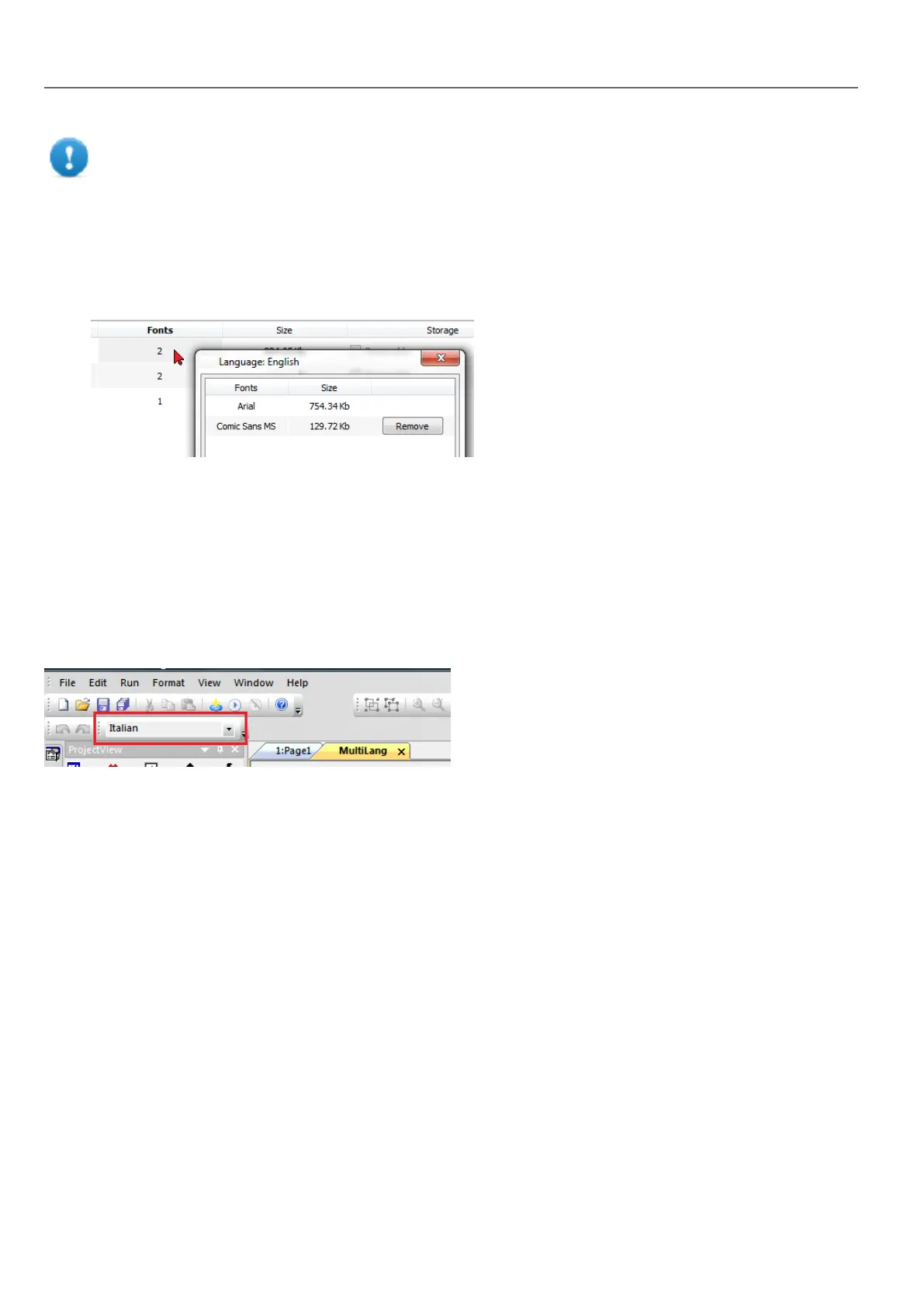
1. Click on the font number in the Multi-language editor: a dialog with the list of the used fonts is displayed.
2. Select the fonts to be removed and click Remove: removed fonts are replaced with the default font.
Changing language
Changing language during page design
A combo box is available for changing language during page design. If no texts appears, please check Text tab in the
Multilanguage editor and insert missing string.
Multi-language widgets
Multi-language support is available for objects such as buttons, static text, messages, alarm descriptions and pop-up
messages.
Multi-language for label widgets
Double-click on a text widget in a page to open the Text dialog.
214
HMWIN Studio |User Manual|v206 (2017-06-30) |EN|© 2014-2017 Panasonic Electric Works Europe AG
Changing language



 To Next Page