Parameter Description
Comments Any comment or description for the group
Authorization
Settings
Opens the Admin Authorization dialog to set access permissions.
See "Modifying access permissions" below for details.
Modifying access permissions
Path: ProjectView> Security> double-click UserGroups > Authorization Settings column
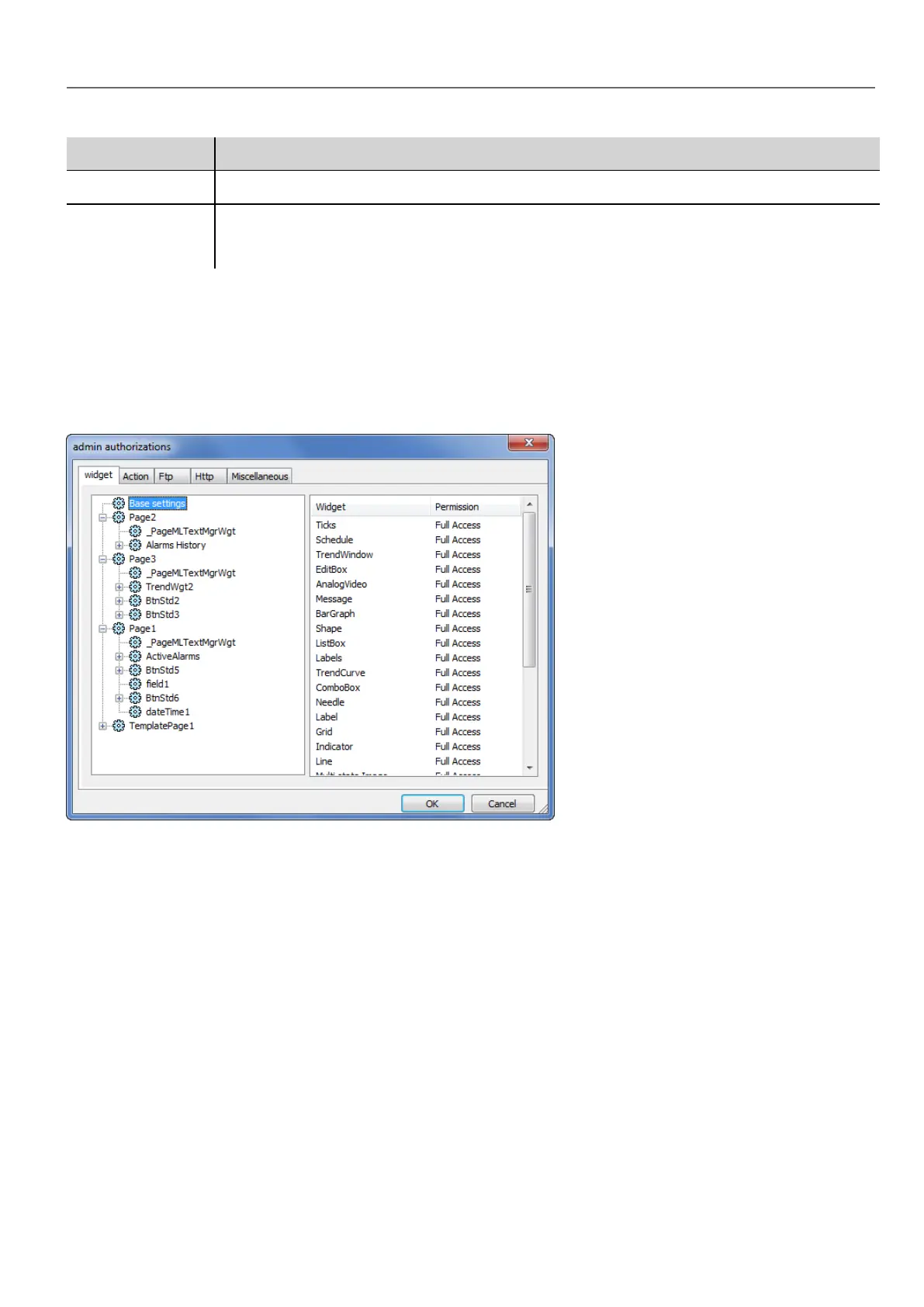
Click the button: a dialog appears with a list of widgets and actions. You can modify access permissions for each one in the
list.
Widget permissions
In the Widget tab you can define widget access options at project level, at page level or at widget level for all the widgets
used in the project. Lower levels permission (for example, widget level) overrides higher levels (that is, page and project
levels).
Use Base settings to set default permissions at project level.
Possible settings are:
l Full Access to enable read/write access to the widget
l Read Only to enable readonly access to the widget
l Hide to hide widget for selected group
HMWIN Studio |User Manual| v206 (2017-06-30) | EN| © 2014-2017 Panasonic Electric Works Europe AG
231
22 User management and passwords



 To Next Page