Note: Tag values displayed in the alarms description are also included in the buffer. Tags are sampled
when the alarm is triggered and that value is logged and included in the description.
Exporting alarm configuration
Path: ProjectView> Config > double-click Alarms
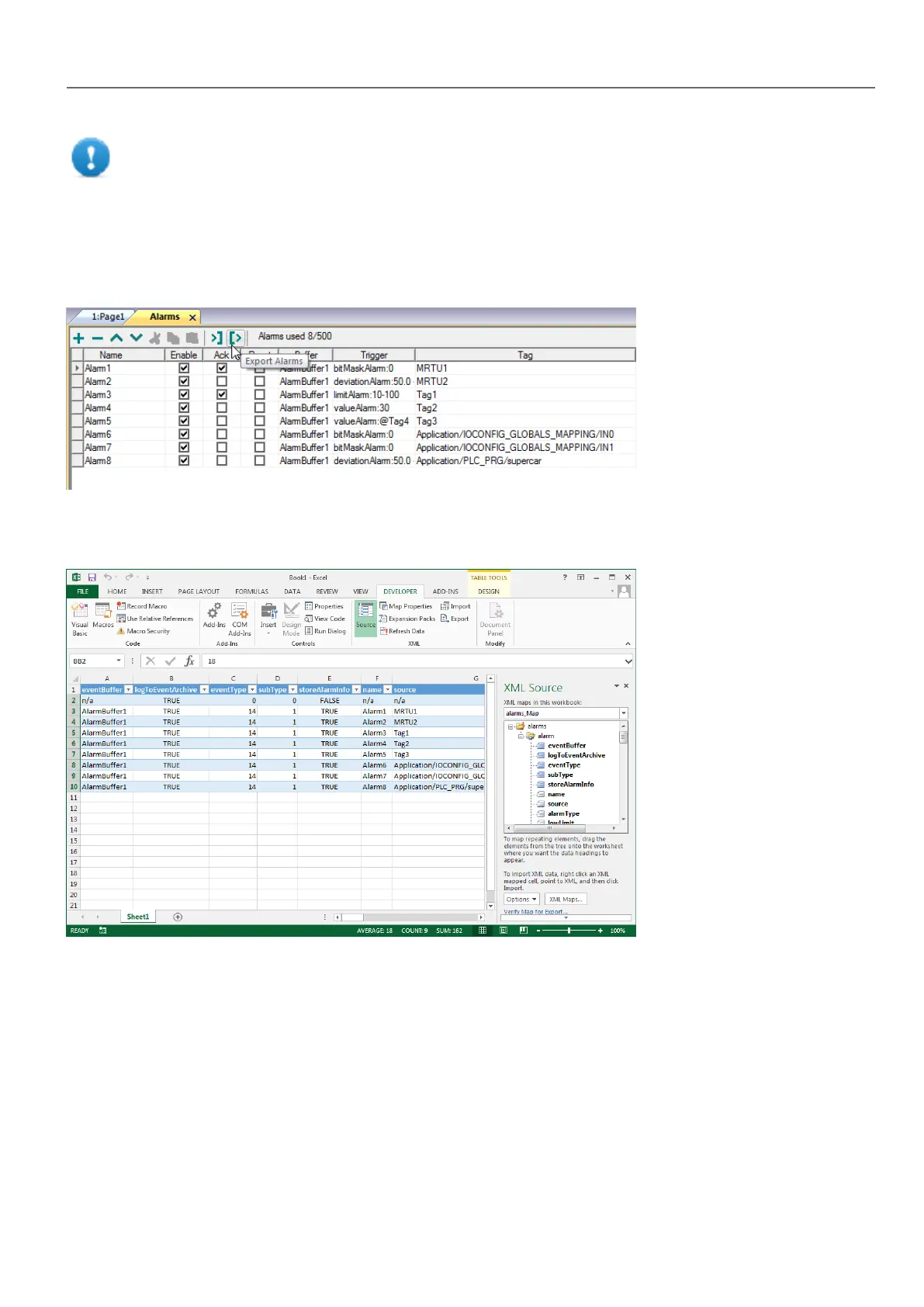
Click the Export Alarms button: the alarms configuration table is exported into an .xml file.
You can edit the resulting .xml file using third part tools (for example, Microsoft Excel) .
Importing alarm configuration
Path: ProjectView> Config > double-click Alarms
HMWIN Studio |User Manual| v206 (2017-06-30) | EN| © 2014-2017 Panasonic Electric Works Europe AG
179
15 Alarms



 To Next Page