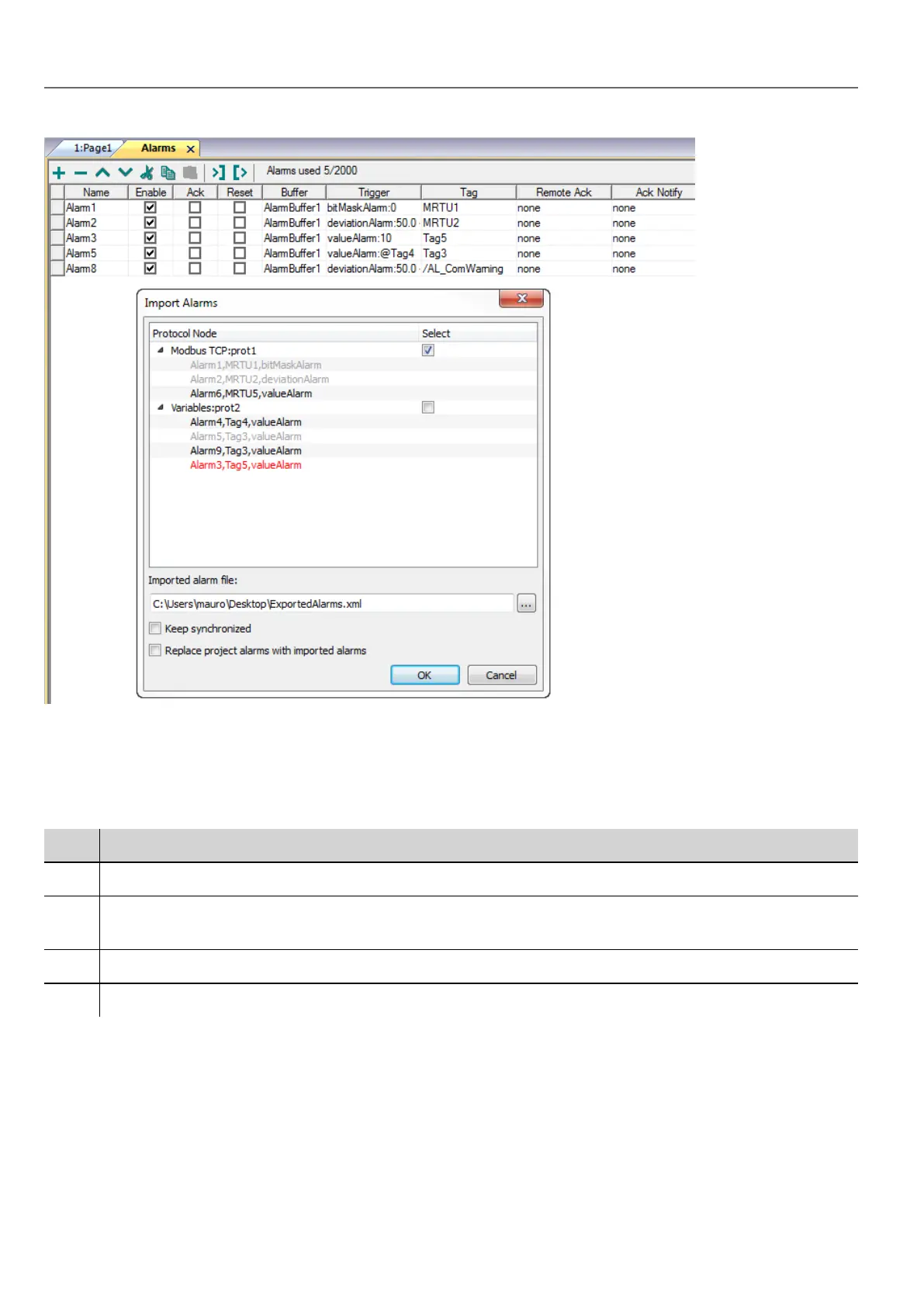
1. Click the Import Alarms button and select the .xml file from which to import the alarms configuration: the Import
Alarms dialog is displayed.
2. Select the group of alarms to import and click OK to confirm.
Differences are highlighted in the Import Alarms dialog using different colors
Color Description
Black This is a new alarm and it will be imported
Red This alarm has not been found and will be removed (only if check "Replace project alarms with imported alarms"
is checked)
Blue This alarm has been modified and will be updated.
Gray This alarm is already part of the project and will be skipped.
Automatic synchronization
Select the Keep synchronized option in the Import Alarms dialog to enable the automatic synchronization of the alarm
configuration file.
Whenever changes occur in the alarms configuration, the file will be automatically updated in silent mode.
180
HMWIN Studio |User Manual|v206 (2017-06-30) |EN|© 2014-2017 Panasonic Electric Works Europe AG
Exporting alarm configuration



 To Next Page