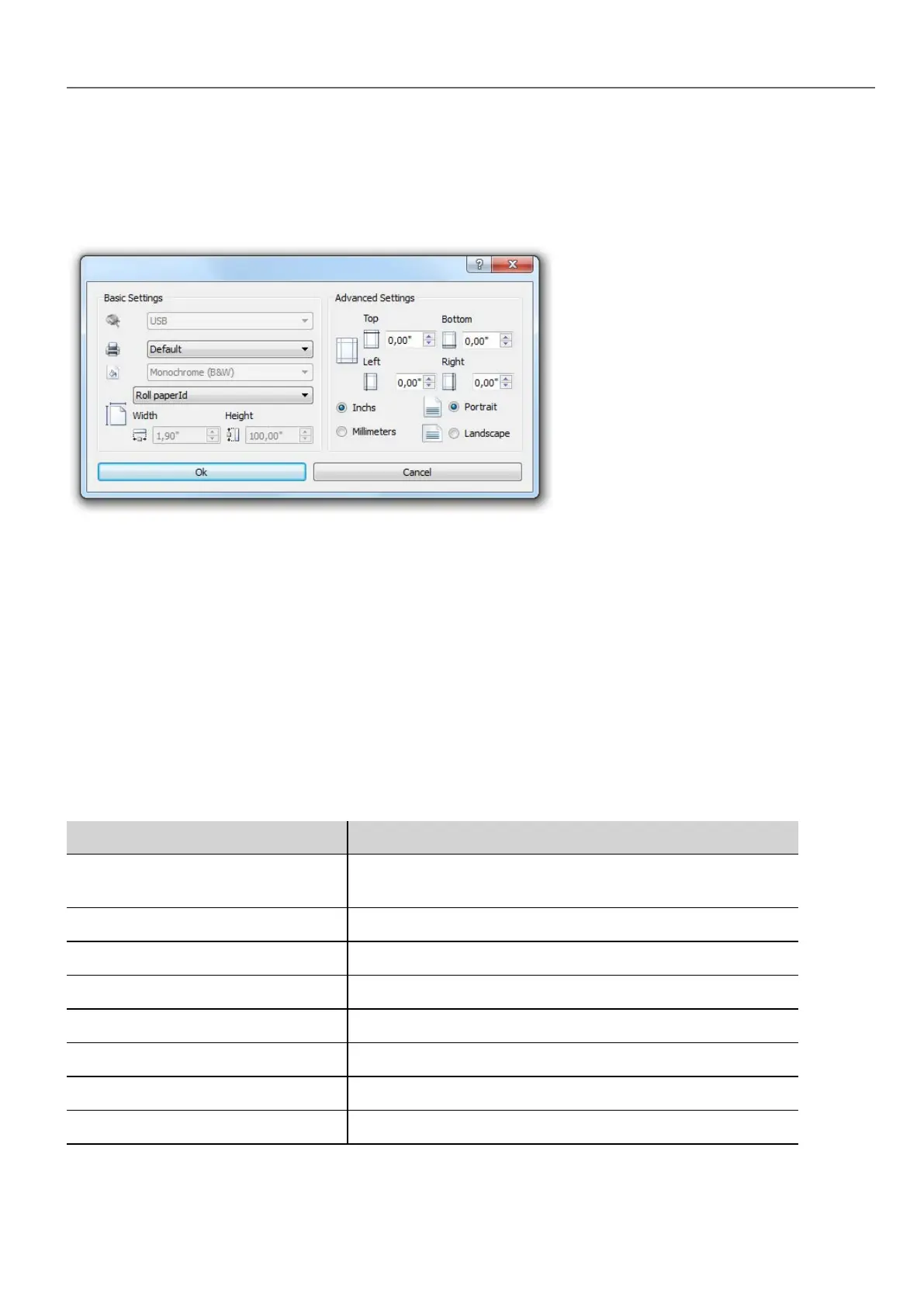
Adjusting printer settings at run time
A graphic report printing can be started also using the action PrintGraphicReport.
Set the action property silent to false to have a pop-up dialog.
Default printer
Printer setting
You can set a default printer for all graphic reports. Each report can then be configured to use the default printer or any other
printer available. Click Printer Setting button to set printer parameters.
For PDF printers you also define the folder where files are saved by using Printed Files Location.
Supported printers
List of printers and printer languages supported by the Windows CE driver printCE.dll. Printers not available in the list but
compatible with these languages are supported.
Printer Languages
HP PCL 3, HP PCL 5e, HP PCL3GUI HP PCL3/PCL5e/PCL3GUI, including DeskJet, LaserJet,
DesignJet
Epson ESC/P2 ESC/P2, LQ
Epson Stylus Color Epson Stylus Color
Epson LX (9-pin) 9-pin printers, Epson LX, FX, PocketJet
Cannon iP100, iP90, BubbleJet BubbleJet, iP90, iP100
PocketJet II, 200, 3 Pocket Jet
MTE Mobile Pro Spectrum MTE Mobile Pro Spectrum
Adobe PDF File Adobe PDF file
HMWIN Studio |User Manual| v206 (2017-06-30) | EN| © 2014-2017 Panasonic Electric Works Europe AG
249
24 Reports



 To Next Page