28 External keyboards
HMI Runtime has been designed to work with external keyboards connected via USB.
Keyboards can be used for:
l data entry (default)
l execute actions mapped on specific keys
For example, the right arrow key OnClick event can be mapped to the LoadPage action.
Keyboard can be programmed at project level so that settings will be inherited by all the pages. In each page you can then
choose which key setting will be inherited from the project and which one you will customize for the specific page.
Opening external keyboards
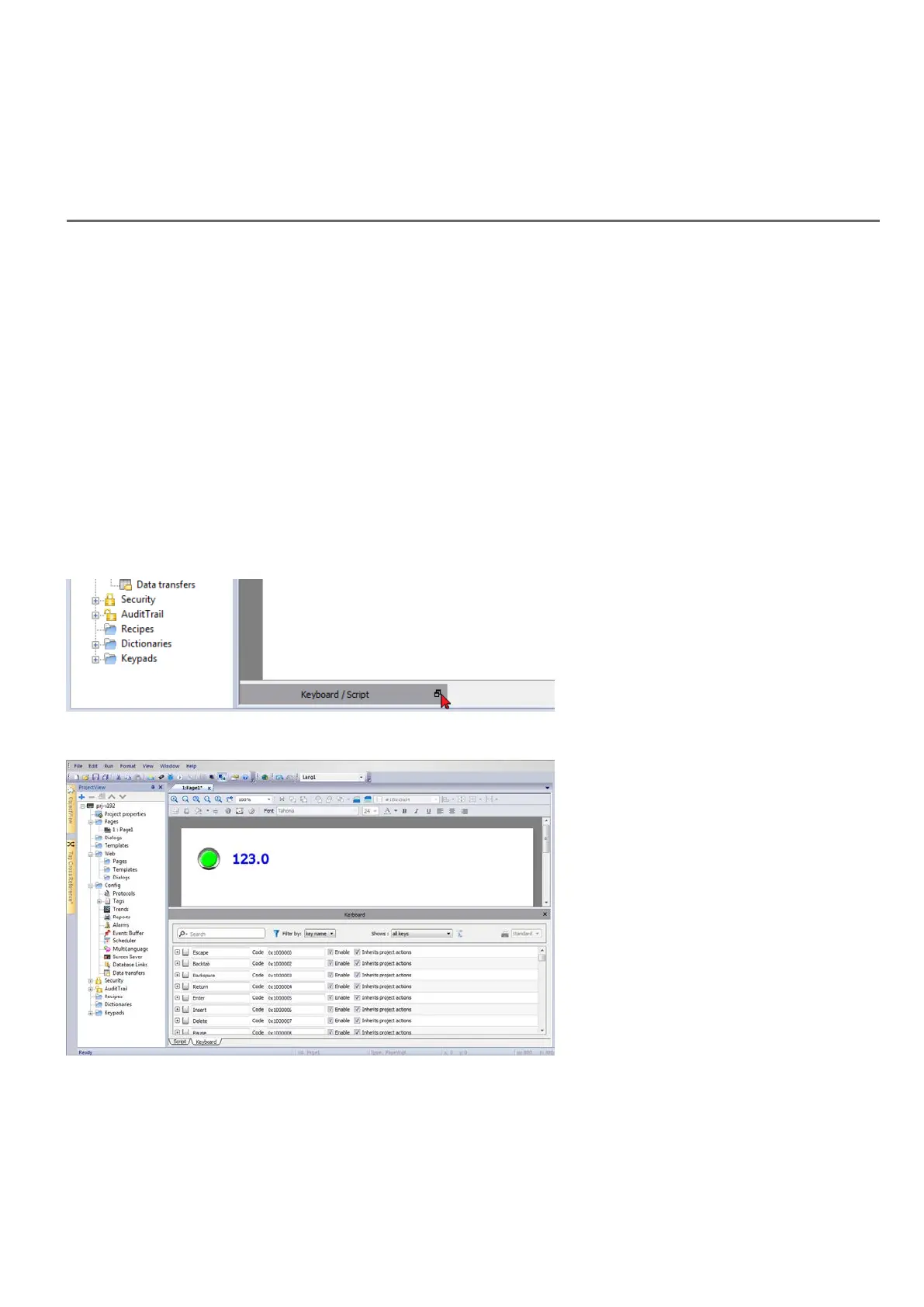
1. In the Page Editor, click on the icon on the right of Keyboard/Script at the bottom of the workspace: the
Keyboard/Script Editor is displayed.
2. Select the Keyboard tab.
Each row in the Keyboard Editor corresponds to a key.
For each key, the following information is displayed:
HMWIN Studio |User Manual| v206 (2017-06-30) | EN| © 2014-2017 Panasonic Electric Works Europe AG
263



 To Next Page