WinCE Devices
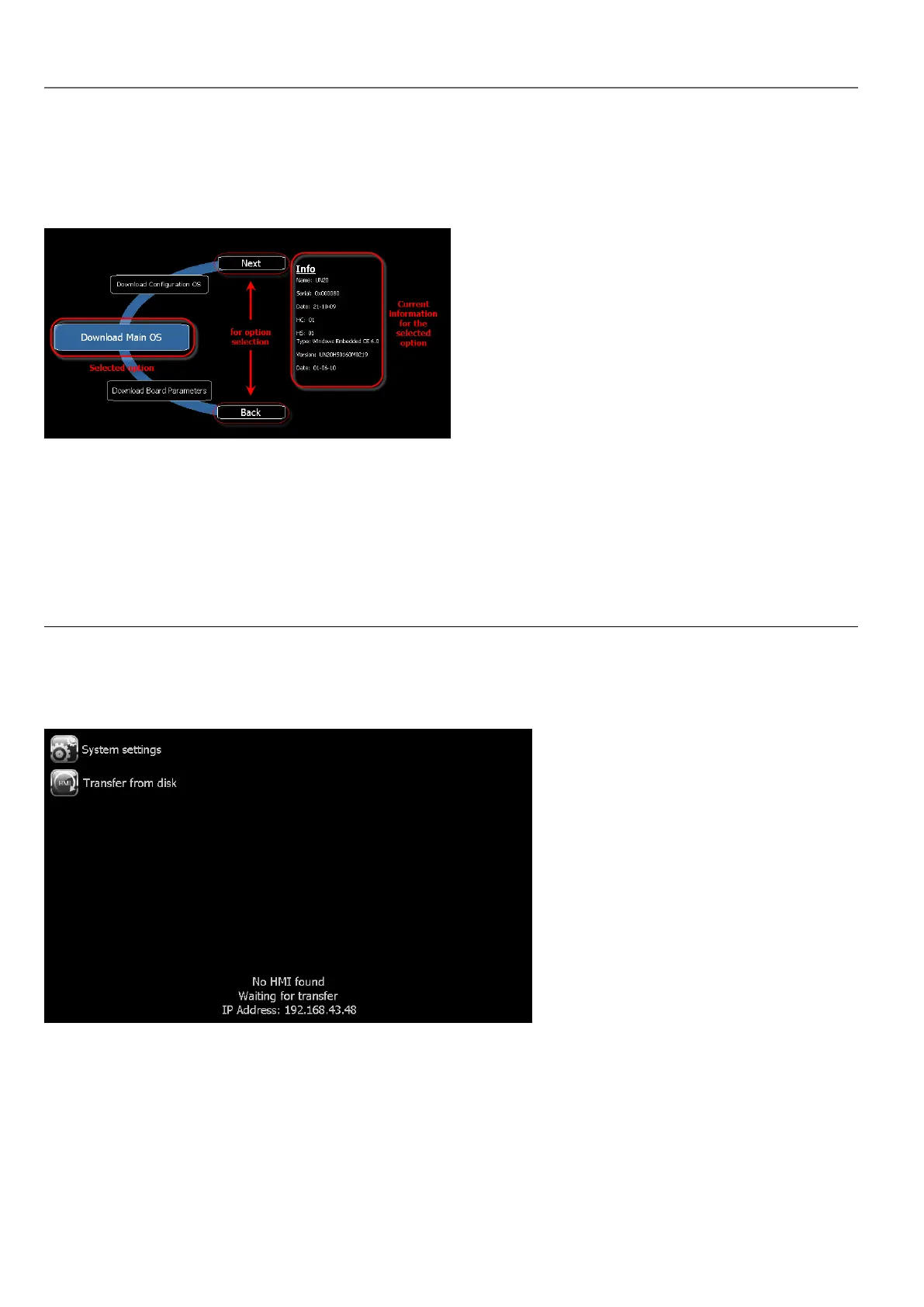
The System Settings tool includes a rotating menu, and navigation buttons to scroll between the available options.
For each function and component on the left, the Info pane on the right displays all available information. In the example the
version of the Main OS component is shown.
The System Settings tool can be used in two operating modes:
l User mode
l System mode.
For each mode different options are available.
Runtime Installation
HMI devices are delivered from factory without Runtime, at first power up HMI shows the “Runtime Loader” screen.
Runtime can be installed:
l Automatically, via Ethernet on first project download with HMWIN Studio
l Manually via USB Memory, creating an “Update Package”
Install Runtime via Ethernet
To install Runtime via Ethernet follow the "Download to HMI device" on page68procedure.
380
HMWIN Studio |User Manual|v206 (2017-06-30) |EN|© 2014-2017 Panasonic Electric Works Europe AG
WinCE Devices



 To Next Page