WARNING: Runtime installation via Ethernet download requires the HMI to have a valid IP address.
The IP address can be assigned in three ways:
l Automatically via DHCP server. This option is enabled by default. If a DHCP server is available on the network IP
address will be assigned automatically by the server.
l Automatically via Auto-IP feature. If DHCP assignment is enabled but no DHCP server is available on the network
the HMI assigns itself an IP Address into range 169.254.x.x with subnet mask 255.255.0.0
l Manually via System Settings. From System Settings menu, in Network section the IP address can be manually
assigned, disabling the DHCP server assignment feature.
Install Runtime via USB Memory
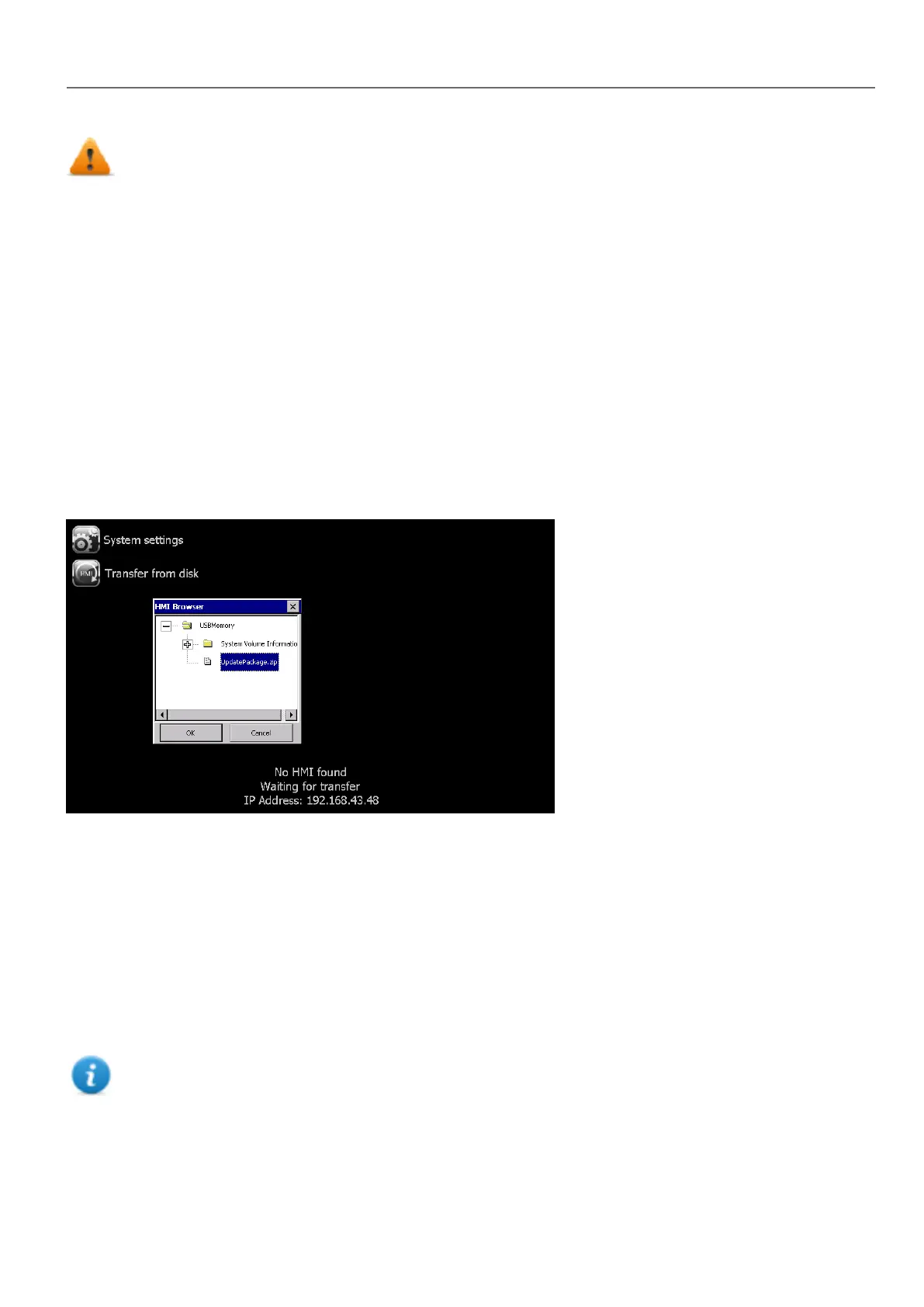
To install Runtime, UpdatePackage or Backup Package via USB device follow this procedure:
1. Create an Update Package from HMWIN Studio and copy into an empty USB memory stick
2. On HMI select [Transfer from disk] and select the UpdatePackage.zip to load.
System Settings
System Settings has two operating modes:
l User Mode
a simplified interface that gives users access to the basic settings of the HMI device.
l System Mode
a full interface that gives users access to all the tool's options.
When you access the tool at runtime selecting "Show system settings" from the context menu, the tool is started by default
in User Mode.
Note: Press and hold on a screen area without buttons or other touch sensitive elements to display the context
menu.
To access System Mode:
HMWIN Studio |User Manual| v206 (2017-06-30) | EN| © 2014-2017 Panasonic Electric Works Europe AG
381
37 System Settings



 To Next Page