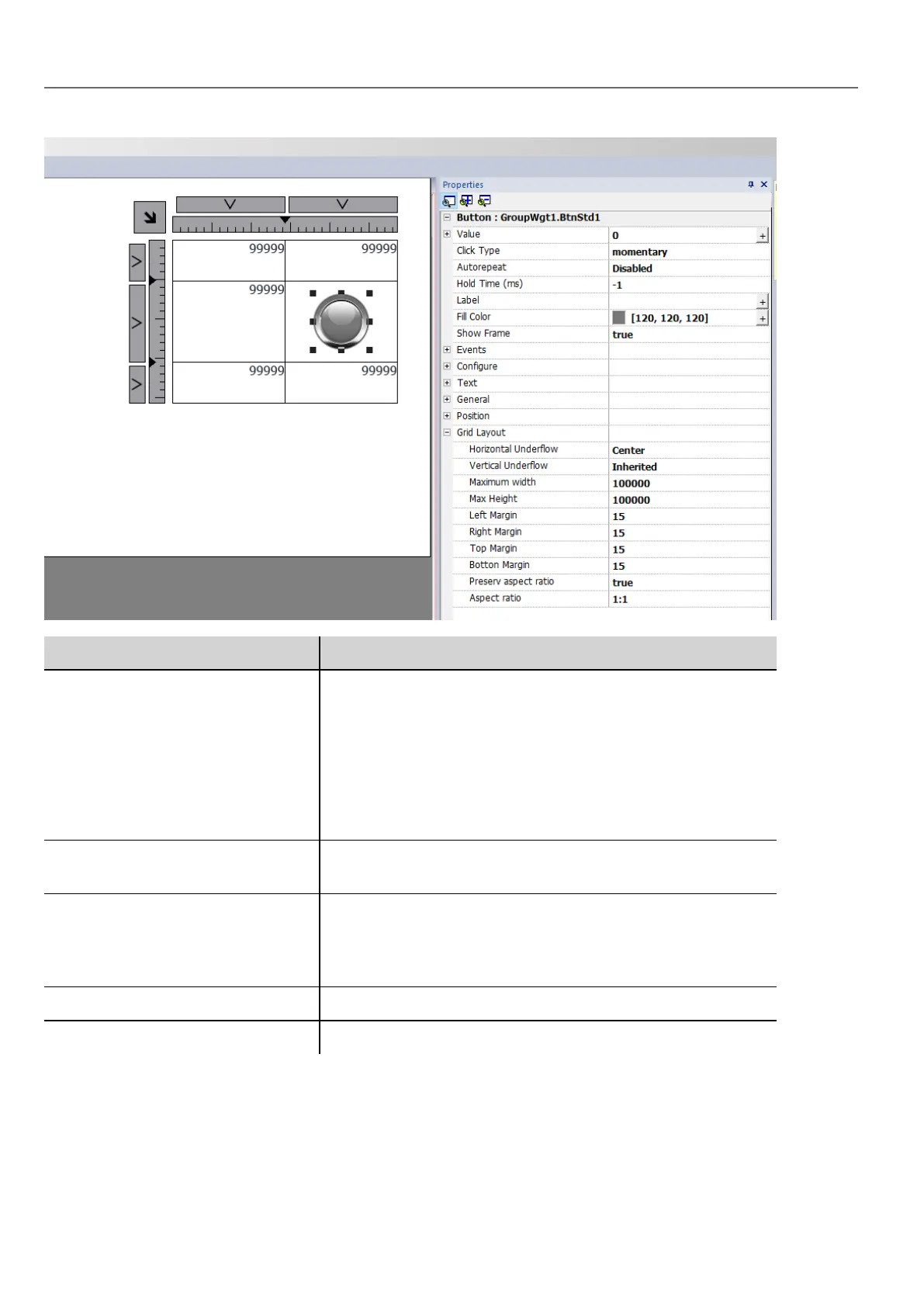
Parameter Description
Horizontal underflow
Vertical underflow
This parameter defines the behavior of the widget when the cell is
larger than the size defined for widget.
l Inherited
Inherits the value used for the row or column
l Left, Center, Right - Top, Middle, Bottom
Defines the position of the widgets when cells are bigger
than the maximum defined sizes
Max width
Max height
Overwrite global grid parameters
Left margin
Right margin
Top margin
Bottom margin
Overwrite global grid parameters
Additional pixels that are added to the total margin.
Preserve aspect ratio Preserve aspect ration of the widget
Aspect ratio Available only when "Preserve aspect ratio" is true
Changing multiple widgets properties
You can set the properties of more widgets of the same type all at once.
To change properties:
46
HMWIN Studio |User Manual|v206 (2017-06-30) |EN|© 2014-2017 Panasonic Electric Works Europe AG
Changing multiple widgets properties



 To Next Page