Download to HMI device
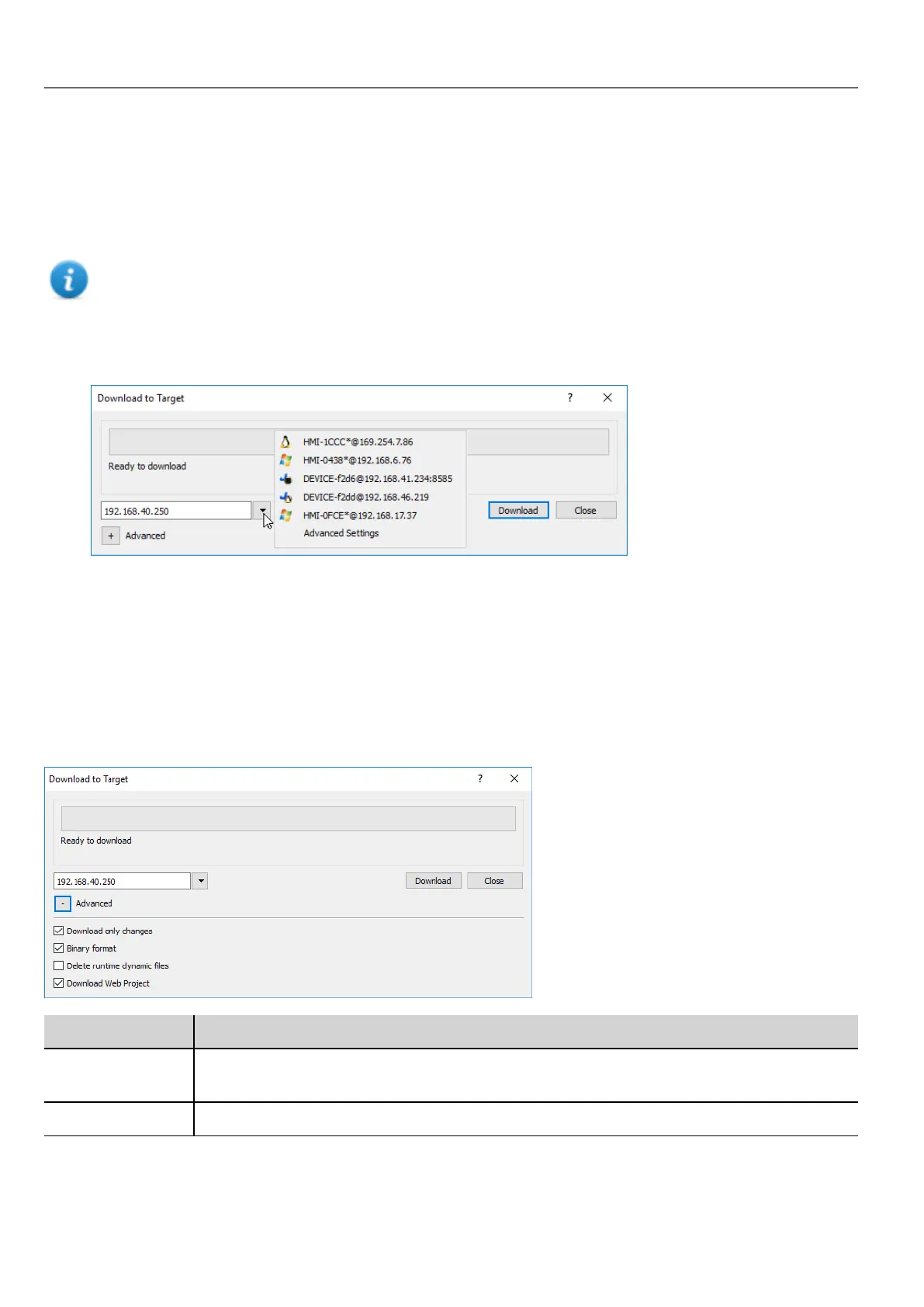
Path: Run> Download to Target
This function transfers project and HMI Runtime via Ethernet .
Note: The HMI device must have a valid IP address. See "HMI device basic settings" on page8 for details on
how to assign an IP address.
1. Click the discovery button: a list of the detected IP addresses is displayed.
2. Select the HMI device IP address.
You can even enter the IP address manually or, if available, the host name provided by a DNS server. Using a
service tool like Bonjour, Linux-based HMI devices can be discovered using their hostname (e.g HMI-0d37.local).
Bonjour is a trademark of Apple inc.
3. Click Download: HMWIN Studio will switch the HMI device to Configuration Mode and transfer the files.
When the download operation is completed, the HMI device automatically switched back to Operation Mode and the
project is started.
Advanced options
Option Description
Download only
changes
Transfers to the HMI device only the modified project files.
Binary format Download files using binary format.
68
HMWIN Studio |User Manual|v206 (2017-06-30) |EN|© 2014-2017 Panasonic Electric Works Europe AG
Download to HMI device



 To Next Page