Element Description
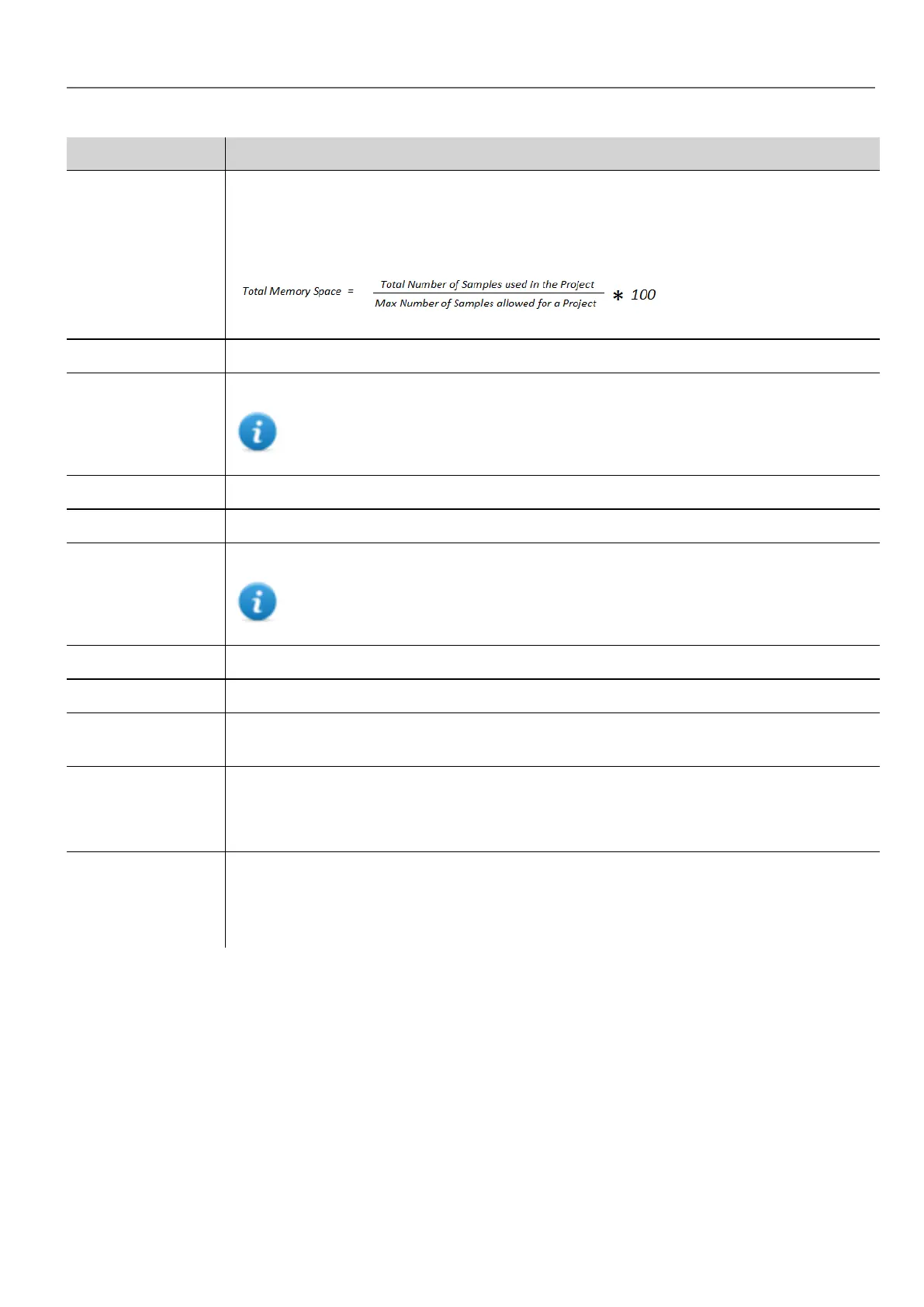
Total memory
Space
Memory currently used by the trend buffer. See "Table of functions and limits" on page434 for
maximum number of samples allowed for project.
This percentage is calculated as follows:
Trend Name Name of trend that will be displayed in the window property pane.
Active When enabled, the trend runs by default at system startup.
Note: Trends cannot be activated at run time.
Source Tags sampled by the trend.
Sampling Time (s) Sampling interval in seconds.
Trigger Tag triggering the sample. When the value of this tag changes, a sample is collected.
Note: Trigger and Source can refer to the same tag.
Number of Samples Buffer size.
Storage Device Where trend buffer data will be stored.
Buffer If Save a copy when full option is enabled, a backup copy of the buffer data is created before it
is overwritten by newer data.
Sampling Filter /
Trigger Filter
If triggering condition is time, a new sample is stored when its value, compared with the last
saved value, exceeds the specified limits.
If triggering condition is a tag, a new sample is stored at each change of the trigger tag value.
Sampled tags table Name: name of trend
Tag: tag to be sampled.
Comment: trend description
Exporting trend buffer data
Use the DumpTrend action to export trend buffer data to a .csv file.
Format of trend data exported to a .csv file can be selected from a macro parameter as shown in figure. All tags specified in
the trend buffer are exported
Dump normal mode (compatibility mode)
HMWIN Studio |User Manual| v206 (2017-06-30) | EN| © 2014-2017 Panasonic Electric Works Europe AG
191
17 Trends



 To Next Page