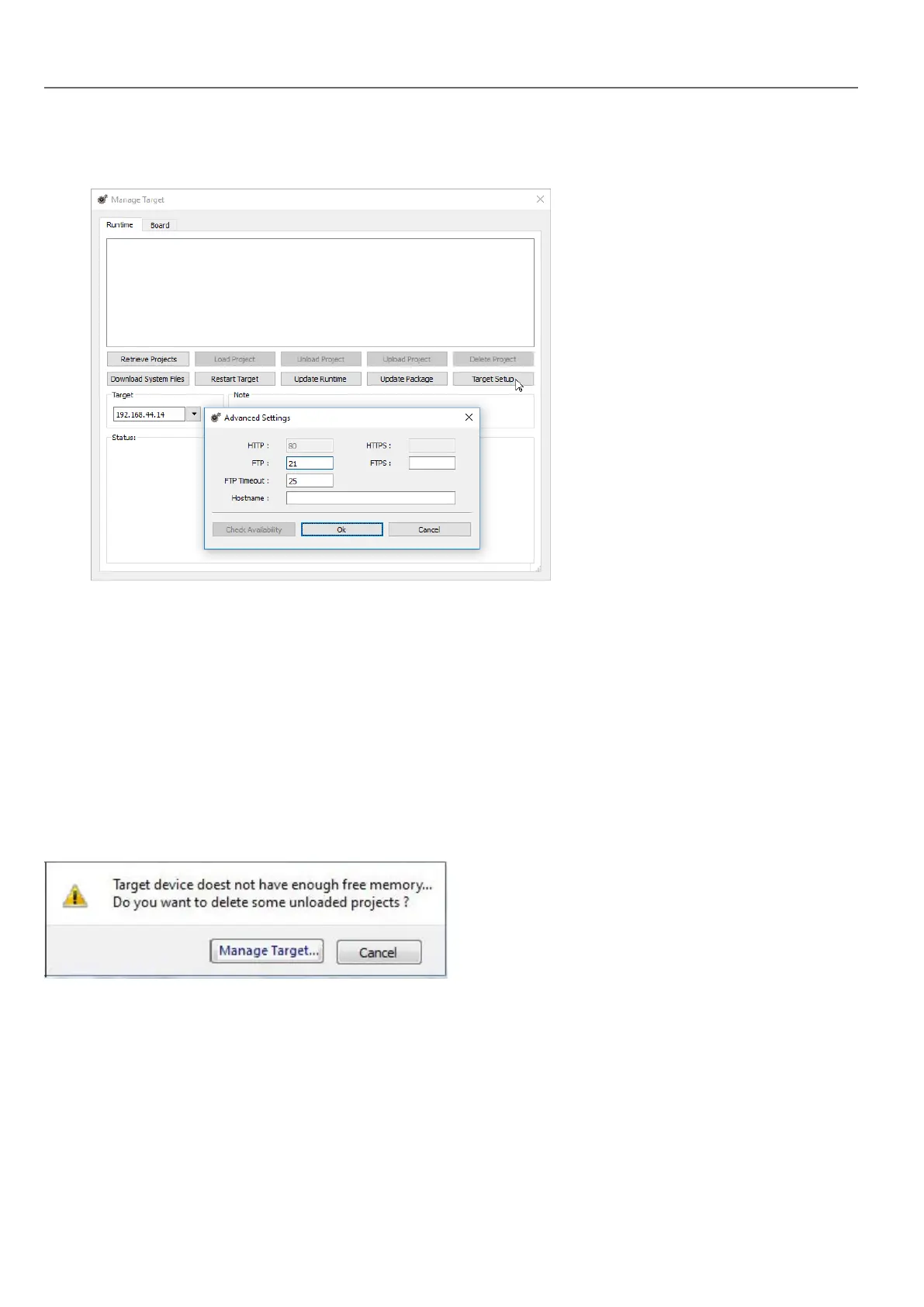
1. Click Target Setup: the Advanced Settings dialog is displayed. Default port for HTTP connections on the HMI
device is port 80.
2. Set correct HTTP, FTP or HTTPS, FTPS ports for the HMI device. (These are the ports used by the system to
connect to the HMI device and may need to be modified when default ports are used by other services or
applications or if the local network requires specific settings.)
3. Specify Hostname to easily identify each device in a network where multiple devices are available. The default
hostname is “HMI” for all devices.
4. Click Download System Files. At the next download the new ports will be used in the HMI device and new
hostname will appear in the drop-down list
Managing big projects
For successful download the project size should be at least 2 MBsmaller than the available memory. If not, you run out of
flash memory in the HMI device and a warning message is displayed.
To free more memory:
1. Click Manage Target.
2. Delete the projects you no longer need t to make more memory available.
Update package
To install or update HMI Runtime and project you may create a package to be loaded via USB.
70
HMWIN Studio |User Manual|v206 (2017-06-30) |EN|© 2014-2017 Panasonic Electric Works Europe AG
Update package



 To Next Page