Important: Always include both project and the Runtime in the update packages.
If you need to use an old project with the latest Runtime version, convert the project first. See "Installing the application" on
page2 for details.
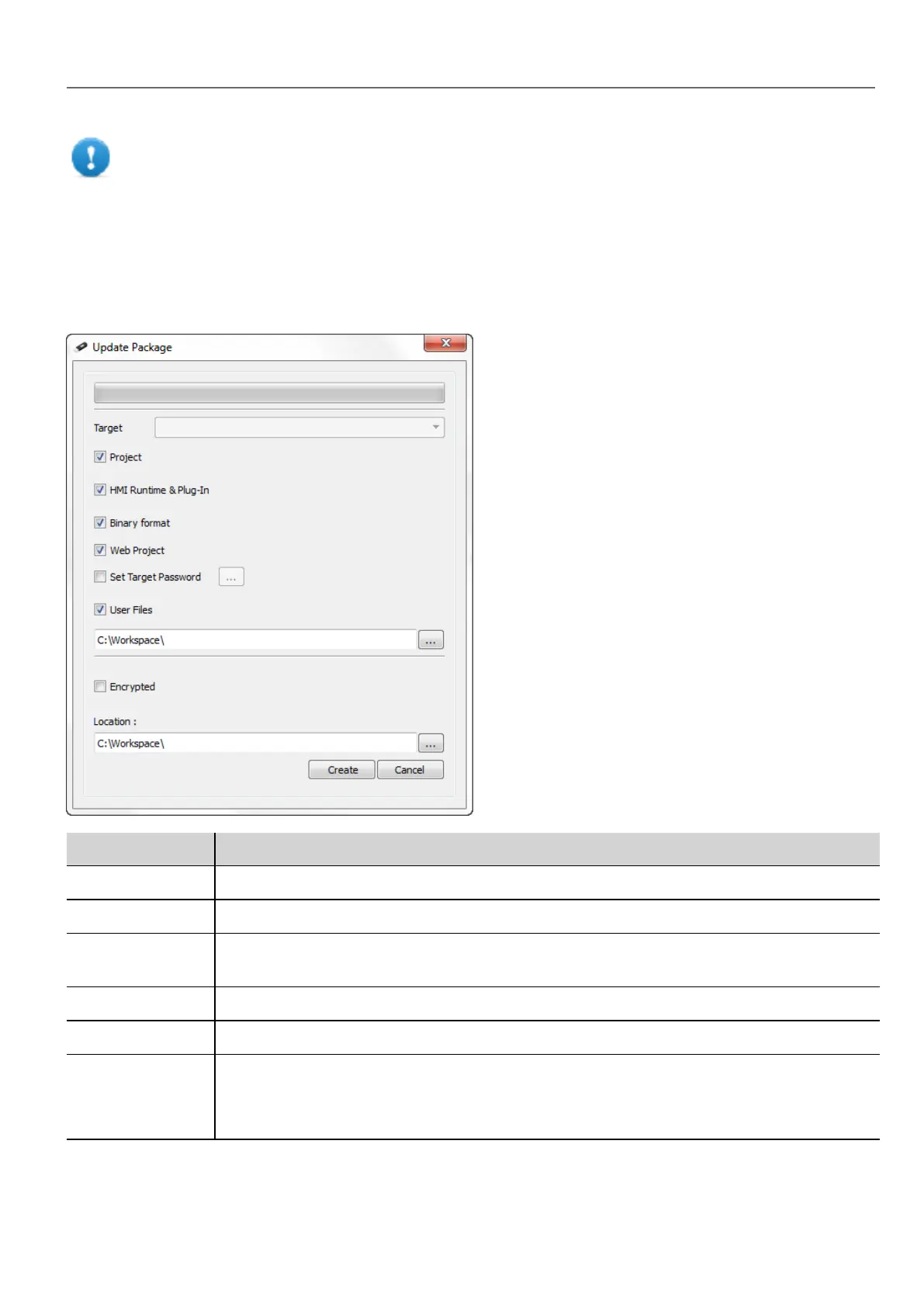
Creating an update package
Path: Run> Update Package
Option Description
Target HMI device type. Selected automatically if the project is open.
Project Adds open project to update package.
HMI Runtime &
Plug-In
HMI Runtime is added to the update package. If the project is open the required plugins are also
added to update package.
Binary Format Download files using binary format.
Web Project Download the HM4Web pages to HMI device.
Set Target
Password
Sets password to perform critical tasks (for example, project download/upload , board
management)
See"Protecting access to HMI devices" on page421.
HMWIN Studio |User Manual| v206 (2017-06-30) | EN| © 2014-2017 Panasonic Electric Works Europe AG
71
7 Transferring the project to HMI device



 To Next Page