Widget Function
Page
Number
Automatic page numbering
Screenshot Screen capture of the page currently displayed by the HMI device. The report page is automatically
resized to fit the HMI device page.
Note: The full screen is printed, including all open dialogs.
Alarm Entire contents of the event buffer (default buffer is Alarm Buffer1).
Text Widgets such as labels and numeric fields
Print triggering events
Report printing can be triggered by events.
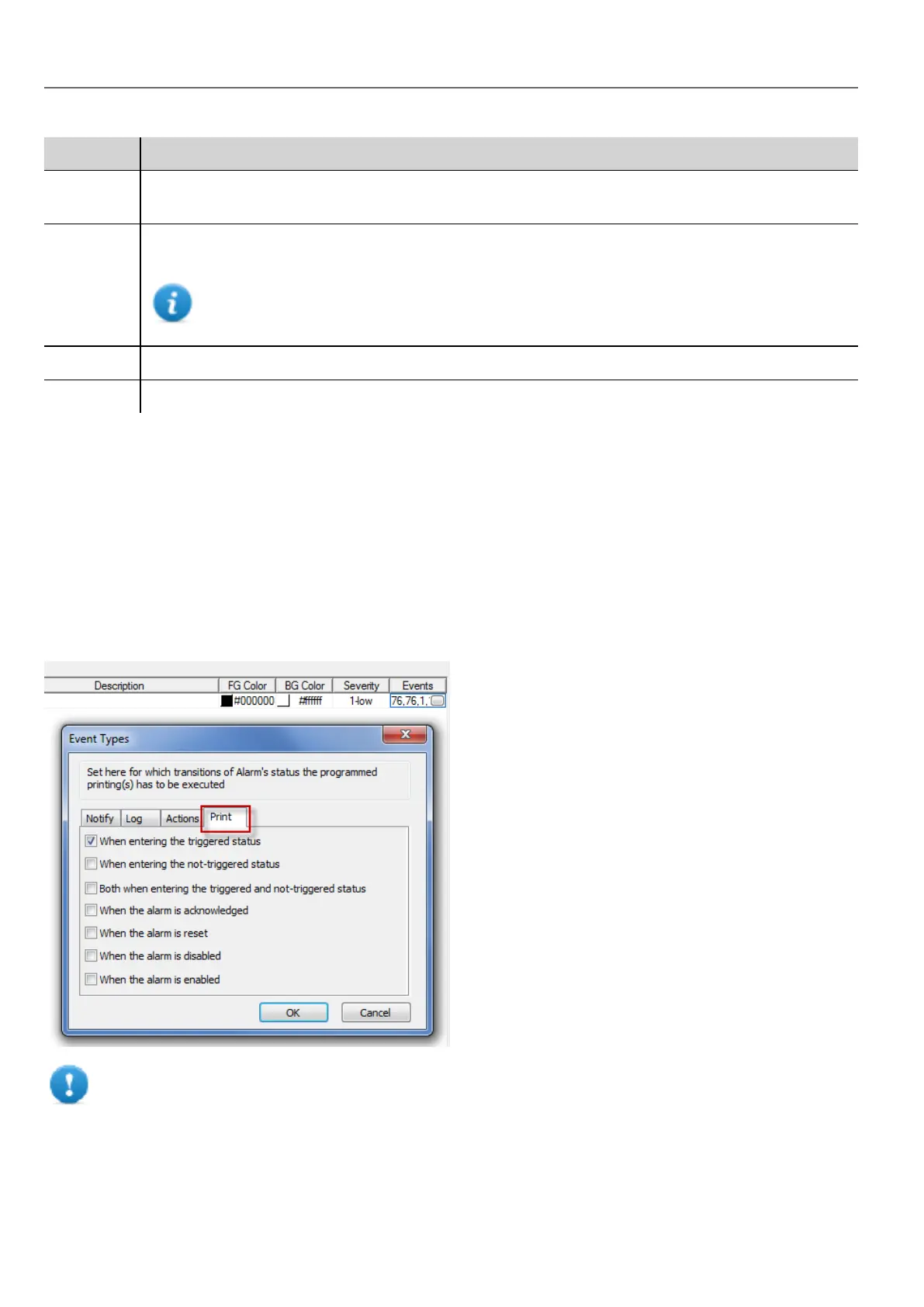
Configuring alarm printing
Path: ProjectView> Config > double-click Alarms
1. In the Alarms editor, open the Event Types dialog from the Events column.
2. In Print tab select all the conditions for which you want to trigger printing.
Important: Only one report can be set as Active alarm report in a project and it can be either a text
report or a graphic report.
248
HMWIN Studio |User Manual|v206 (2017-06-30) |EN|© 2014-2017 Panasonic Electric Works Europe AG
Print triggering events



 To Next Page