Adding tags
HMWIN Studio uses tag names to access all device data. All fields and reference locations in the device need to be
assigned a tag name to be used in the HMI project.
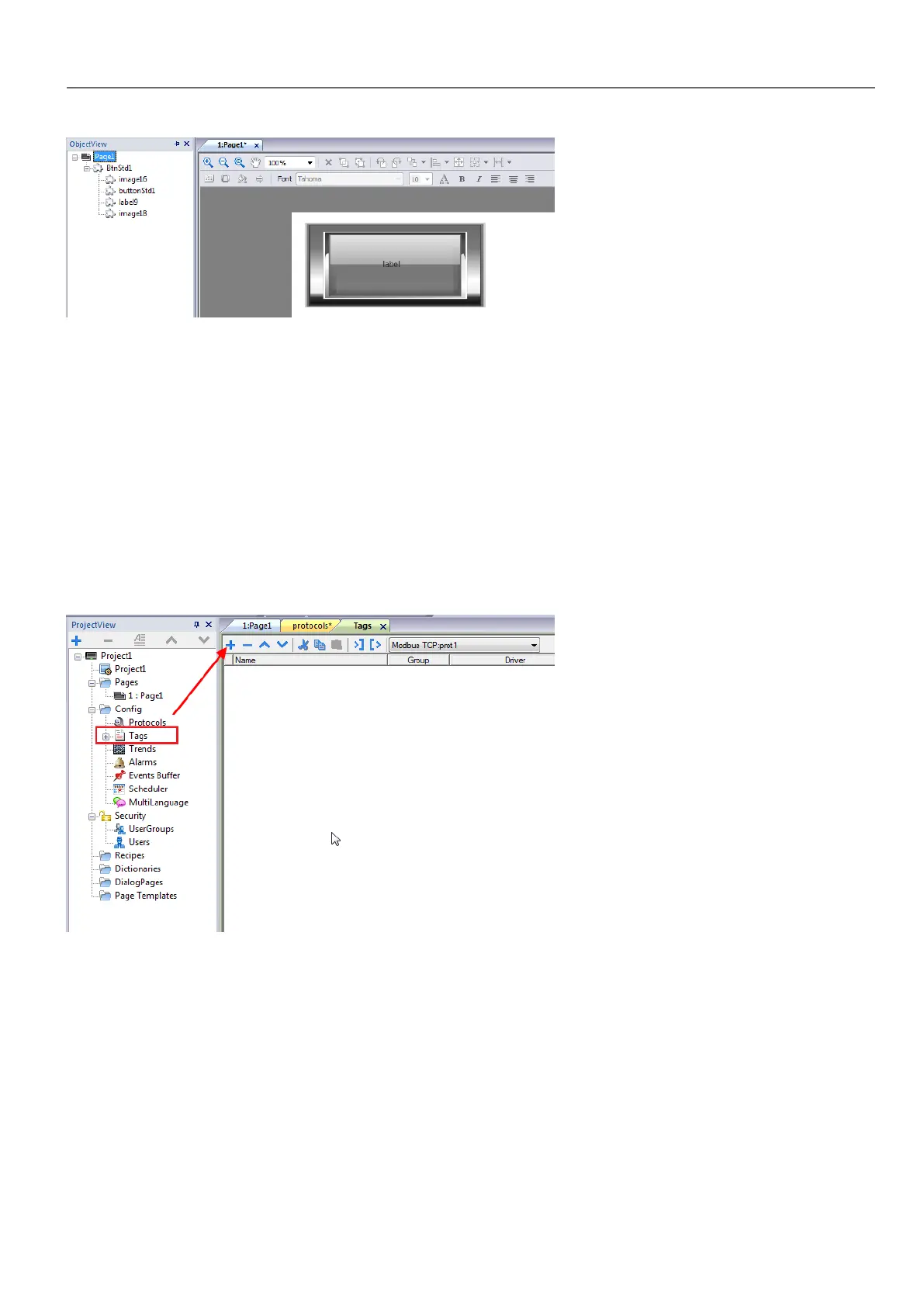
Tag Editor can be used to create and manage tags. After the tags have been defined, they can be used in the project by
attaching them to widgets' properties.
See ""Attach to" parameters" on page30 for details.
Tag editor
Path: ProjectView > Tags
Adding a tag
1. Click + and enter the required data.
2. Select the Address from the communication protocol address dialog: new tags are named Tag1, Tag2, ....
3. Click on the tag name to rename it.
Tag properties
See specific protocol documentation for details.
HMWIN Studio |User Manual| v206 (2017-06-30) | EN| © 2014-2017 Panasonic Electric Works Europe AG
21
3 My first project



 To Next Page