Enable/disable security management
Path: ProjectView> right-click Security> Enable
The padlock symbol indicates whether the function is enabled or disabled.
Important: Security settings are effective only if the security function is enabled.
Configuring groups and authorizations
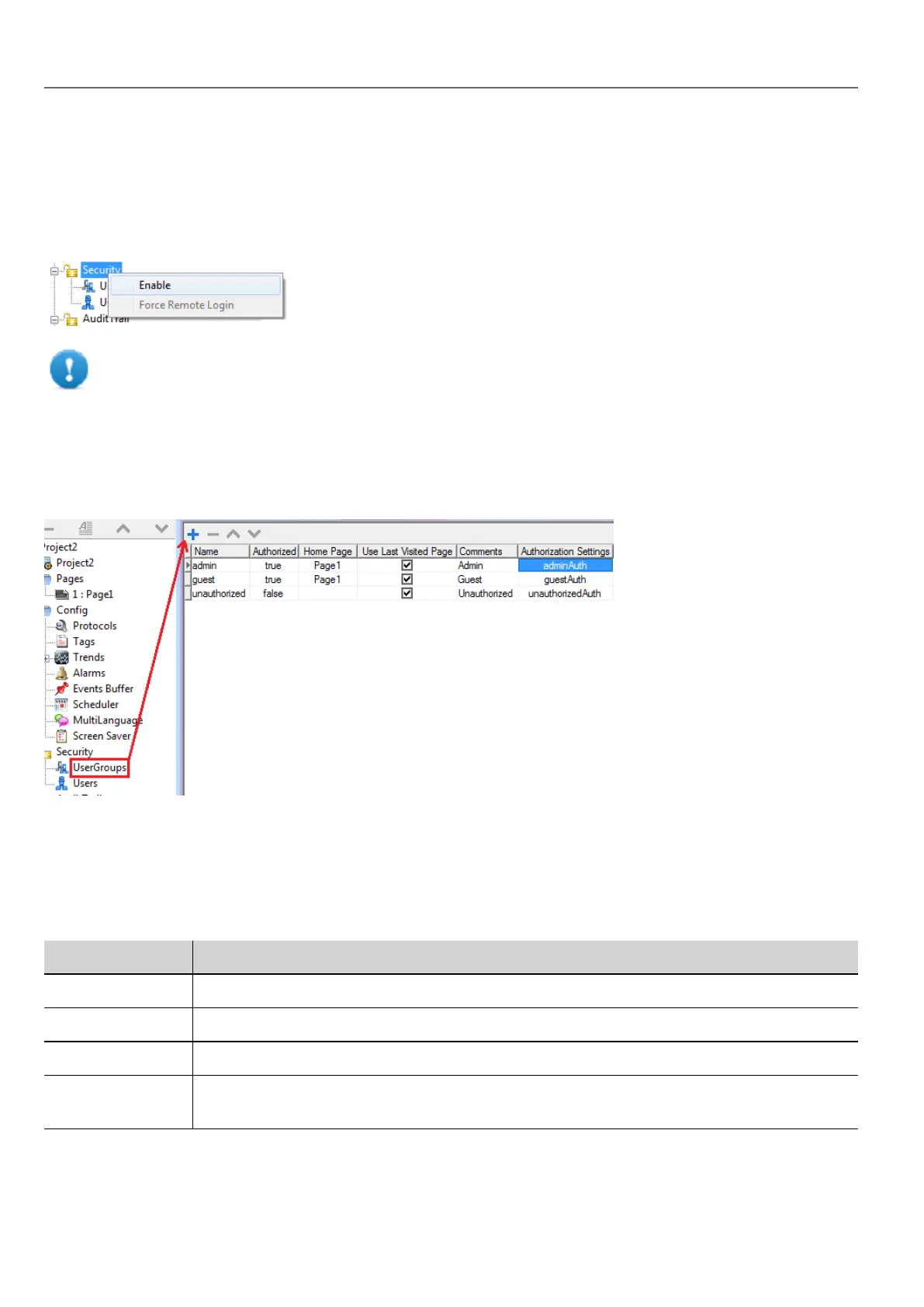
Path: ProjectView> Security> double-click UserGroups
Three predefined groups are available by default (admin, guest and unauthorized): they cannot be deleted nor renamed.
You can, however, modify authorizations and other settings.
Adding a user group
Click + to add user group.
Parameter Description
Name Name of users group
Authorized Authorization granted
Home Page Page displayed when users belonging to this group log in
Use Last Visited
Page
When selected, the last page displayed by the previous user will be displayed when users
belonging to this group log in
230
HMWIN Studio |User Manual|v206 (2017-06-30) |EN|© 2014-2017 Panasonic Electric Works Europe AG
Enable/disable security management



 To Next Page