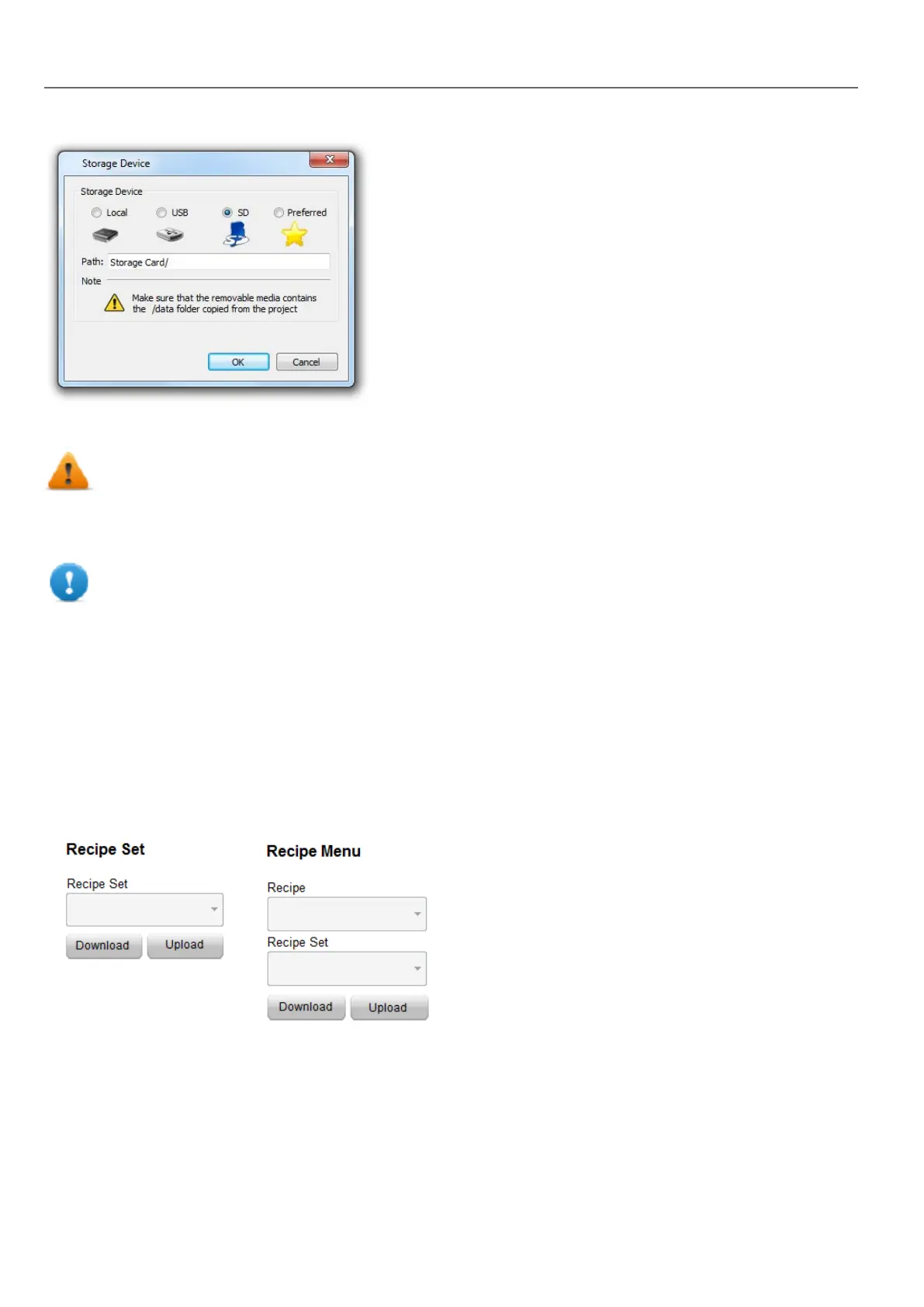
For USB drive and SD card storage you can provide the folder location.
WARNING: Recipe configuration files are created automatically when the project is saved and stored
in the data subfolder of the project. To use external storage devices, you need to copy this folder into
the external device. Note that you have the responsibility to manage the data folder inside external
devices. Even dynamic files are not deleted when project is updated using the “Delete dynamic file”
option.
Important: You can add a subfolder but you must not rename the "data" subfolder.
Configuring a recipe widget
You can choose one of the two recipe widgets available in the Widget Gallery:
l Recipe set: allows you to select a recipe set for upload or download. See "Uploading/downloading a recipe" on the
facing page
l Recipe menu: when more recipes have been created for a project, use this widget to manage all recipes and select
the desired sets for each of them.
Configuring the Recipe Set widget
In the Properties pane of each Recipe Set widget set the following parameter:
186
HMWIN Studio |User Manual|v206 (2017-06-30) |EN|© 2014-2017 Panasonic Electric Works Europe AG
Configuring a recipe widget



 To Next Page