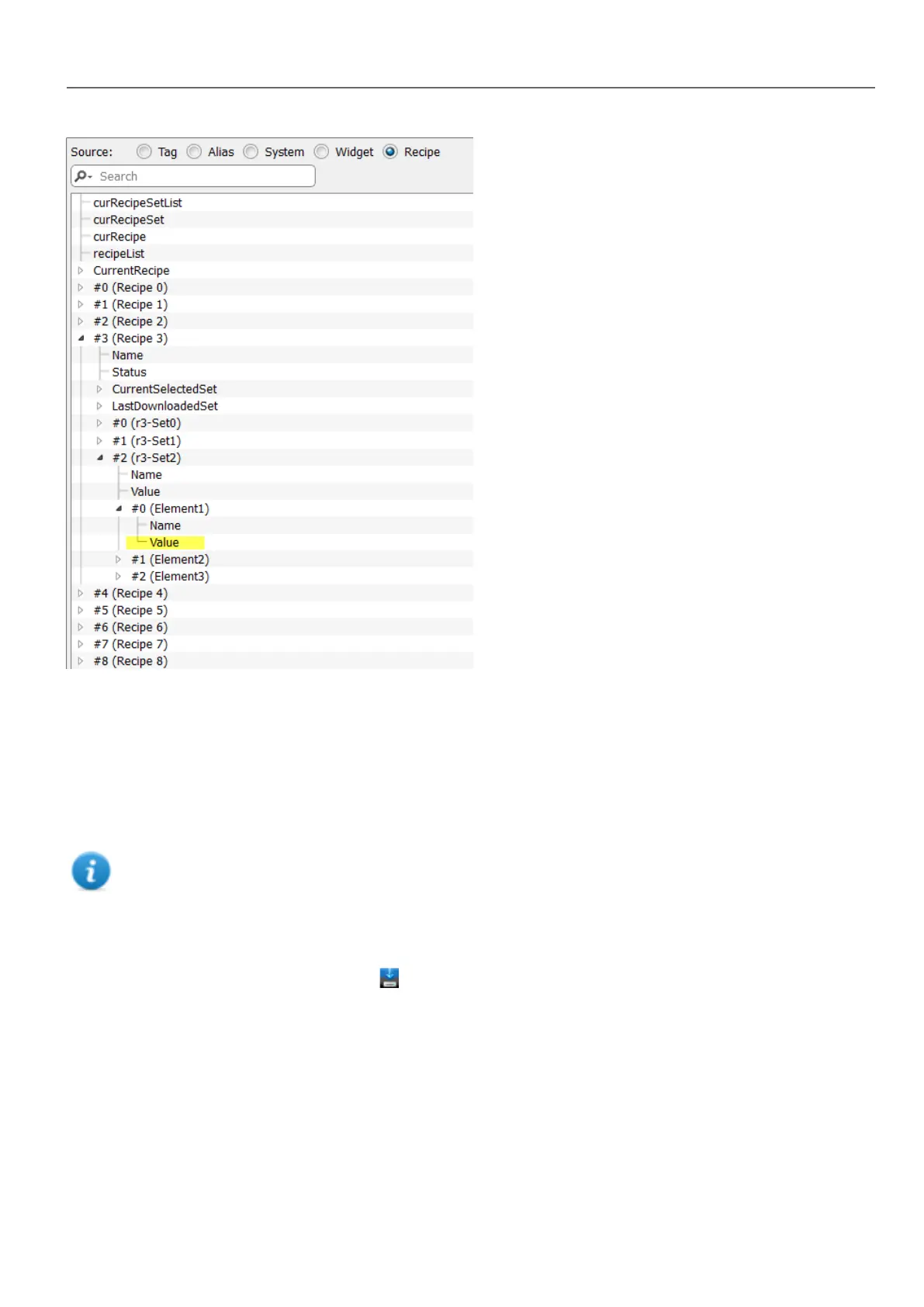
In the Attach to dialog you have the choice of all the different recipe variables, such as:
l Current Recipe >Current Selected Recipe Set> Element > Value
l Selected Recipe > Selected Set0 > Element > Value
l recipeList
When numeric widgets are defined as read/write, the default recipe data can be edited at run time. These new values are
stored in a separate file as modified recipe data.
Note: Since JavaScript API functions are used, the recipe elements and sets can be referenced by name or by
position. To avoid ambiguity between names and index, the names of the recipe elements and sets must include
at least one alphanumeric character.
Storing recipe data
In the Recipe Editor click the storage type icon to select where to store recipe data: the Storage Device dialog is
displayed.
HMWIN Studio |User Manual| v206 (2017-06-30) | EN| © 2014-2017 Panasonic Electric Works Europe AG
185
16 Recipes



 To Next Page