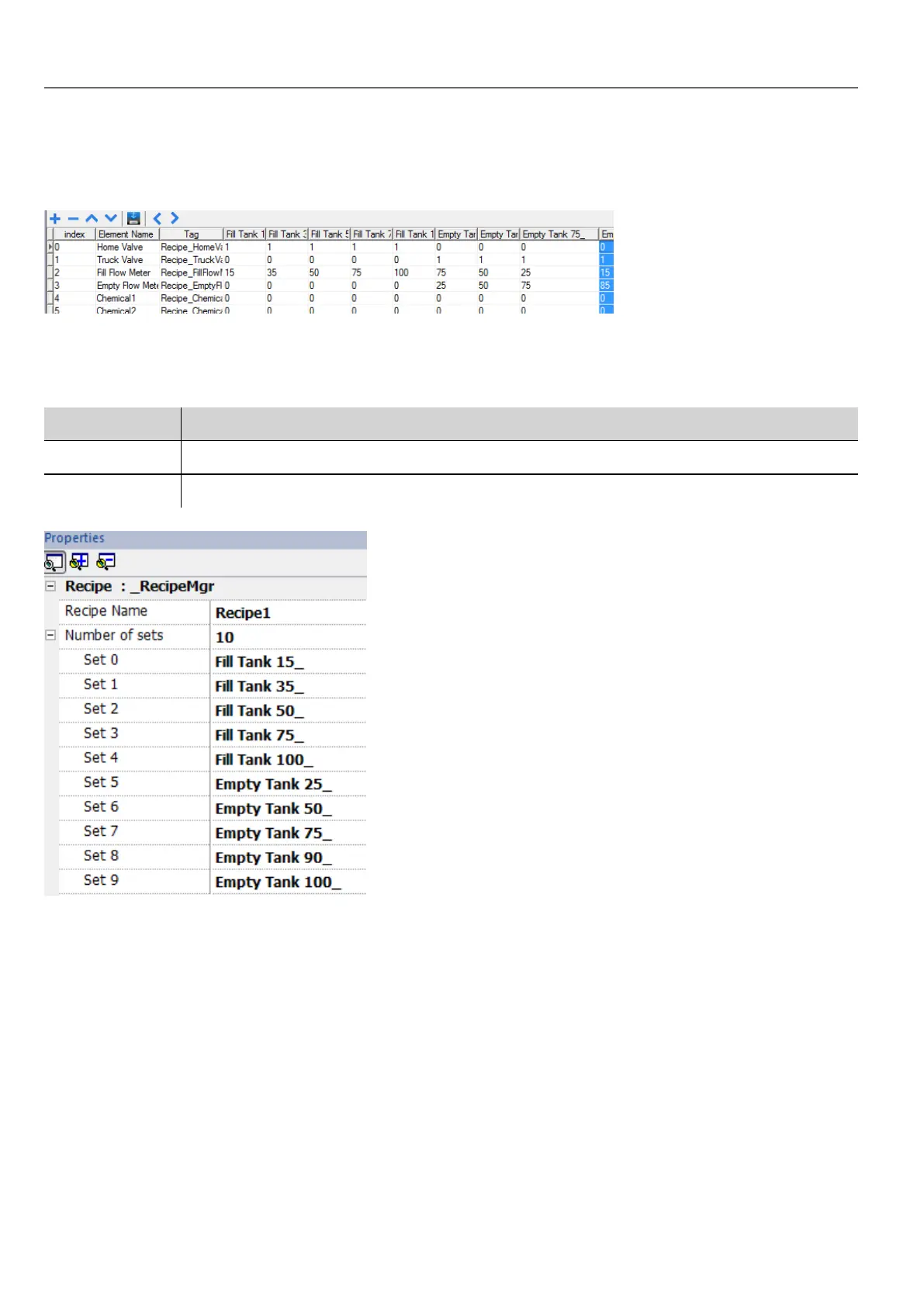
Recipe editor
Path: ProjectView> Recipes > double-click RecipeName
Configuring recipe properties
In the Properties pane of each recipe you set the following parameters:
Parameter Description
Recipe Name Name of the recipe
Number of sets Number of values sets for each recipe element. Each set has a different configurable name.
Setting up a recipe
1. Click + to add an element of the recipe.
2. Link the tags to each recipe element.
Defining recipe fields
Create a recipe field in the page using a numeric widget and attaching it to a recipe item after selecting Recipe as the
Source.
184
HMWIN Studio |User Manual|v206 (2017-06-30) |EN|© 2014-2017 Panasonic Electric Works Europe AG
Managing recipes



 To Next Page