25 Screen saver
Screen saver can be used to display a slide show when the HMI device is not in use. The slide show starts after a timeout if
none of the following events occur:
l touch of display
l mouse movement
l external keyboard key pressed
Enabling the screen saver function
Path: ProjectView> Config > right-click Screen Saver> Enable
Important: You must enable the screen saver before you can configure it.
Configuring a screen saver
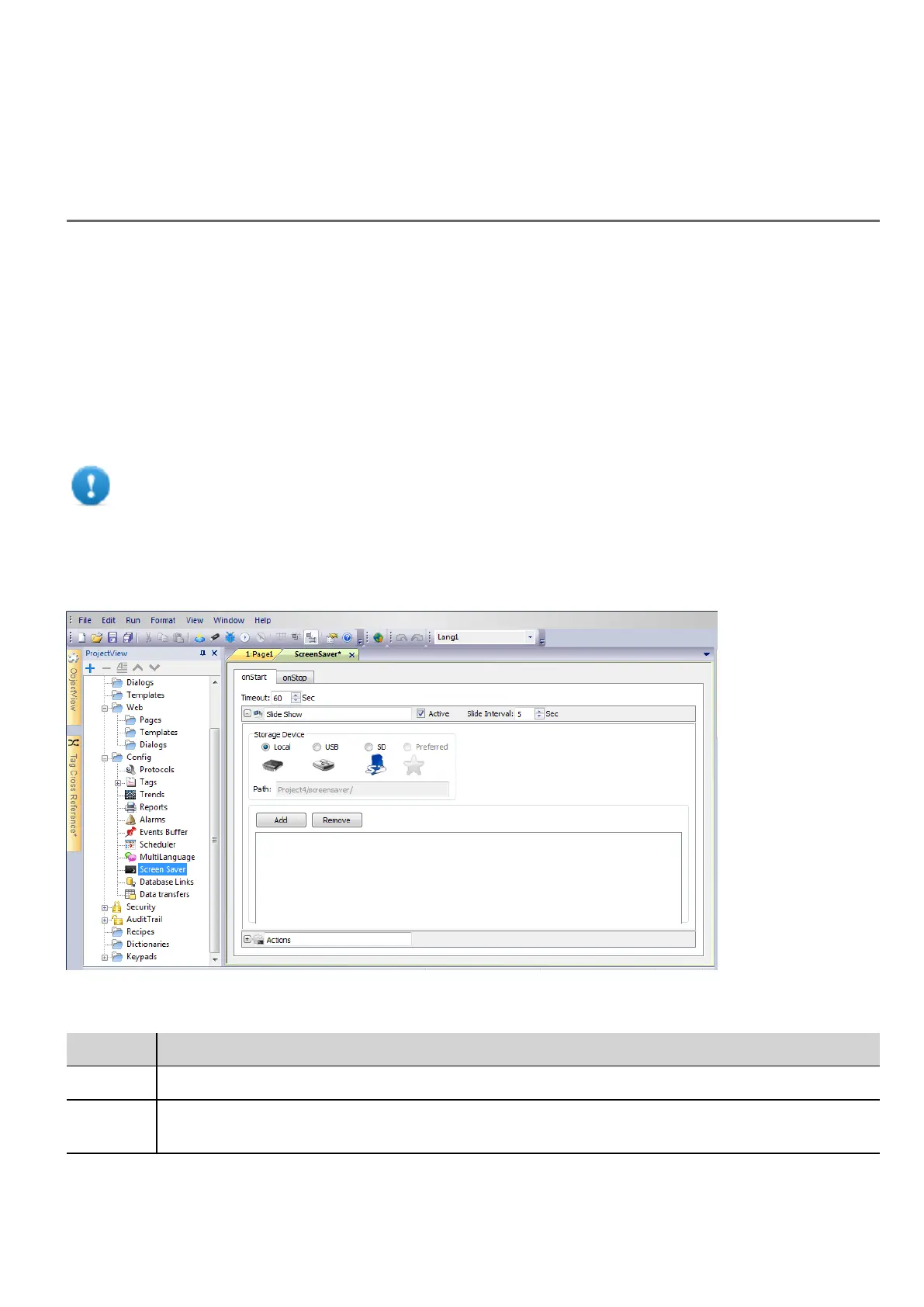
Path: ProjectView> Config > double-click Screen Saver
Slide show parameters
Parameter Description
Timeout Time after which the slide show starts
Slide
Interval
Interval between slides
HMWIN Studio |User Manual| v206 (2017-06-30) | EN| © 2014-2017 Panasonic Electric Works Europe AG
253



 To Next Page