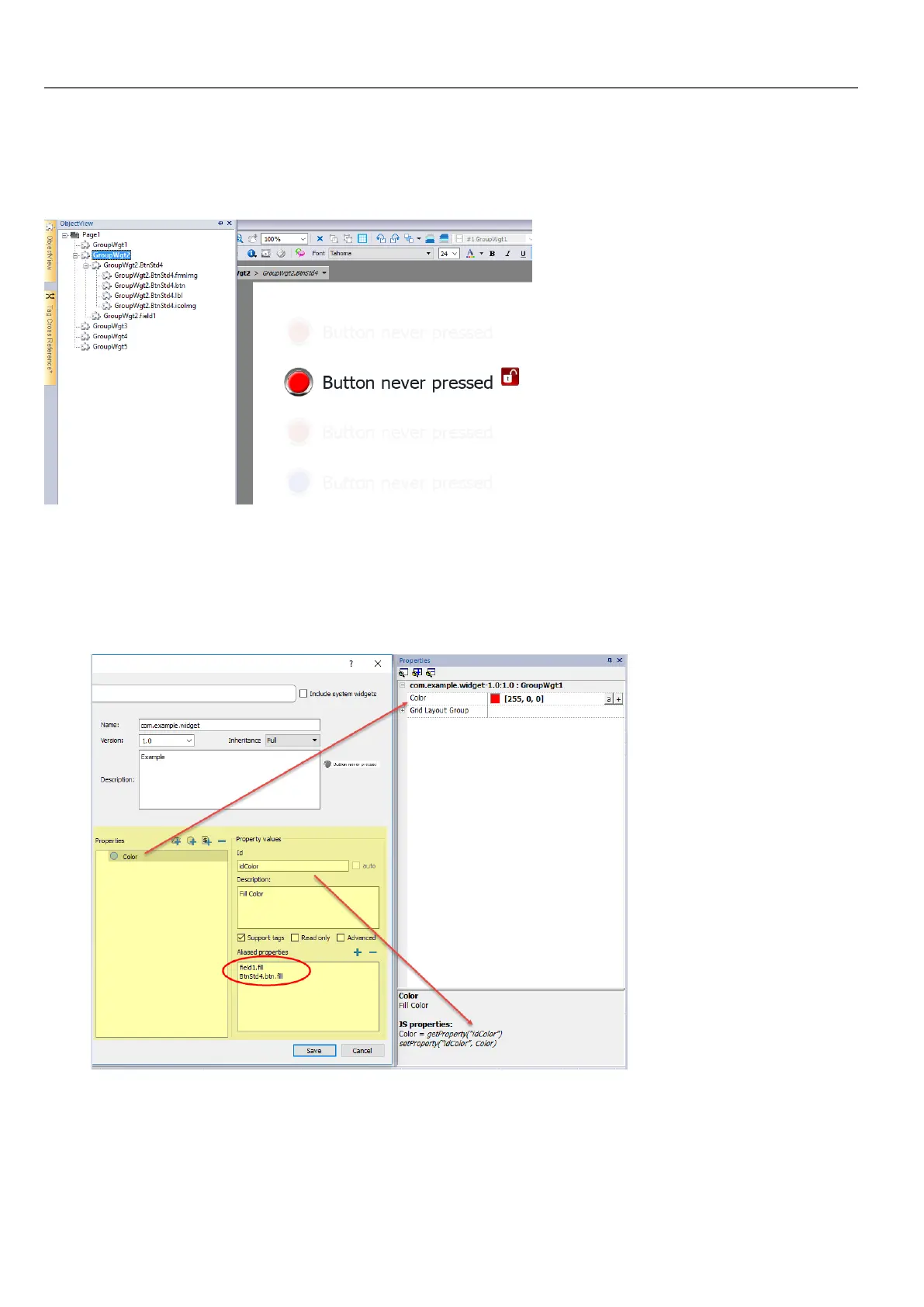
To display a list of all the elements that are part of a widget, select the widget, open the padlock and open the ObjectView
pane: all the element making up a complex widget are listed in hierarchical order.
To select a single widget, select it directly form the ObjectView pane.
Adding properties to a custom widget
When you create a custom widget, you need to define the properties that will be displayed for it in the Properties pane.
1. Right-click on the grouped object and select Widget catalog: the properties dialog is displayed.
322
HMWIN Studio |User Manual|v206 (2017-06-30) |EN|© 2014-2017 Panasonic Electric Works Europe AG
Adding properties to a custom widget



 To Next Page