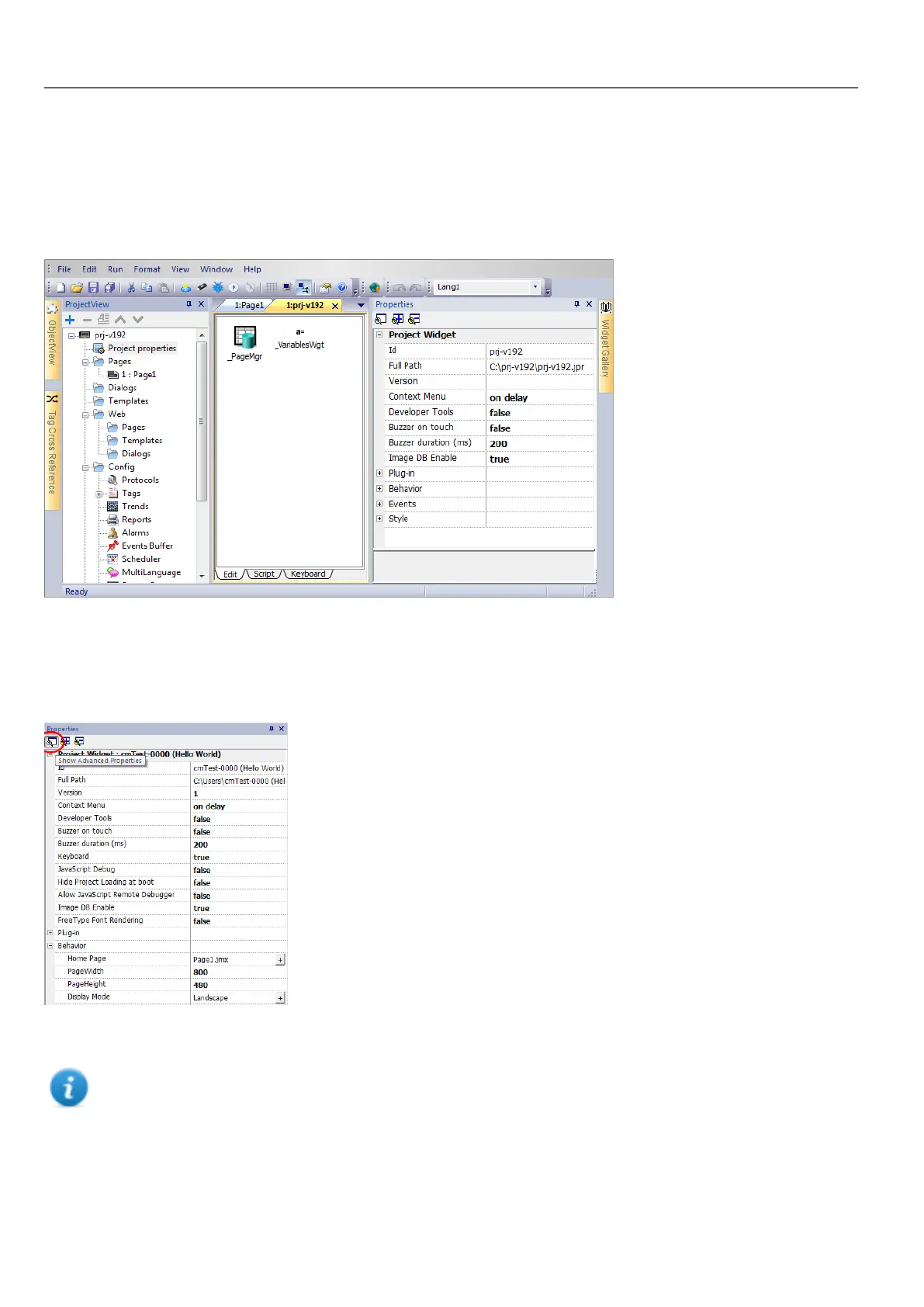
Project properties pane
Path: ProjectView> double-click Project properties> Properties pane
The project Properties pane contains a list of project level user-configurable data.
Basic and advanced properties
To view all project properties:
l Click Show Advanced Properties button to expand the property view in the Properties pane.
Main properties description
Note: Some properties are displayed only in advanced mode.
50
HMWIN Studio |User Manual|v206 (2017-06-30) |EN|© 2014-2017 Panasonic Electric Works Europe AG
Project properties pane



 To Next Page