31 OPC UA Server
Path: ProjectView> Config > Interfaces > double-click OPC UA
Use the OPC UA Server to publish data according to the OPC UA standard..
Features
Parameter Description
Enable OPC UA Server Activates operation of the OPC UA Server.
Data values defined in the HMI are published by the OPC UA Server.
Enable alarms Activates publication of real-time alarm data (Active Alarms).
The following properties of alarms are published:
• Enabled
• Severity
• Status
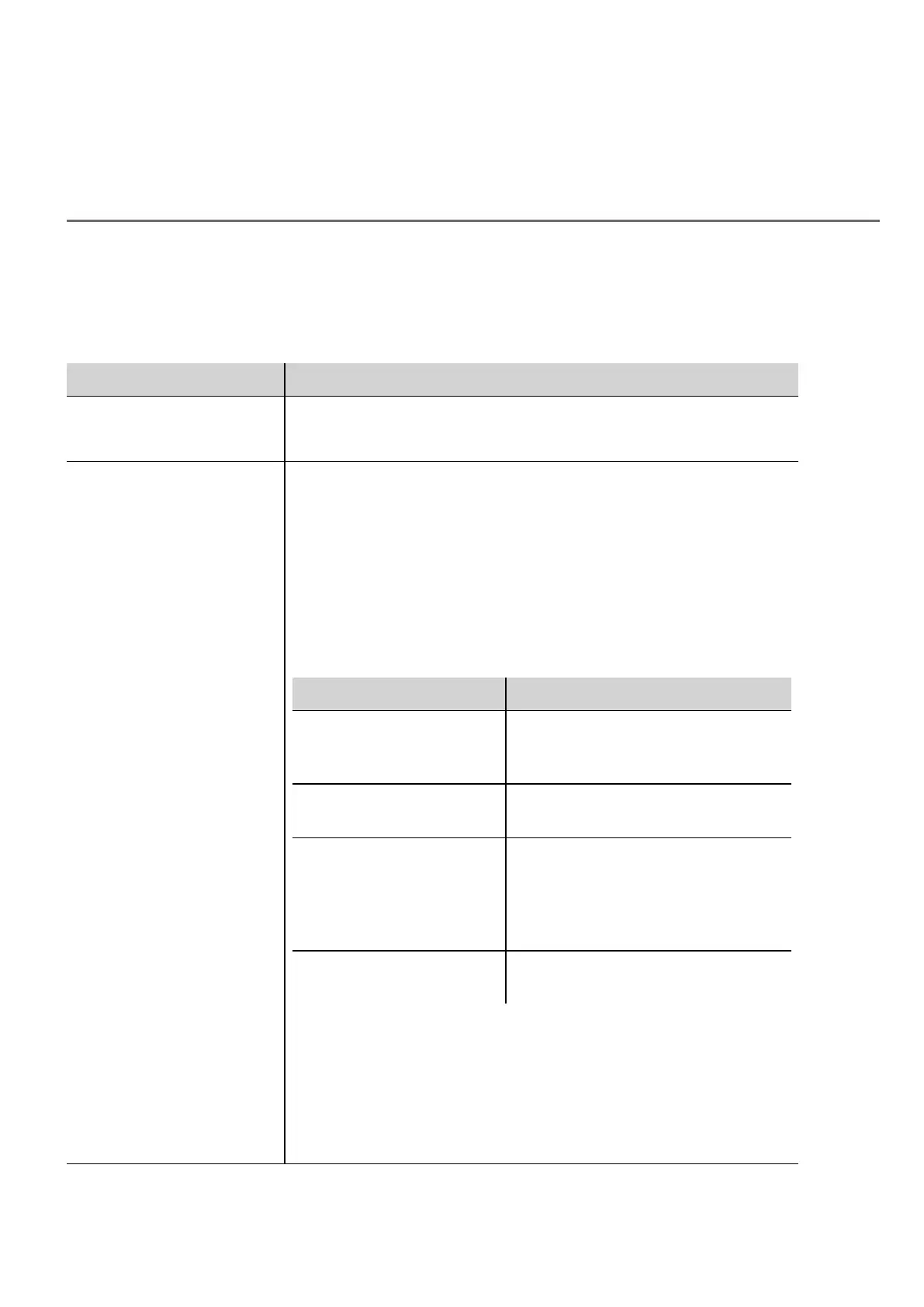
The alarm states are mapped to OPC UA states according to the following
rules:
OPC UA Alarm state HMWIN Studio Alarm state
Opcua.Alarm.Active TRIGGERED | TRIGGERED_NOT_
ACKED |
TRIGGERED_ACKED
Opcua.Alarm.Acked TRIGGERED_ACKED |
NOT_TRIGGERED_ACKED
Opcua.Alarm.Retained TRIGGERED |
TRIGGERED_NOT_ACKED |
TRIGGERED_ACKED |
(alarm requires reset flag & state !=
NOT_TRIGGERED )
Opcua.Alarm.Confirmed when alarm requires reset flag & state is
NOT_TRIGGERED
OPC UA confirm operation is mapped to the reset operation. Confirmation
only works if the alarm is currently active, otherwise return OpcUa_
BadInvalidState (since the reset operation only works in this condition).
The acknowledge/enable/disable/confirm operations done via OPC UA are
audited as "OPC UA Server" domain. If the authentication is user/pass the
user is logged as well.
HMWIN Studio |User Manual| v206 (2017-06-30) | EN| © 2014-2017 Panasonic Electric Works Europe AG
279



 To Next Page