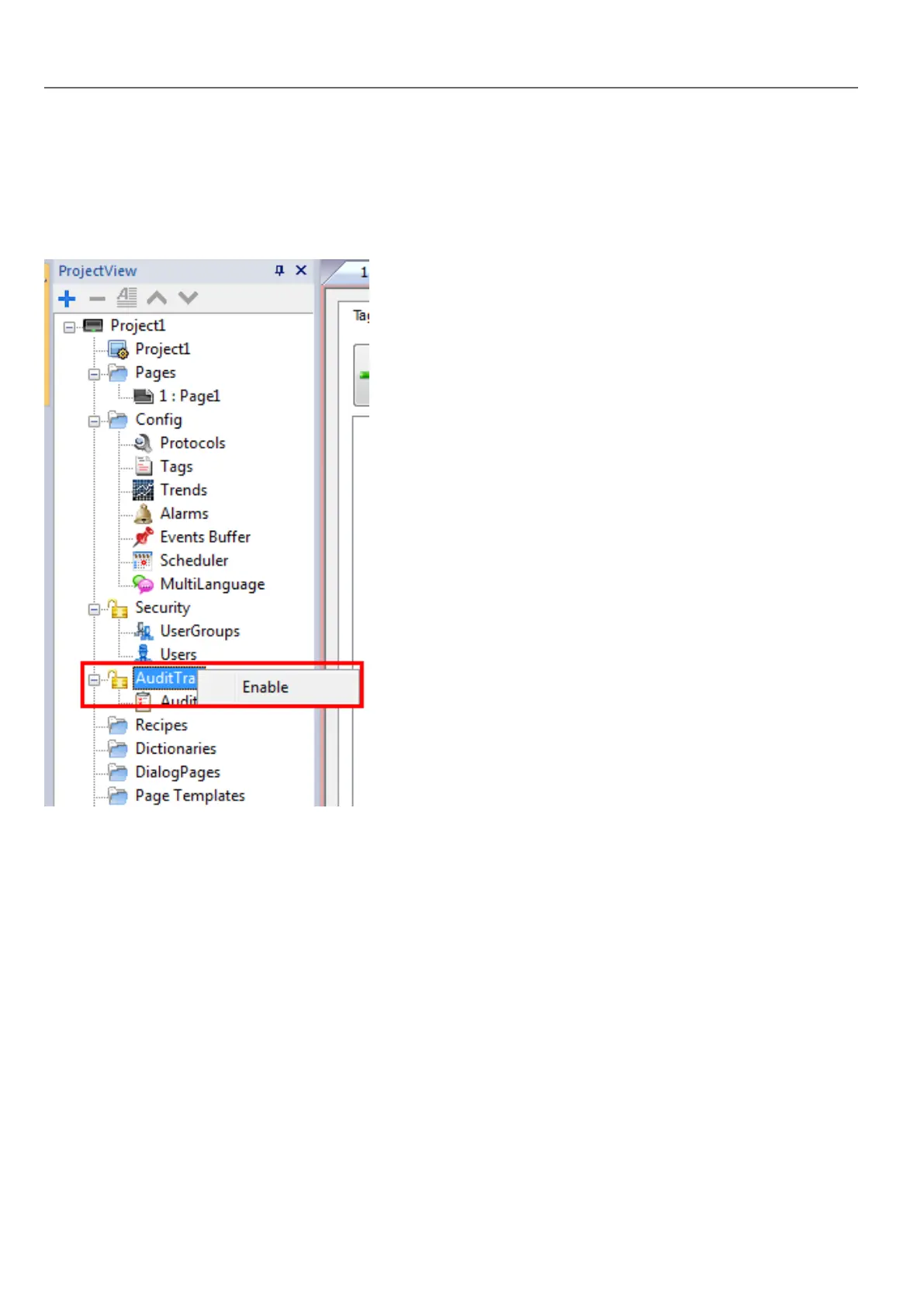
Enable/disable audit trail
Path: ProjectView> right-click AuditTrail> Enable
The padlock symbol indicates status of the function.
Configure audit events
You can have more than one set of audit records. You need to configure a dedicated event buffer.
Creating an event buffer
Path: ProjectView> Config> double-click Event Buffer
240
HMWIN Studio |User Manual|v206 (2017-06-30) |EN|© 2014-2017 Panasonic Electric Works Europe AG
Enable/disable audit trail



 To Next Page