Search and filter
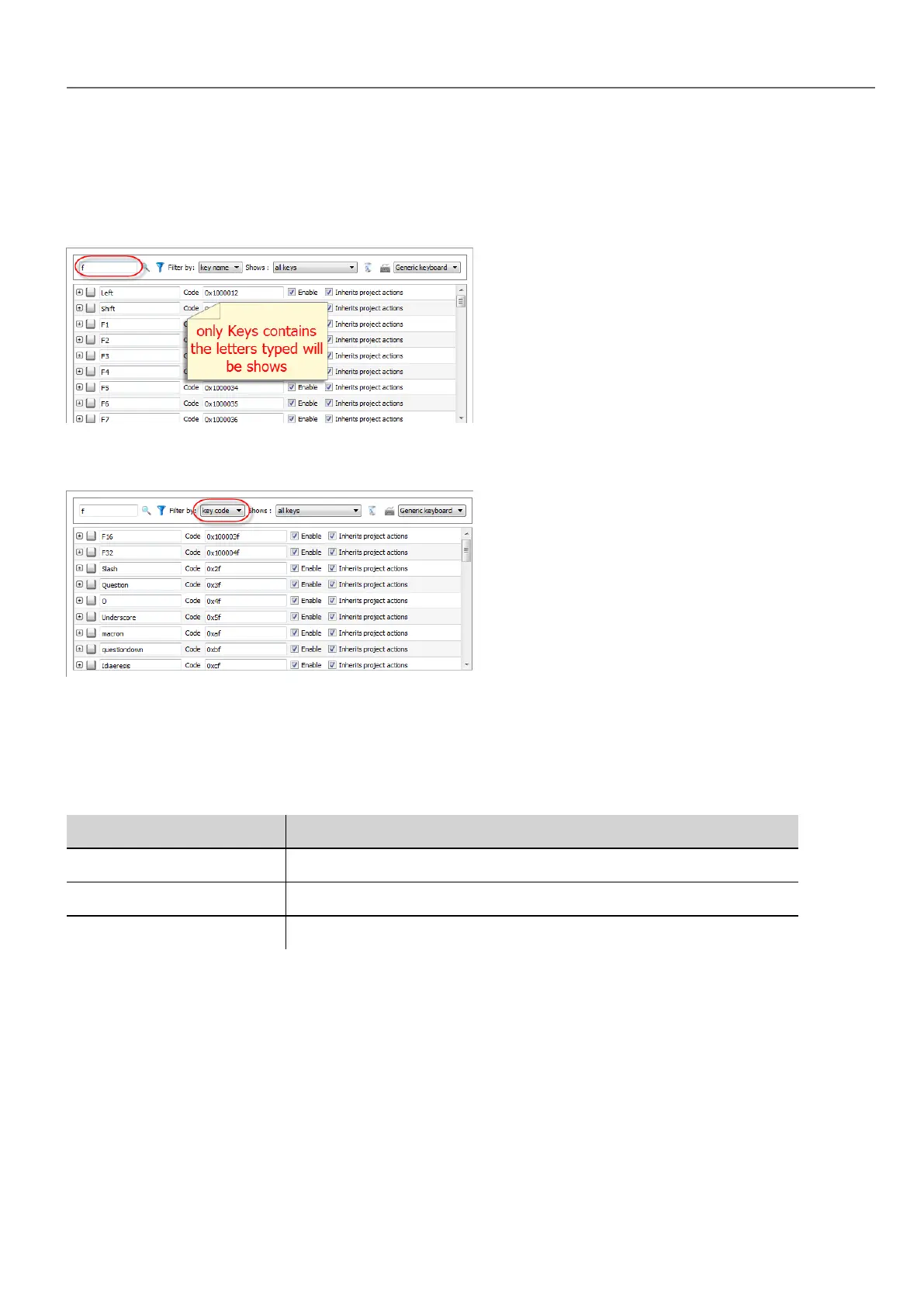
To display a filtered set of keys, in Filter by select key name and type a letter in the search field: only the keys containing
that letter in their name will be displayed in the Keyboard editor.
Alternatively, in Filter by select key code and type a letter in the search field: only the key containing that letter in their
code will be displayed in the Keyboard editor.
Displayed keys
You can easily select what keys will be listed in the Keyboard editor window. To display a limited set of keys, select an
option in Shows.
Option Description
all keys All keys available in the keyboard layout are listed
modified keys Only the keys associated with actions at the page level are listed
modified keys in project Only the keys associated with actions at project level are listed
Removing action associations
To remove all the associations you created between keys and actions:
1. Select the keys for which you want to remove the association.
2. Click the Clear all actions of selected keys button.
If you are working at page level, page actions will be removed, if you are working a project level, project actions will be
removed.
HMWIN Studio |User Manual| v206 (2017-06-30) | EN| © 2014-2017 Panasonic Electric Works Europe AG
265
28 External keyboards



 To Next Page