DateTime widget
Path: Widget Gallery> Basic> Controls
Use this widget to display and edit current date and time .
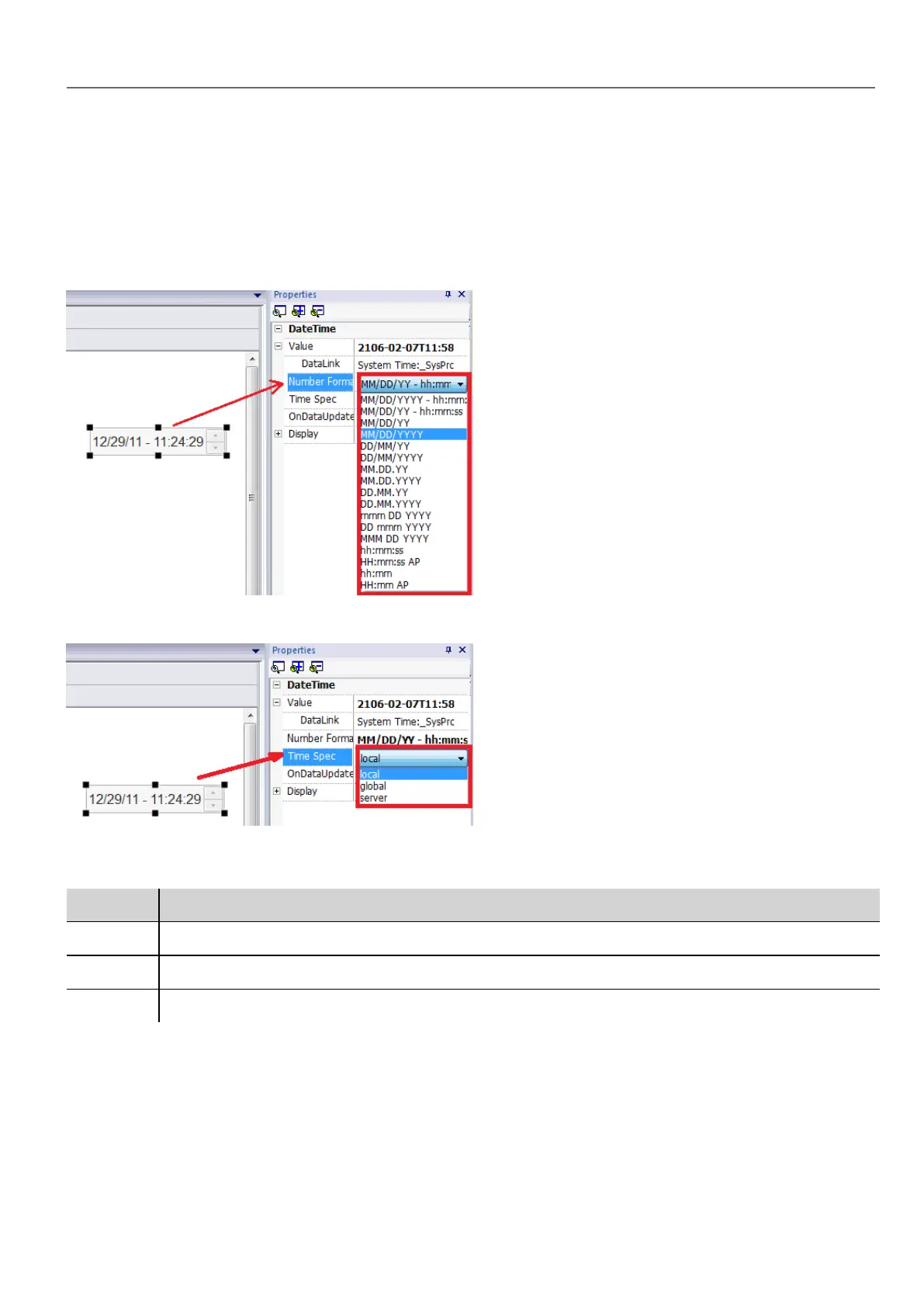
In the Properties pane different formats are available for representing date and time.
For the Time Spec property select which time the widget will show at run time.
Time options
Option Description
local shows local time, the time of the HMI device where the project is running
global shows Global Time (GMT)
server shows time information as handled by the server side of the HMI device
Gesture area widget
Path: Widget Gallery> Buttons> Others
Gesture Area Widget is a hotspot button that generates pan and pinch gesture events.
HMWIN Studio |User Manual| v206 (2017-06-30) | EN| © 2014-2017 Panasonic Electric Works Europe AG
293
32 Special widgets



 To Next Page