WARNING: Only multi touch HMI devices can generate pinch events
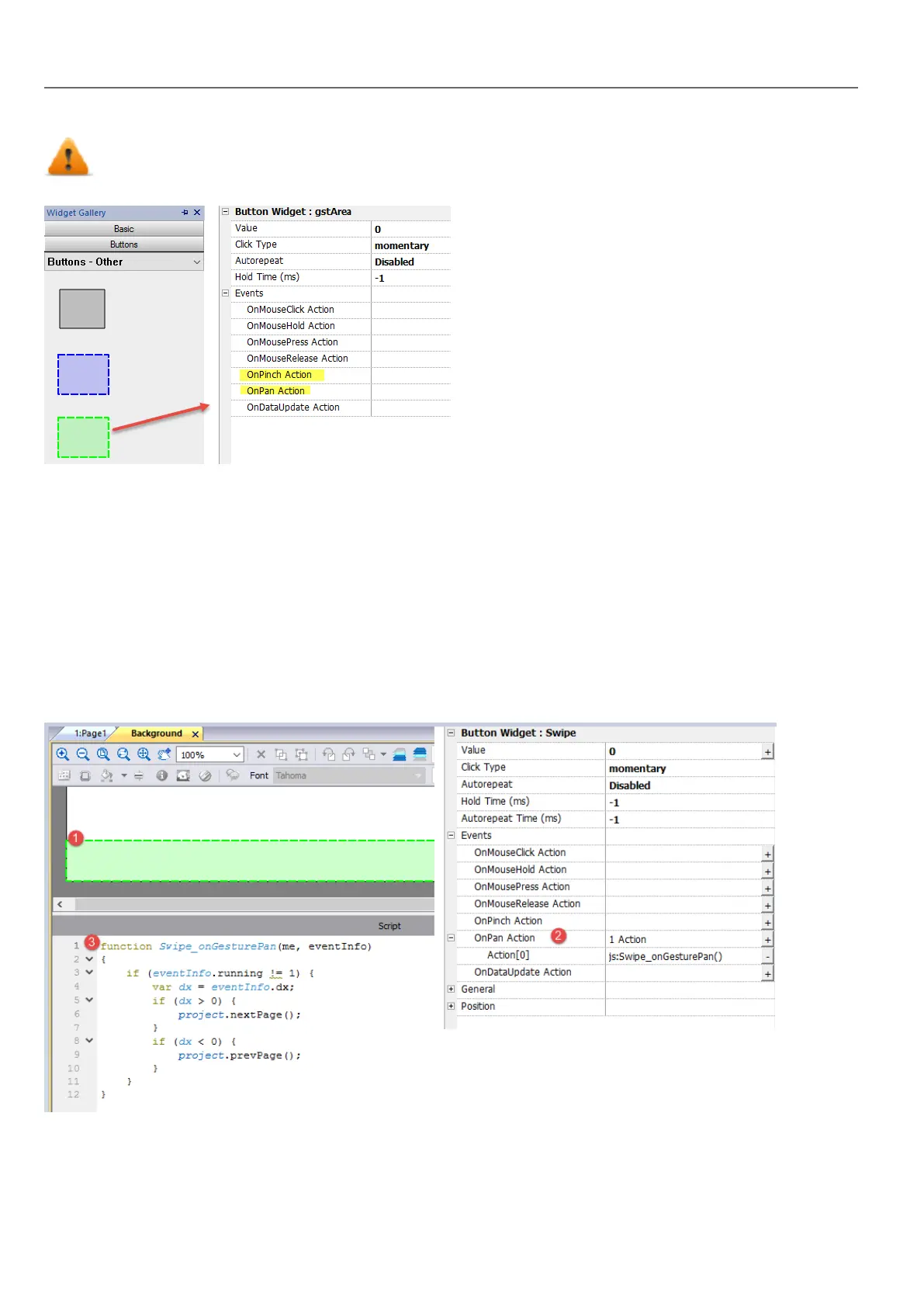
Use OnPan and OnPinch events in association with JavaScript code to identify gestures and program the requested
actions
See "Widget events" on page340for details on these event types
Swipe Gesture
How to recognize a "swipe" gesture to change page in the application.
1. Put a Gesture area widget into the page
2. Configure the OnPan Action to trigger a JavaScript function
3. Write the JavaScript code that recognize the swipe gesture
294
HMWIN Studio |User Manual|v206 (2017-06-30) |EN|© 2014-2017 Panasonic Electric Works Europe AG
Gesture area widget



 To Next Page