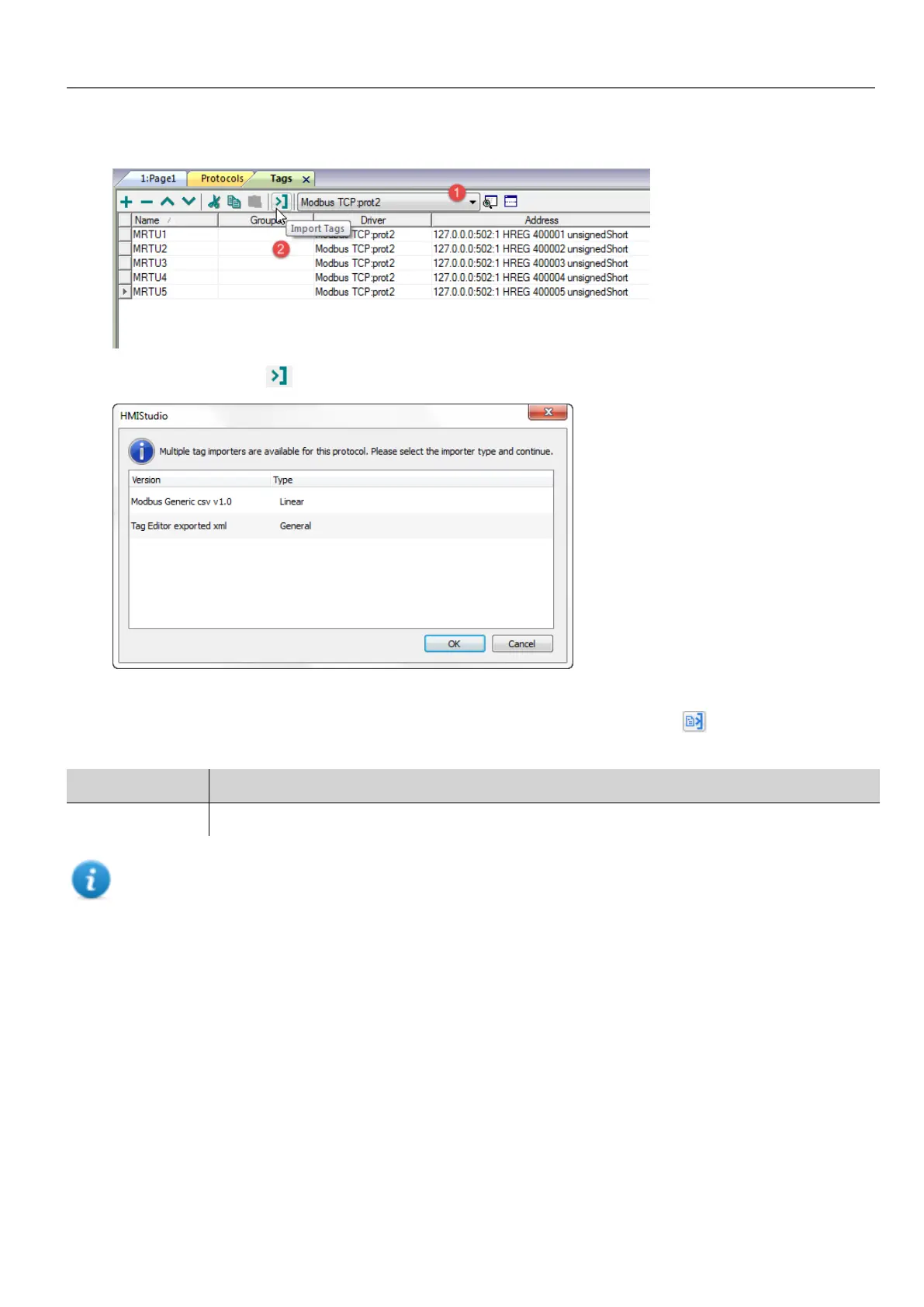
1. In ProjectView, Tags select the protocol from the filter list.
2.
Click the Import Tags button: the select file dialog appears. A dialog to choose the importer type appears.
3. Select the file: a list of tags is shown in a linear or hierarchical view.
4.
To import tags, select one or more tags or a node (hierarchical view only) and click the Import tag button: tags
are copied to the project and listed in the upper window section.
Parameter Description
Recursive All elements of the structure are imported into separate tags.
Note: When the project is configured to use a protocol network you must also select the protocol node where
tags are to be imported. You can import the same tags on multiple protocols. When the tags file contains the
node information, you can choose to use the information to filter the tags and import only those matching with the
selected nodes.
Updating the imported tags
Using the Update Tag(s) command you can re-import tags. A dialog allows you to select the tags to be reimported:
HMWIN Studio |User Manual| v206 (2017-06-30) | EN| © 2014-2017 Panasonic Electric Works Europe AG
25
3 My first project



 To Next Page