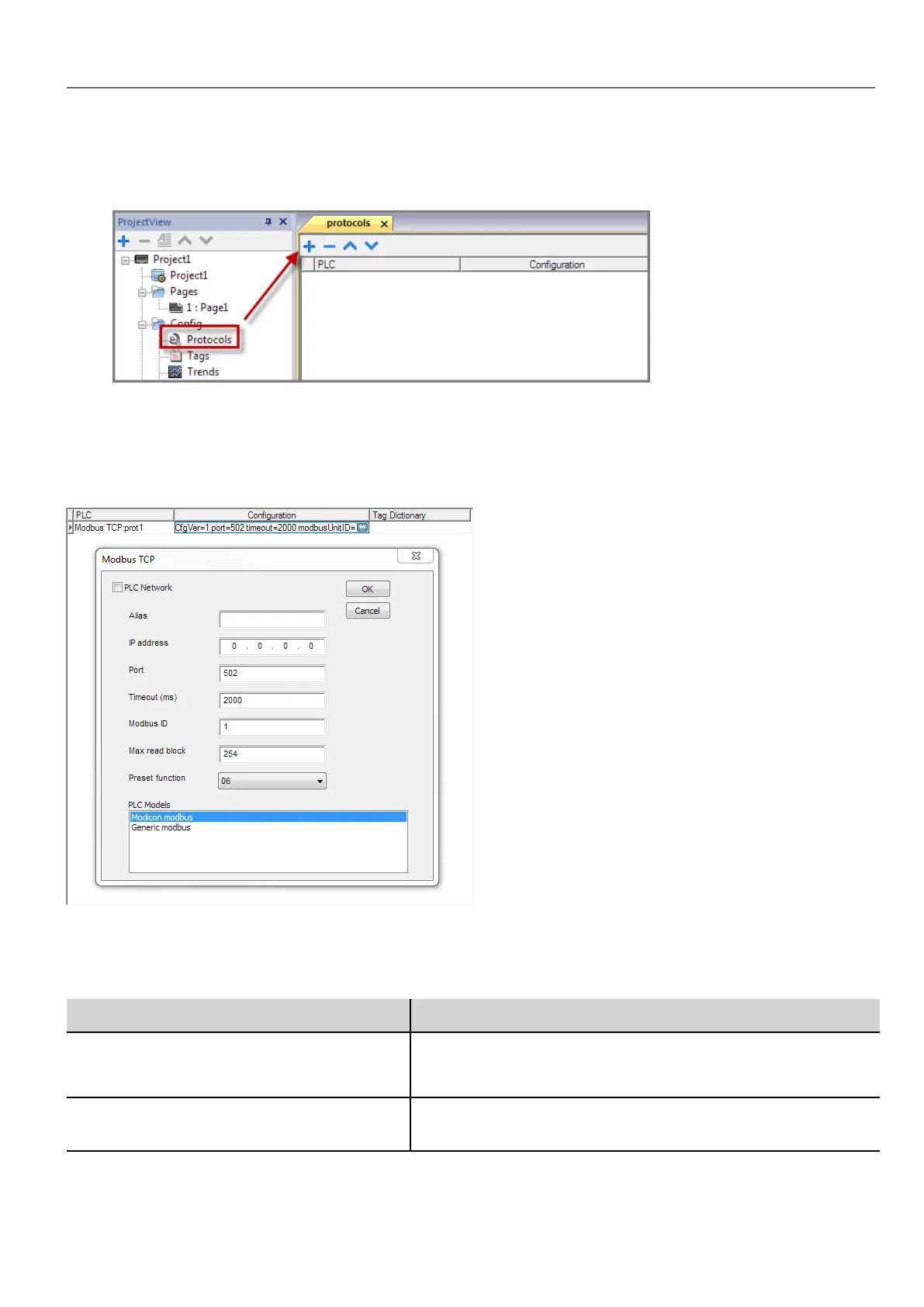
Adding a protocol
1. Click +.
2. Select the protocol from the PLC list and enter the required values.
Changing protocol settings
To change configuration parameters, click the browse button in the Configuration column.
Protocol parameters
Click Show Advanced Properties icon to see all parameters.
Parameter Description
Dictionaries Tags imported for the protocol.
See "Importing tags" on page23 for details.
Enable Offline AlgorithmOffline Retry
Timeout
See "Automatic offline node detection" on page209 for details.
HMWIN Studio |User Manual| v206 (2017-06-30) | EN| © 2014-2017 Panasonic Electric Works Europe AG
17
3 My first project



 To Next Page