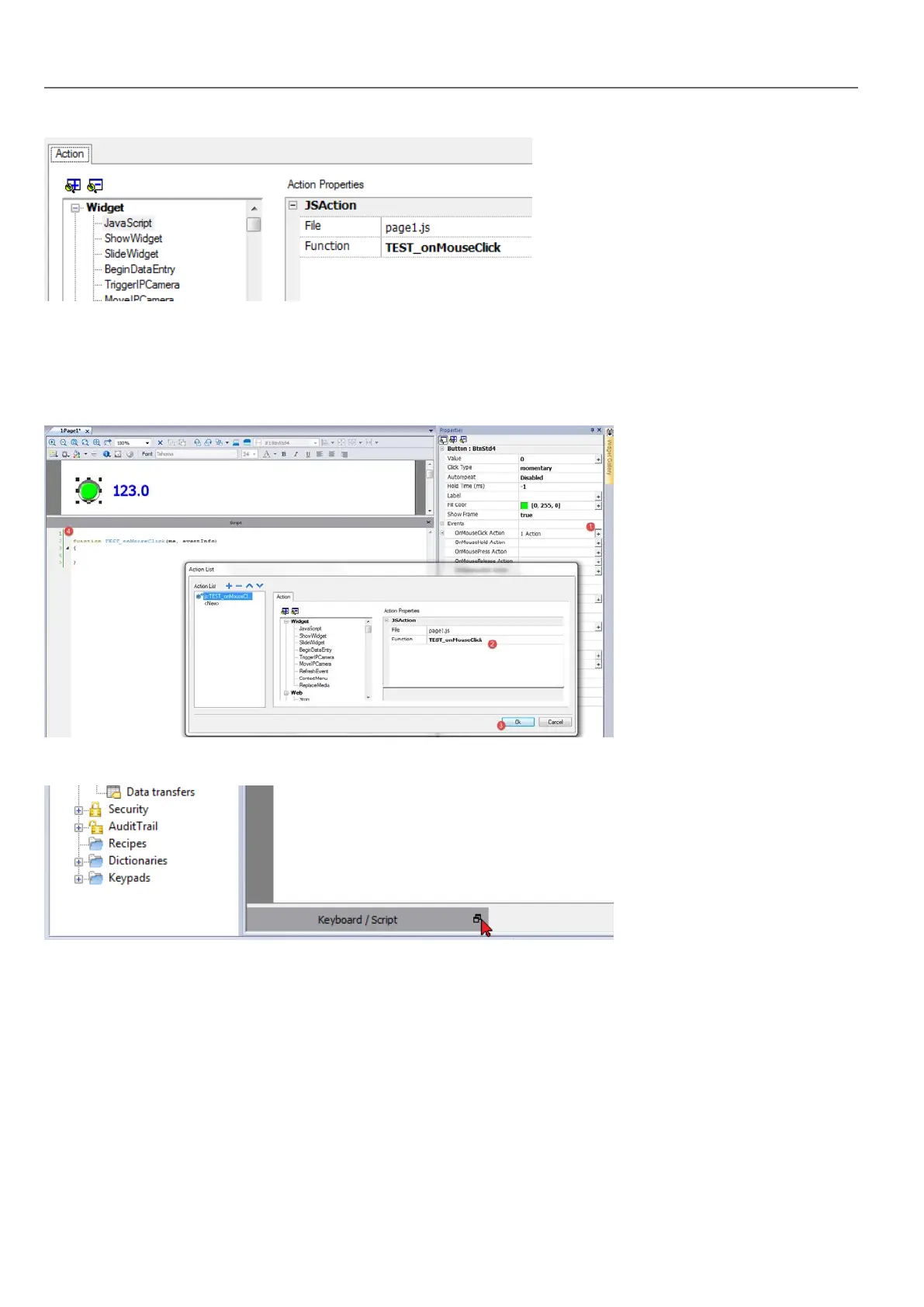
1. Select the even that will execute the action.
2. Add a JavaScript action from the Widget category.
3. Either leave the default function name, or type a new one.
4. Click OK to confirm: the JavaScript editor displays your function structure.
You can also open the JavaScript editor from the Script tab at the bottom of the workspace.
JavaScript functions for alarms and scheduled events
JavaScript code associated with alarms and scheduled events and not associated with a specific page, can be edited from
the main Project properties page.
Path: ProjectView> double-click Project properties
338
HMWIN Studio |User Manual|v206 (2017-06-30) |EN|© 2014-2017 Panasonic Electric Works Europe AG
Execution of JavaScript functions



 To Next Page