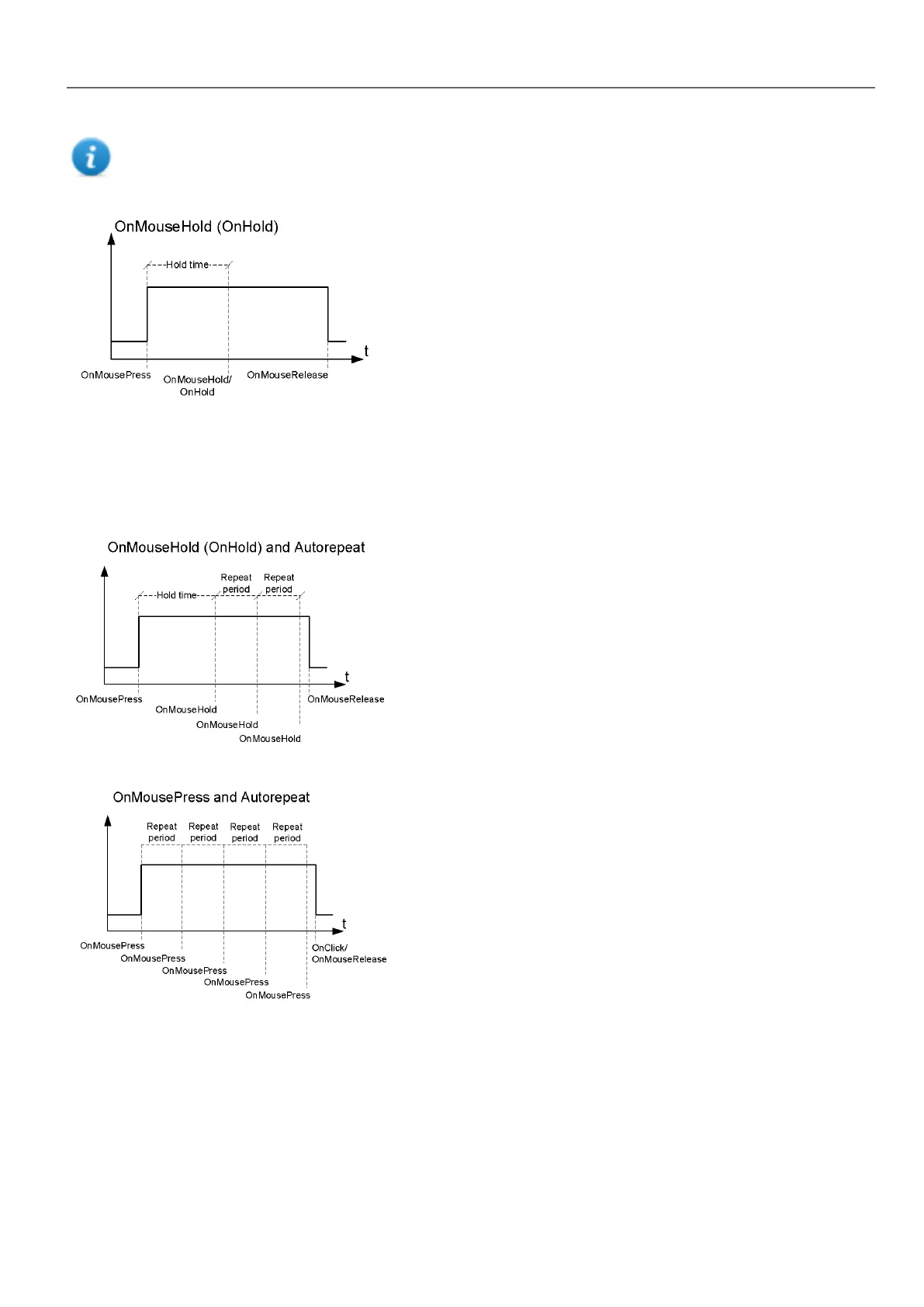
Note: If Hold Time is set to -1 for the widget, the project Hold Time value will be used.
Autorepeat
Enables auto repeat for a press or hold event of button or key. Autorepeat Time is specified in the Project properties but
can also be redefined for each button or key
OnWheel
Triggers the event when a wheel (for example a USB mouse wheel) value changes. A wheel usually is used to
increase/decrease values in a text box or attached to a tag.
OnActivate
Triggers the event when a page is loaded. The event starts before widgets in the page are initialized.
HMWIN Studio |User Manual| v206 (2017-06-30) | EN| © 2014-2017 Panasonic Electric Works Europe AG
37
4 Programming concepts



 To Next Page