Surface
P/N 7010-0628
3-31
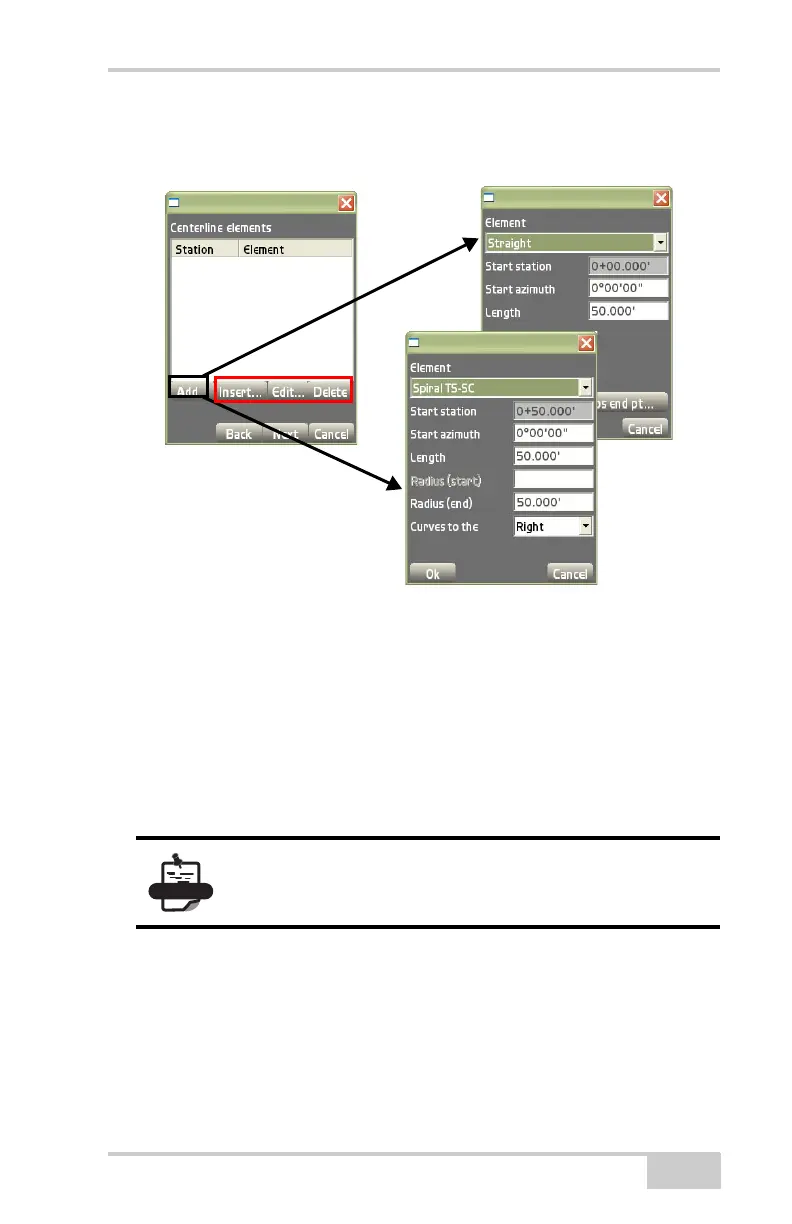
– Curves to the: select the direction, either right or left, in
which the curve or spiral element curves.
Figure 3-45. Centerline Elements Parameters Dialog Box
• Insert –press to add an element above the selected element
(
Figure 3-45). All following elements will be shifted by the
length of the inserted element. See the “Add” bullet on page 3-30
for details on inserting an element.
• Edit – press to edit the selected element (Figure 3-45). See the
“Add” bullet on page 3-30 for details on editing an element.
• Delete – press to remove the selected element (Figure 3-45).
The vertical profile dialog box creates, edits, or deletes alignment
elements. After creating vertical profiles on the Centerline elements
dialog box (
Figure 3-46 on page 3-32), press Next to continue.
The Vertical profile dialog box displays (Figure 3-46).
You must define at least three elements to access the
Vertical profile dialog box.



 To Next Page