Data Menu
Pocket-3D Reference Guide
3-68
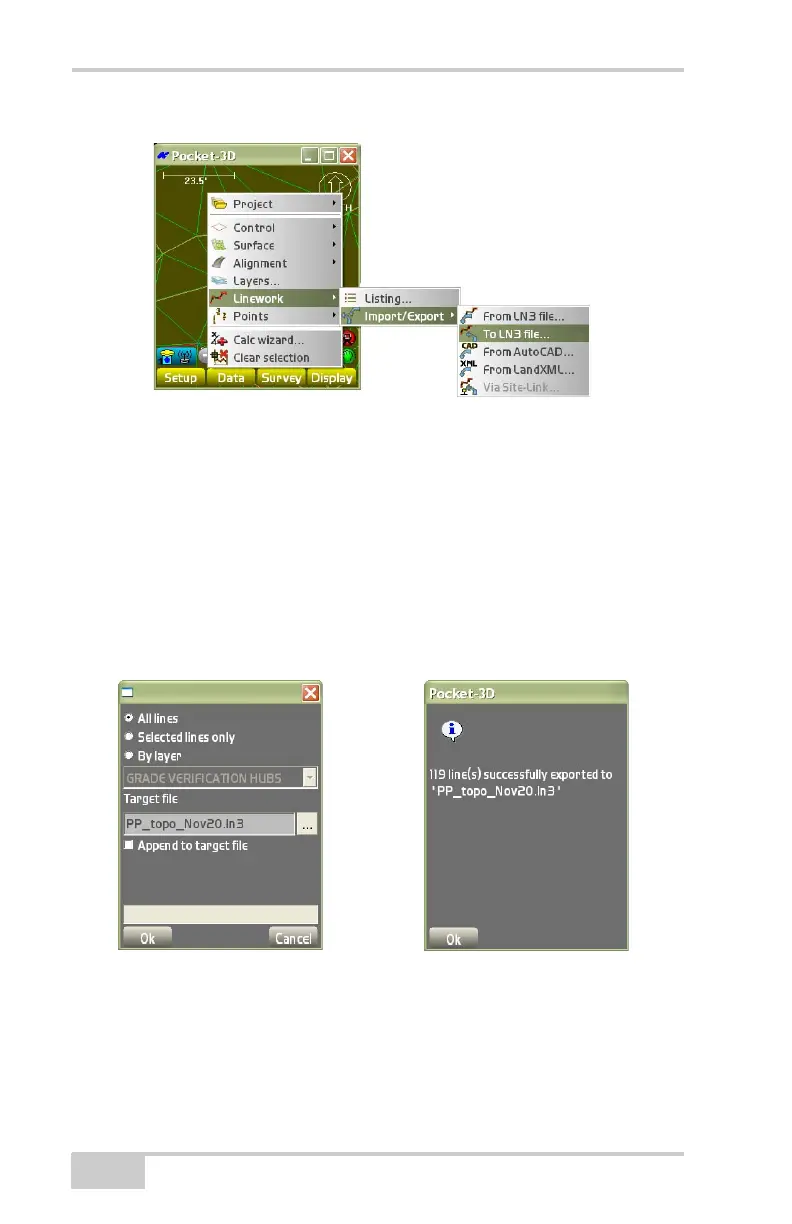
Figure 3-100. Export a Linework File
•The linework export dialog box displays (“Export to LN3 File”
on page 3-68). Select one of the following export methods:
– All lines: Select the browse button (...) to determine the
export destination and enter a name for the file.
– By layer: Select the layers to export, then select the browse
button (...) to determine the export destination and enter a
name for the file.
• Press OK to save.
Figure 3-101. Export to LN3 File
• Press Ok, then press Ok again on the confirmation dialog box
(
Figure 3-101).



 To Next Page