Linework
P/N 7010-0628
3-69
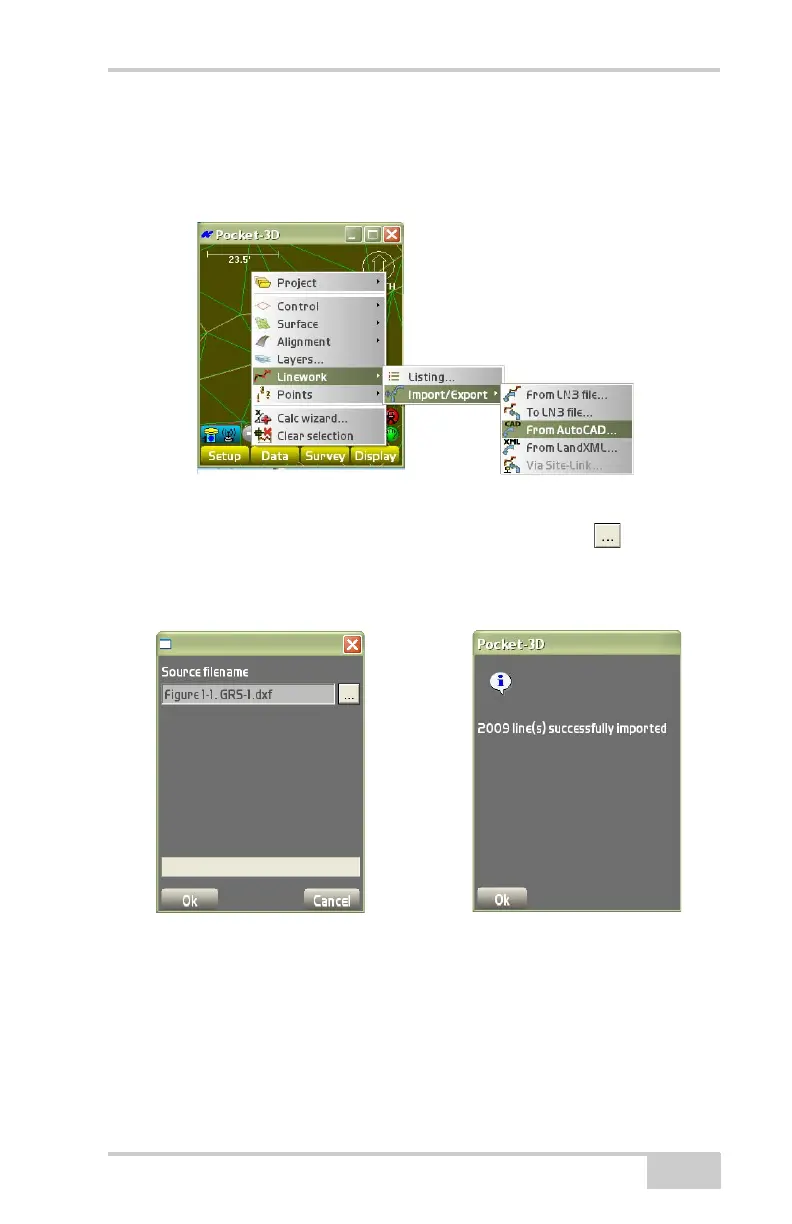
From AutoCAD To Import an AutoCAD file into the Linework file,
click Data
LineworkImport/ExportFrom AutoCAD
(Figure 3-102).
Figure 3-102. Import an AutoCAD File
On the Source filename dialog box, press the browse ( ) button to
browse to select and import the AutoCAD (.dxf) file. The AutoCAD
file then displays in the Source text file entry box (
Figure 3-103).
Figure 3-103. Import from AutoCAD File
Press Ok to confirm that the files have been successfully imported,
then press Ok again.



 To Next Page