CAPINTEC, INC. CAPTUS
®
4000e
7-6 THYROID UPTAKE November 16
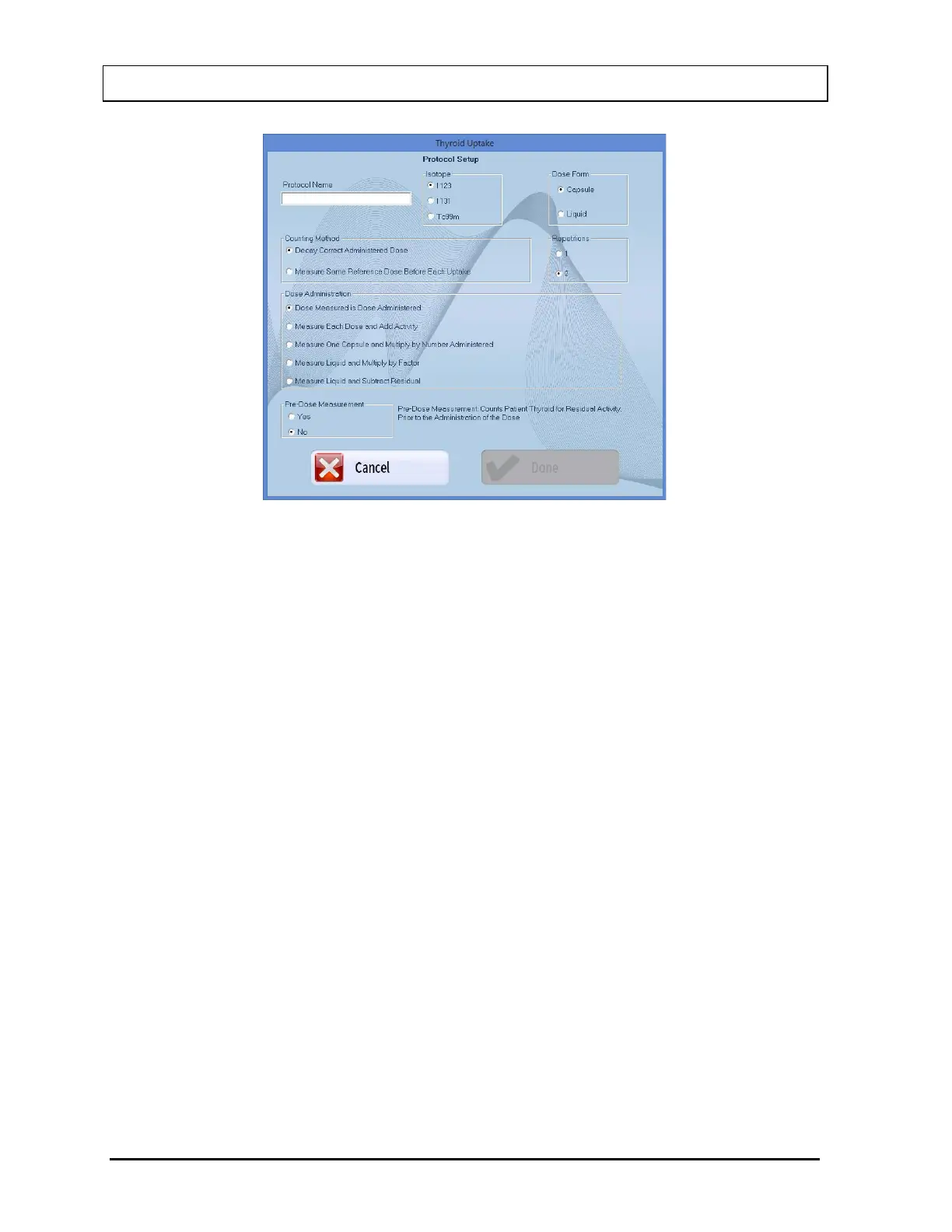
Figure 7-3 Protocol Setup Window
2. Input a descriptive name for the protocol being defined in the Protocol Name text box.
Spaces, numbers and other characters may be used – up to 32 characters (e.g. “Decay
Correct Single Dose-1”). No two protocols can have the same name.
3. Select the appropriate radio button in the Isotope frame to select the isotope that will be
administered to the patient. The choices are I 123, I 131, or Tc99m.
4. Select the appropriate radio button in the Counting Method frame to select a counting
method.
5. Select the appropriate radio button in the Dose Administration frame to select a mode.
6. Select the appropriate radio button in the Dose Form frame to select the form of dose
(CAPSULE or LIQUID) that will be administered to the patient.
Note: Depending on the selection in the Dose Administration frame, the Capsule or
Liquid option may be unavailable.
7. Select the appropriate radio button in the Pre-Dose Measurement frame to select
whether or not you want the patient to be measured before any dose is administered. If
YES is selected, when the uptake is performed, you will be prompted to perform a pre-
dose measurement. These pre-dose measurements will be subtracted from the
subsequent thyroid uptake measurements.
Note: This option should be enabled whenever a patient has received a prior dose of
the same isotope, as that which would be used for the thyroid uptake procedure.
For example, pre-dose measurement should be made for thyroid cancer patients
who have been treated with I-131 for tumor oblation, and then require a



 To Next Page