CAPINTEC, INC. CAPTUS
®
4000e
17-6 DICOM November 16
Worklist Provider
Once the system has been accepted by the PAC’s administrator to be on line for the
WORKLIST and the DICOM SERVER, the system is ready to connect to the WORKLIST
SERVER.
Adding Worklist Provider
On Figure 17-4 DICOM Setup Window, select the Add Worklist Provider button.
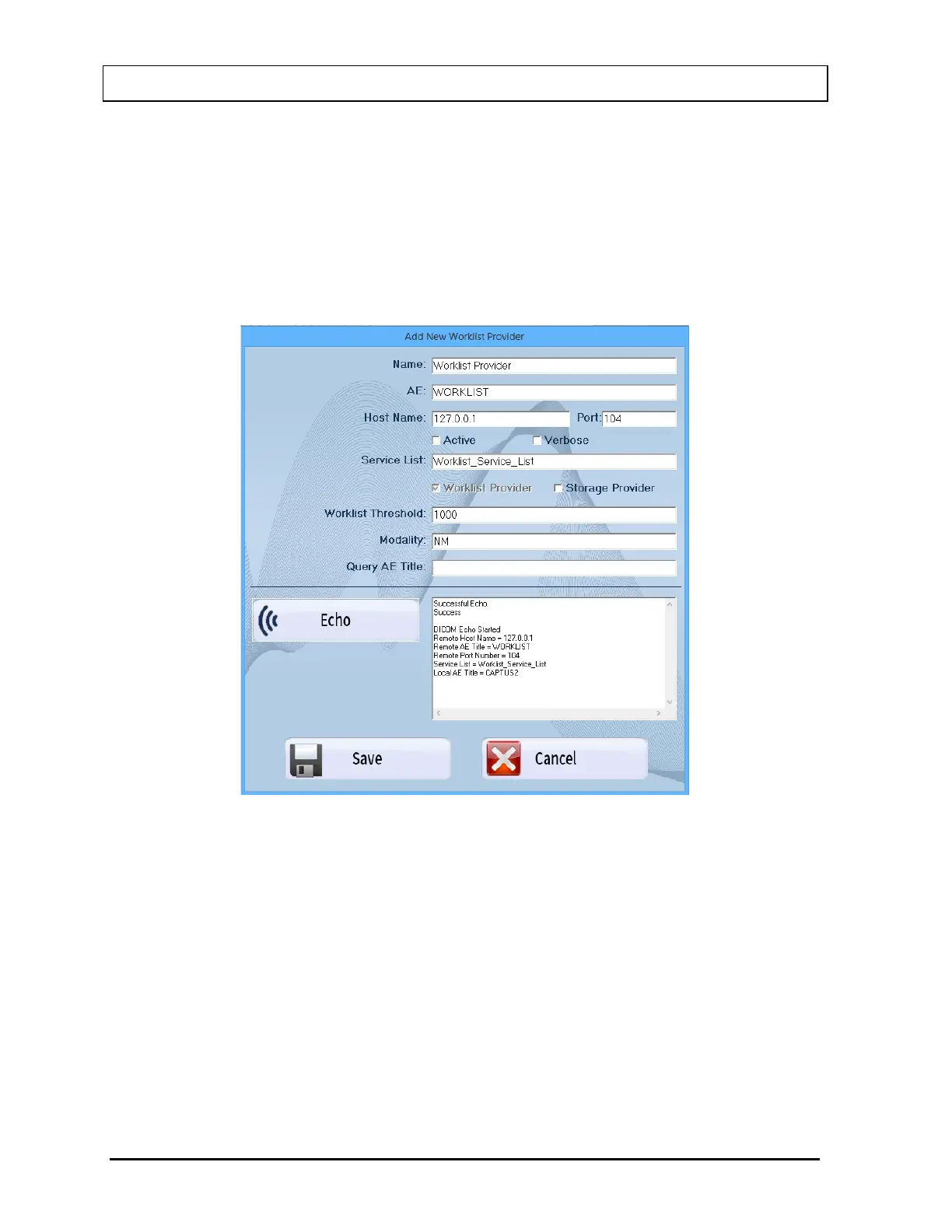
Figure 17-6 will appear.
Figure 17-6
This Worklist Provider window is used to specify the DICOM Modality Worklist
Provider configuration information. The system supports more than one provider.
Input the information provided on the Site Survey or as directed by your PAC’s
administrator.
Name
This is the name the user will see that represents the Worklist provider.



 To Next Page