CAPINTEC, INC. CAPTUS
®
4000e
8-4 WIPE TESTS November 16
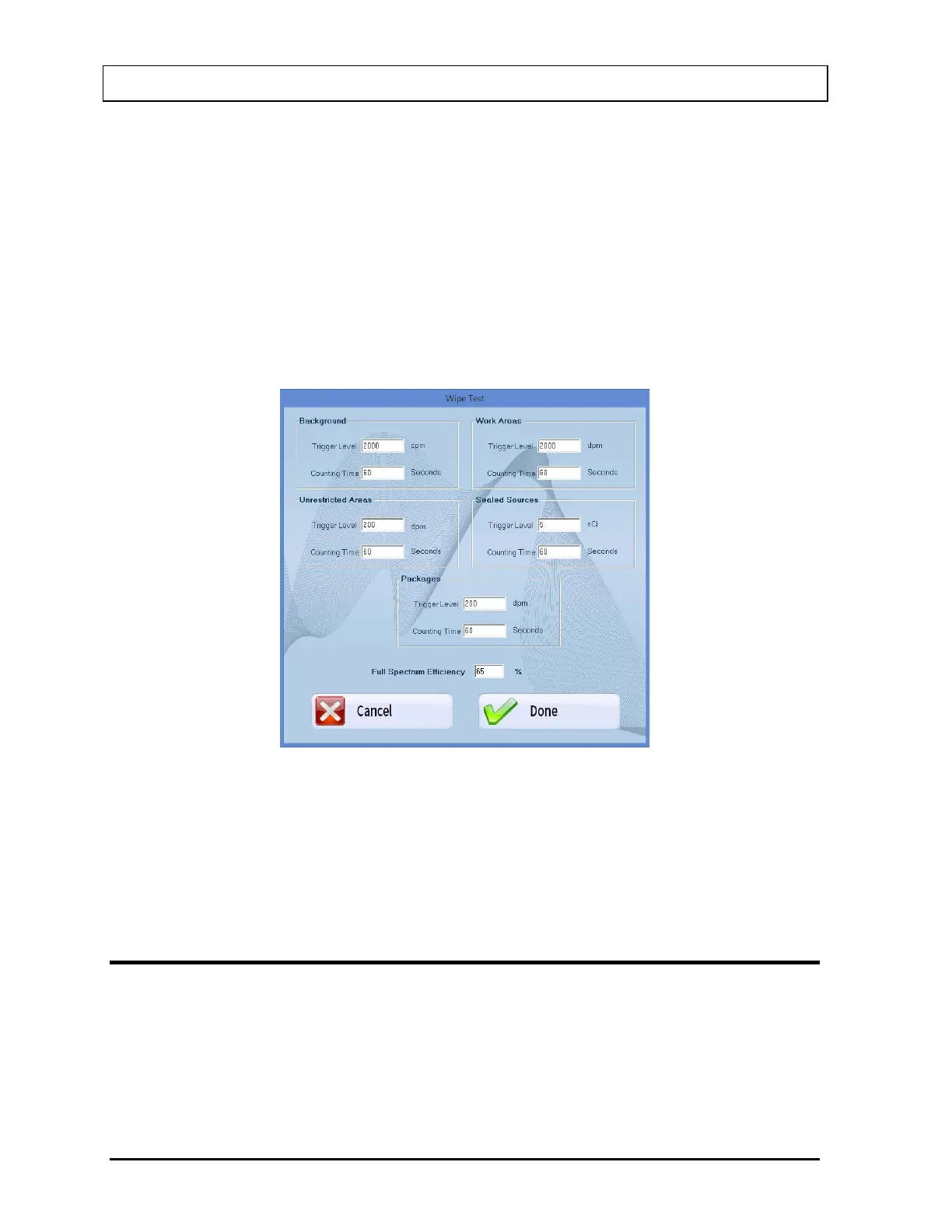
Each group has default values set for Trigger Level (threshold activity) and Counting Time
(live time duration for count collection). All wipe locations belong to one of the above groups,
which automatically sets the Trigger Level and Counting Time for the wipe location. These
values are also set to a default for background, which is common for all the wipe locations. In
addition to these values, Full Spectrum Efficiency is set to an optimum number, 65%
(Refer to ISOTOPE EFFICIENCY on page 8-30 for more information).
To view or change the Trigger Level, Counting Time or the Full Spectrum Efficiency default
values,
1. Select the Setup Defaults button or press Alt+D at the bottom of Figure 8-2 Wipe Test
Main Screen. Figure 8-3 Wipe Test Setup Screen will appear.
Figure 8-3 Wipe Test Setup Screen
2. To change any values, click in the text box or use the Tab key to move from one text box
to another and enter the appropriate data.
3. Select the Done button to save changes or select the Cancel button to cancel the
changes. Figure 8-2 Wipe Test Main Screen will reappear.
SELECTING ISOTOPES FOR WIPE TEST
1. Select the Isotope Library button to view the Isotope Library. Figure 8-4 Isotope Library
Screen will appear. A list of isotopes is displayed with their half-lives, peak energies and
the Well and Probe efficiencies for each isotope, if available.



 To Next Page