CAPINTEC, INC. CAPTUS
®
4000e
August 15 TIME ACTIVITY ANALYSIS 12-5
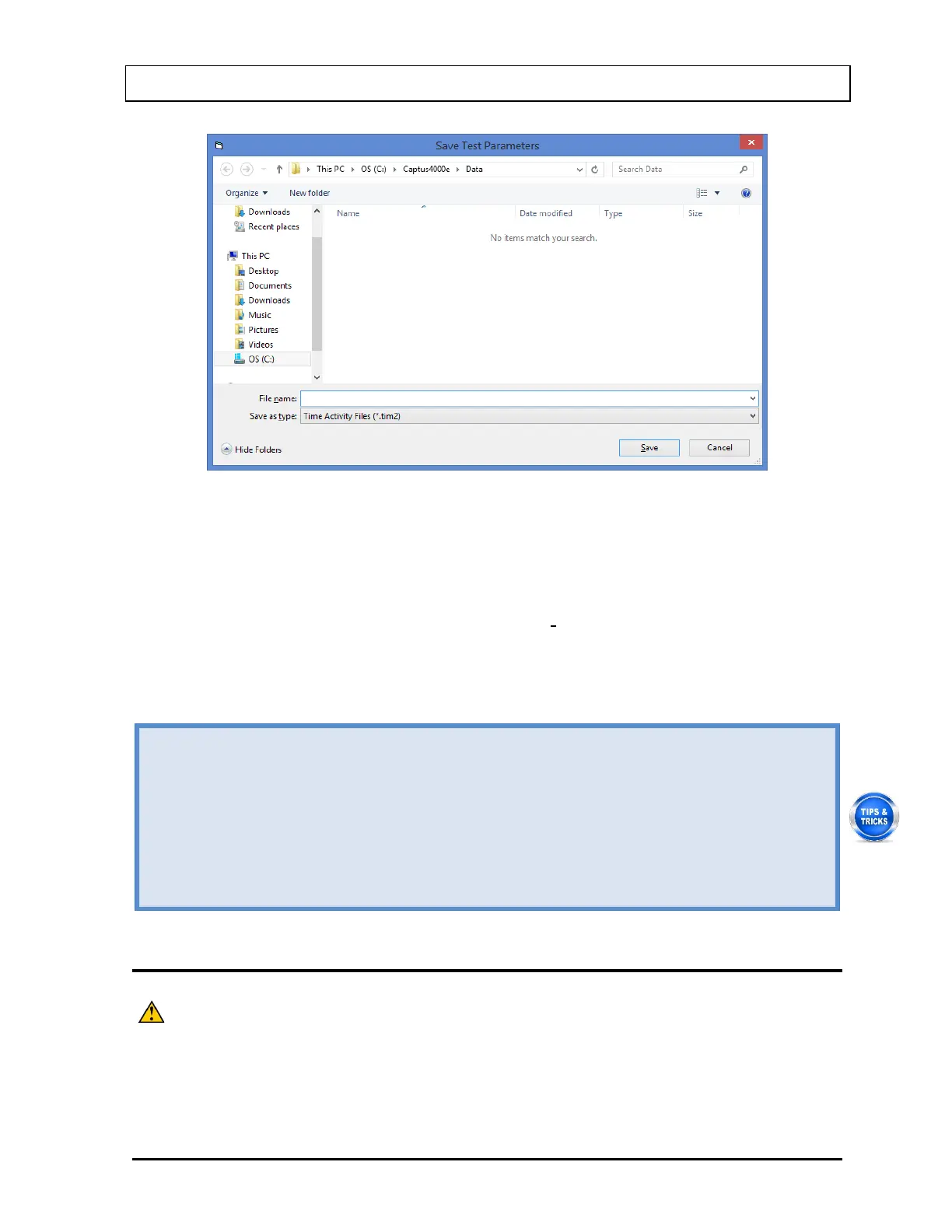
Figure 12-4
The default folder for saving this file is C:\Captus4000e\Data\. The setup will be
saved with .tim2 extension. Type in the file name and select the Save button or
press Alt+S to save.
Note: It is recommended that the Save as type: is not changed from Time
Activity Files (*.tim2)
vii. Select the Done button to save changes or select the Cancel button to discard
the changes and return to Figure 12-1 Time Activity Analysis screen.
• To select an isotope, when the Select Isotope drop-down list is active, press the first
letter of the isotope.
• To move between data fields use the Tab key and to change the detector while in the
Detector frame, use or keys.
• To load saved parameters into the setup screen, select the Load From File button or
press Alt+L.
• To return to the CAPTUS
®
4000e Main screen from the Time Activity Analysis screen,
select the Exit button or press Alt+E or press the Esc key.
MAKING MEASUREMENTS
CAUTION: Calibration is recommended before making any measurements. Refer to
CHAPTER 5: QUALITY ASSURANCE TESTS; SECTION: AUTO
1. Select the Count button or press Alt+C on Figure 12-1 Time Activity Analysis screen.



 To Next Page