CAPINTEC, INC. CAPTUS
®
4000e
August 15 MCA 13-3
CHANGING DETECTORS
To switch detectors, simply select the desired detector from the Detector frame on the lower
right side of Figure 13-1 MCA Main Screen. The program will automatically switch the signal
input to the selected detector, and reset the stored calibration settings for that detector.
SPECTRUM SCALE & ZOOMING
The spectral display area will automatically change vertical scale range so that the entire
spectrum is displayed at all times.
The spectrum can be zoomed-in vertically or horizontally by selecting the Zoom button on
the menu bar. A pop-up window with three options is displayed:
• Vertical Zoom – This selection will allow zooming of the full-count vertical scale.
• Horizontal Zoom – This selection will allow zooming of the horizontal scale.
• Auto Range – This selection will restore the spectrum the original automatic settings.
Vertical Zoom
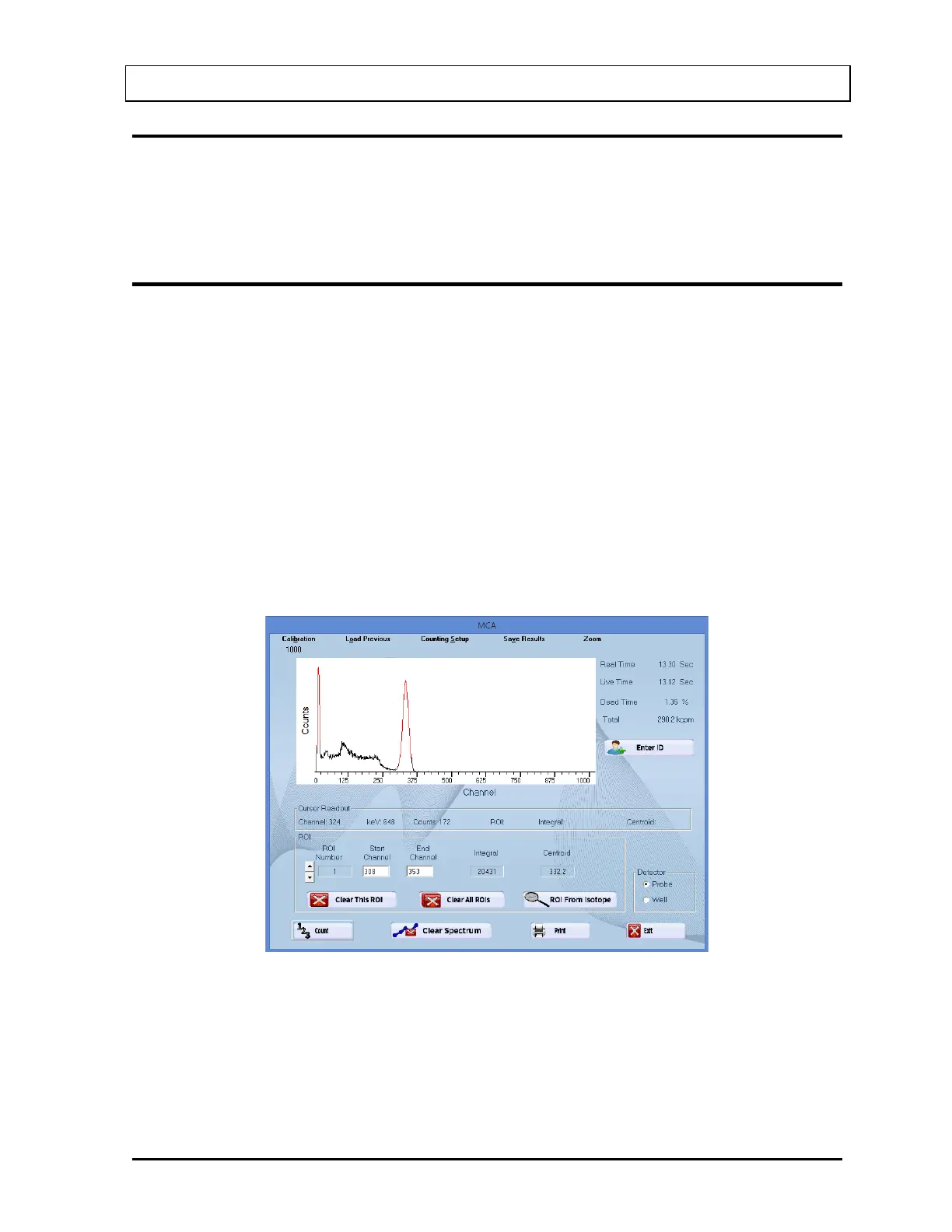
The vertical scale can be expanded to a (minimum) full-scale count of 100. The example
spectrum shown in Figure 13-2 is of Cs137 and a vertical full-scale count of 1000.
Figure 13-2
To expand the vertical scale, from Figure 13-2, select the Zoom button on the menu bar and,
from the pop-up menu, select Vertical Zoom. This sequence can be repeated until the full-
scale count is at 200 as shown in Figure 13-3.



 To Next Page